4.10 Using Monitor Function
DP Series/DP Series Type R
171
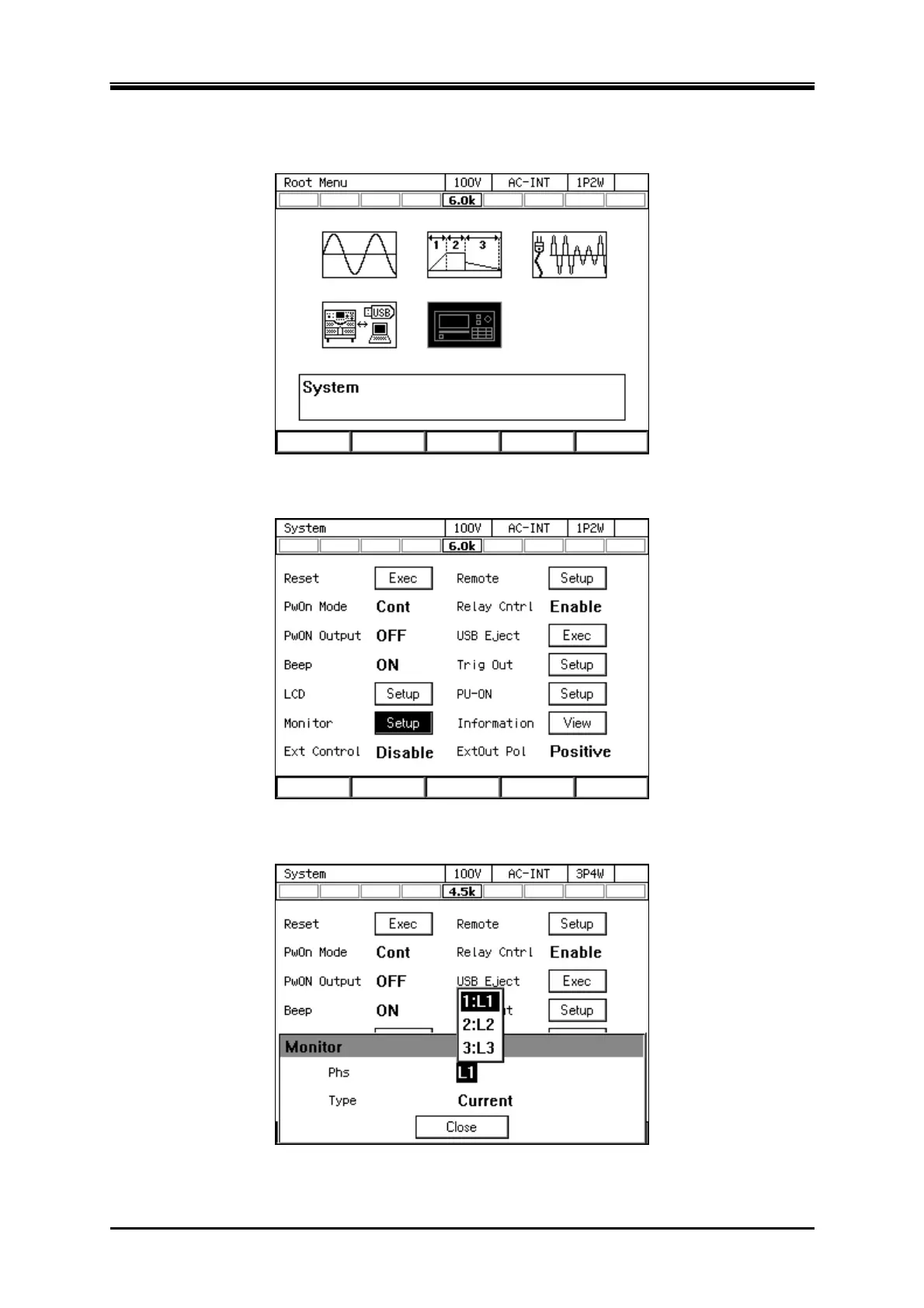
Switching the monitor output
1.
Press the MENU key to move to the root menu, then select [System].
2.
Put the cursor on [Setup] of the [Monitor] item, then press the ENTER key.
3.
«Only for polyphase model and polyphase system» For the [Phs] item, select the desired phase.



 To Next Page