2. Preparation before Use
PROGRAMMABLE AC POWER SOURCE
20
3.
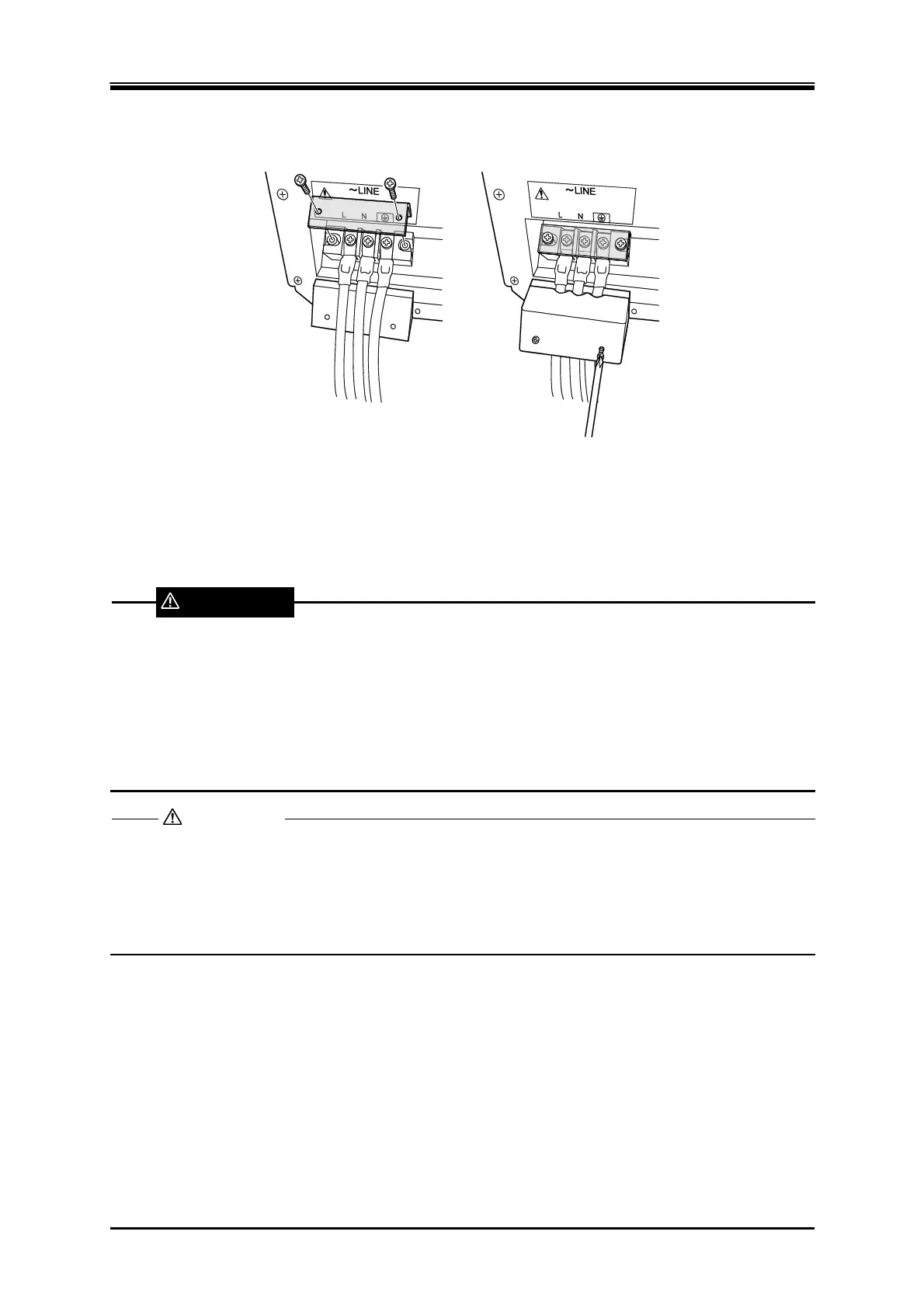
Attach the resin-molded power input terminal cover and the cable holder (option). Direct the
folded part of the resin-molded power input terminal cover to the upper side of the product.
4.
Ensure that the power switch of this product is turned off, and then connect the power cable to
the distribution board.
Do not use this product when the resin-molded terminal cover is removed. Otherwise, an electric
shock might occur.
Use enough thick cables to prevent touching live conductive parts after attaching the
resin-molded terminal cover. If a thin cable is connected, fingers may enter the gap between the
resin-molded terminal cover and the cable, resulting in electric shock, therefore attach some
additional guards.
Be sure to check phases L, L1, L2, L3, and N are correctly connected between this product and
the distribution board.
If this product whose power input is three-phase four-wire input (3P4W) is used without
connecting N, it may be damaged. Be sure to connect all power cables.
WARNING
CAUTION



 To Next Page