2.7 Simple Operation Check
DP Series/DP Series Type R
35
3.
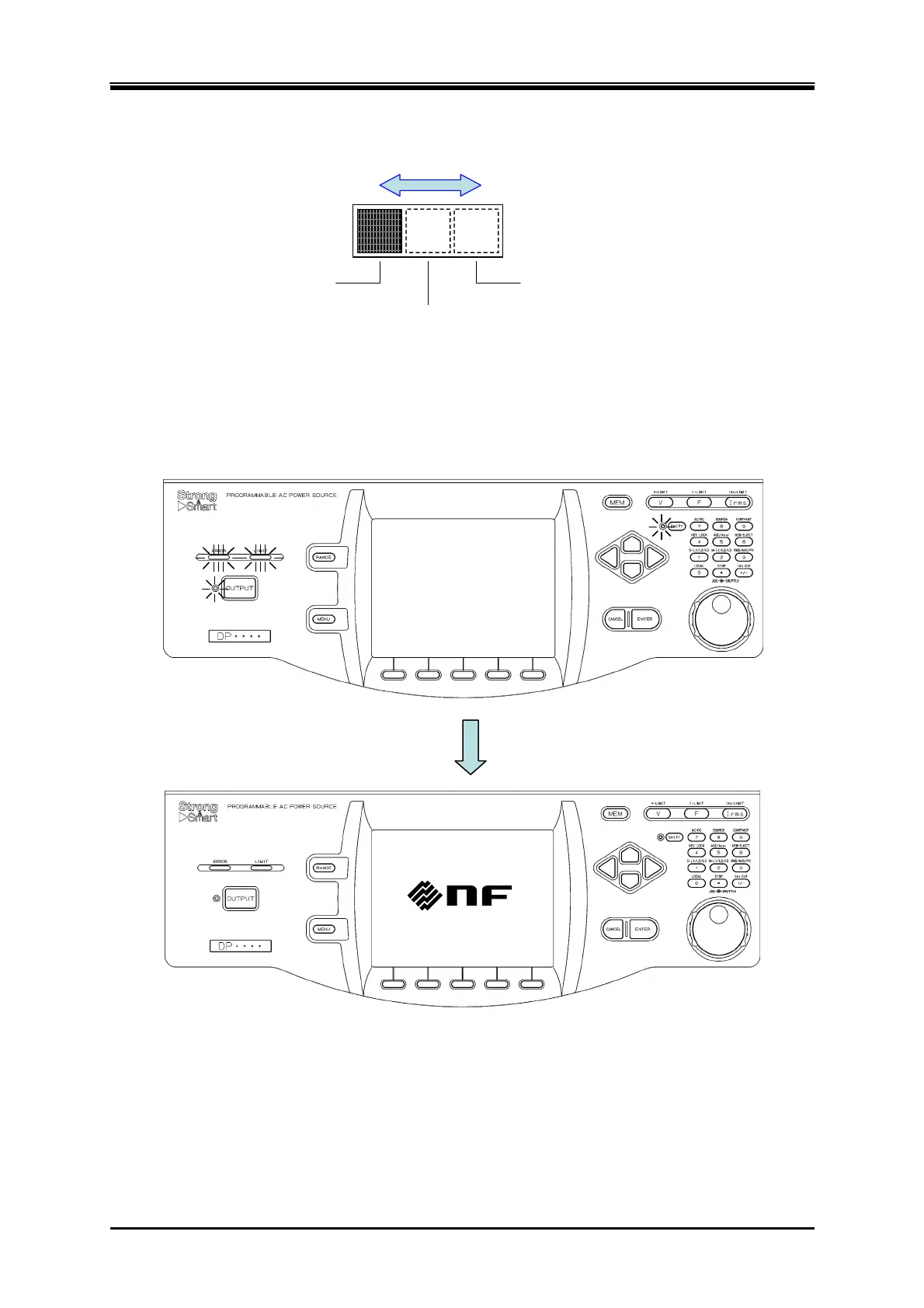
«Only for Multi-phase model» For the Multi-phase model, set the phase configuration setting
switch according to the output phase configuration to be checked.
1φ2W
1φ3W
3φ4W
スイッチをスライドさせて設定す
Set the switch by sliding it.
4.
Turn on the switch of the distribution board, and then turn on the power switch of this product.
Check that all LEDs on the control panel illuminate for several seconds, and then turn off, and
that our logo mark appears on the LCD screen (see
3.2.4
). If LAN interface is equipped, "LXI"
is displayed below the logo mark.
5.
Except when you purchased a new product, refer to "
4.28 Restoring to the Factory Default
Setting (Reset)
" to initialize the product to factory defaults. The product will be reset, and
display the Continuous screen automatically.
6.
When you purchased a new product, the product will start and then display the Continuous
screen automatically.



 To Next Page