3. Basic Operation
PROGRAMMABLE AC POWER SOURCE
70
-------- Notes ------------------------------------------------------------------------------------------------------------
If the measured value display mode is changed to Peak in the Simple View mode, the
maximum peak values (Vmax/Imax) are displayed instead of the voltage/current measured
value. Also, if the measured value display mode is changed to RMS/AVG from Peak, the
effective/average values are displayed instead of the maximum and minimum peak values.
If the AC/DC mode and the signal source are changed in the Simple View mode, the measured
voltage values are forced to be displayed instead of the items that are not displayed in the mode after
the change, such as the power factor or crest factor. If this operation is applied to multiple items, the
measured current value is displayed for the second item, and the current peak-hold value for the third.
-----------------------------------------------------------------------------------------------------------------------------
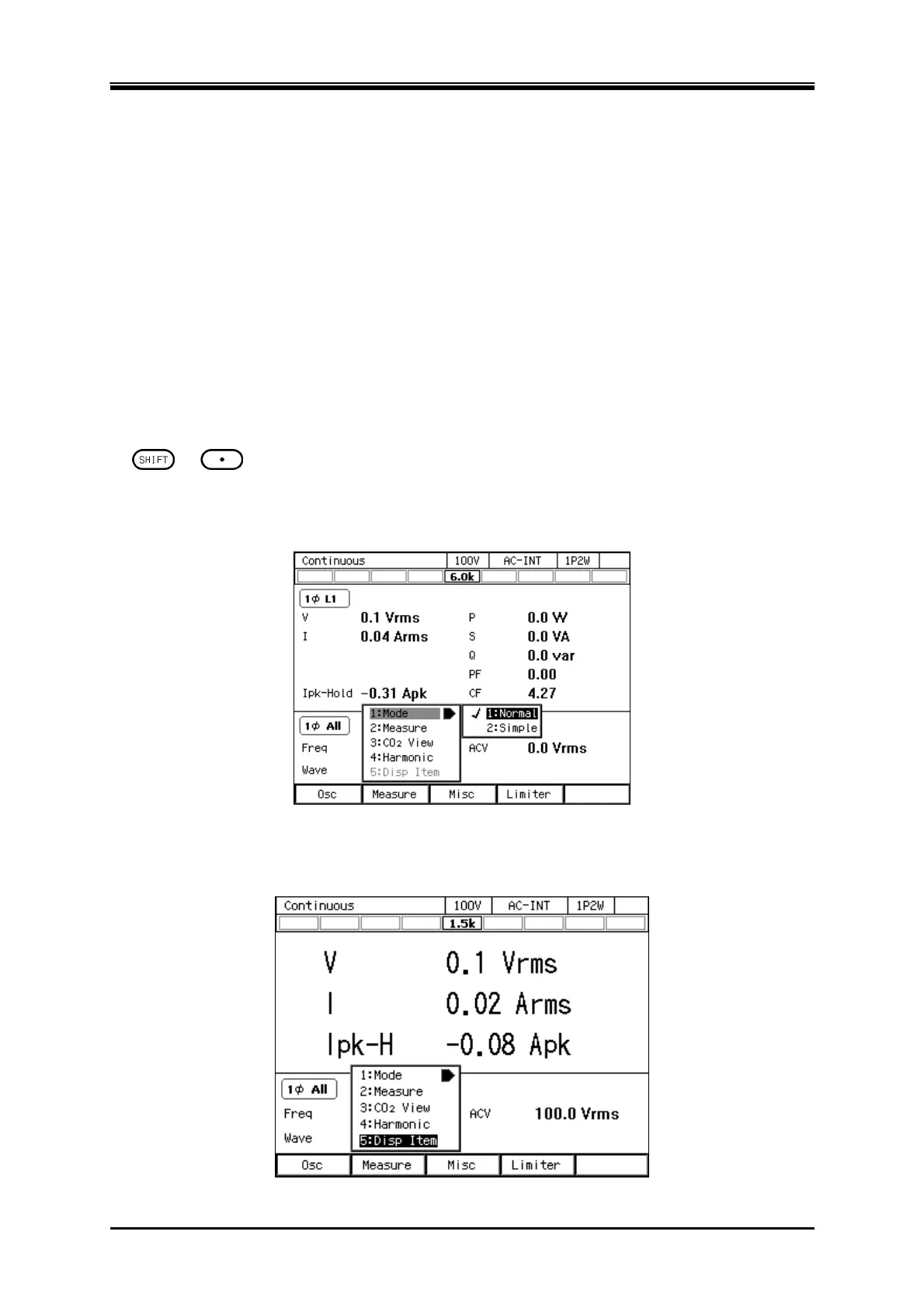
Switching the measured value display mode (normal/simple)
The mode is toggled between normal and simple every time you perform the Shortcut operation with
+ . You can also change the mode by following the steps below.
1.
Press the [Measure] soft-key and select [1:Mode].
2.
Select 1: Normal/2: Simple.
Selecting the measured value being displayed in the Simple View mode (procedure 1)
1.
In the Simple View mode, press the [Measure] soft-key and select [5:Disp Item]. The setting
window for display items opens.



 To Next Page