EasyManua.ls Logo

Nikon D300S - Self-Timer Mode

Nikon D300S
501 pages
Print Icon
To Next Page IconTo Next Page
To Previous Page IconTo Previous Page
Loading...
Self-Timer
Mode
The self-timer can be used
to
reduce camera shake
or
for
self-
portraits.
To
use
the
self-timer,
mount
the
camera on a
tripod
(recommended)
or
place
the
camera on a stable, level surface and
follow
the
steps below:
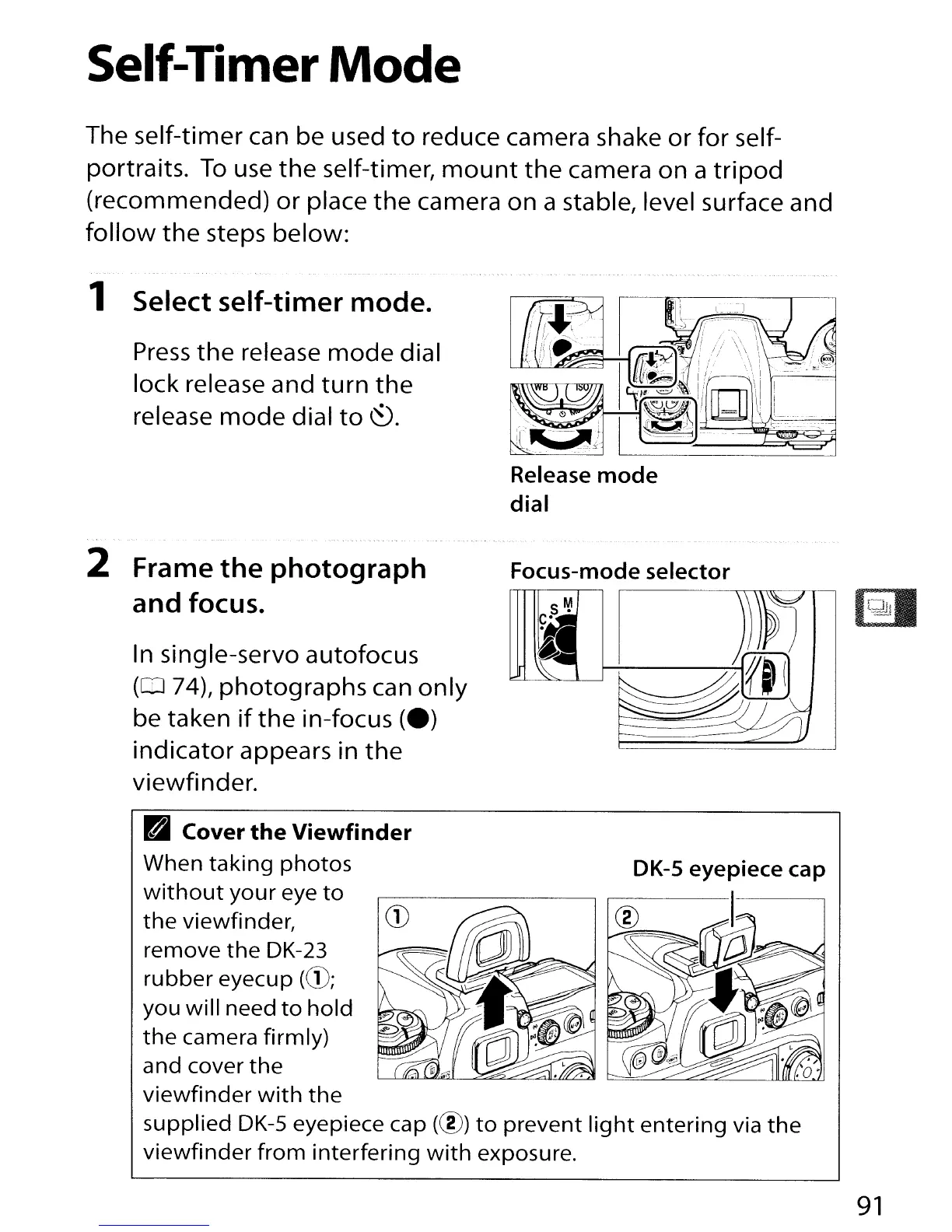
1 Select self-timer
mode.
Press
the
release
mode
dial
lock release and
turn
the
release
mode
dial
to
~.
2 Frame
the
photograph
and
focus.
In single-servo autofocus
(0
74),
photographs
can
only
be taken
if
the
in-focus
(e)
indicator
appears in
the
viewfinder.
Release
mode
dial
Focus-mode selector
RI
Cover
the
Viewfinder
When
taking
photos
without
your
eye
to
the
viewfinder,
CD
®
Vi"P~"",,-
remove
the
DK-23
rubber
eyecup
(CD;
you
will
need
to
hold
the
camera firmly)
and cover
the
viewfinder
with
the
supplied
DK-S
eyepiece cap
(@)
to
prevent
light
entering
via
the
viewfinder
from
interfering
with
exposure.
91

Table of Contents

Other manuals for Nikon D300S

Related product manuals