EasyManua.ls Logo

Nikon D300S - The Playback Menu

Nikon D300S
501 pages
Print Icon
To Next Page IconTo Next Page
To Previous Page IconTo Previous Page
Loading...
The Playback Menu
The
Delete
option
in
the
playback
menu
contains
the
following
options. Note
that
depending
on
the
number
of
images, some
time
may be required
for
deletion.
-
..
,.
Option
Description
-... .
-".
..-
-.
-
"'-'
.- - . ..-.' .
~"-'---
-.--
--
..
-.-
..
--.-
_
..
_.,,--.-
..
-
-_._
.•..
_~
--
.
~B~
Selected, Delete selected pictures.
- ;Delete all -pictures-i-n--ihe-folder cu-rrently sefected for
ALL
All
playback
(0
245).
If
two
cards are inserted, you can select
the
card
from
which
pictures will be deleted.
".
..
- -
....
-
II
Selected:
Deleting
Selected
Photographs
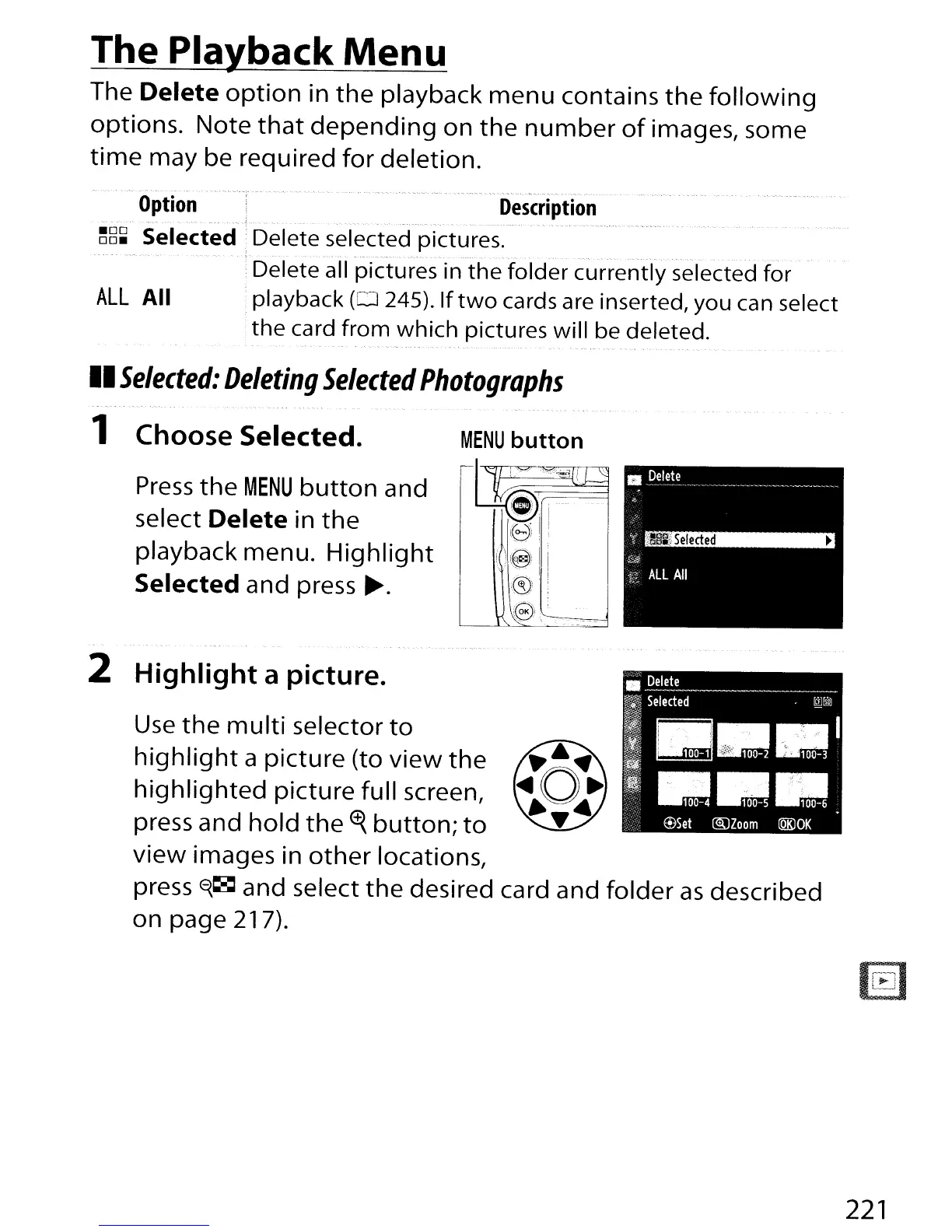
1
Choose Selected.
Press
the
MENU
button
and
select
Delete
in
the
playback menu.
Highlight
Selected and press
~.
Use
the
multi
selector
to
highlight
a picture (to
view
the
highlighted
picture
full screen,
press and
hold
the
<f{
button;
to
view
images in
other
locations,
press
0{~
and select
the
desired card and folder
as
described
on page
21
7).
2 Highlight a picture.
221

Table of Contents

Other manuals for Nikon D300S

Related product manuals