Release
Mode
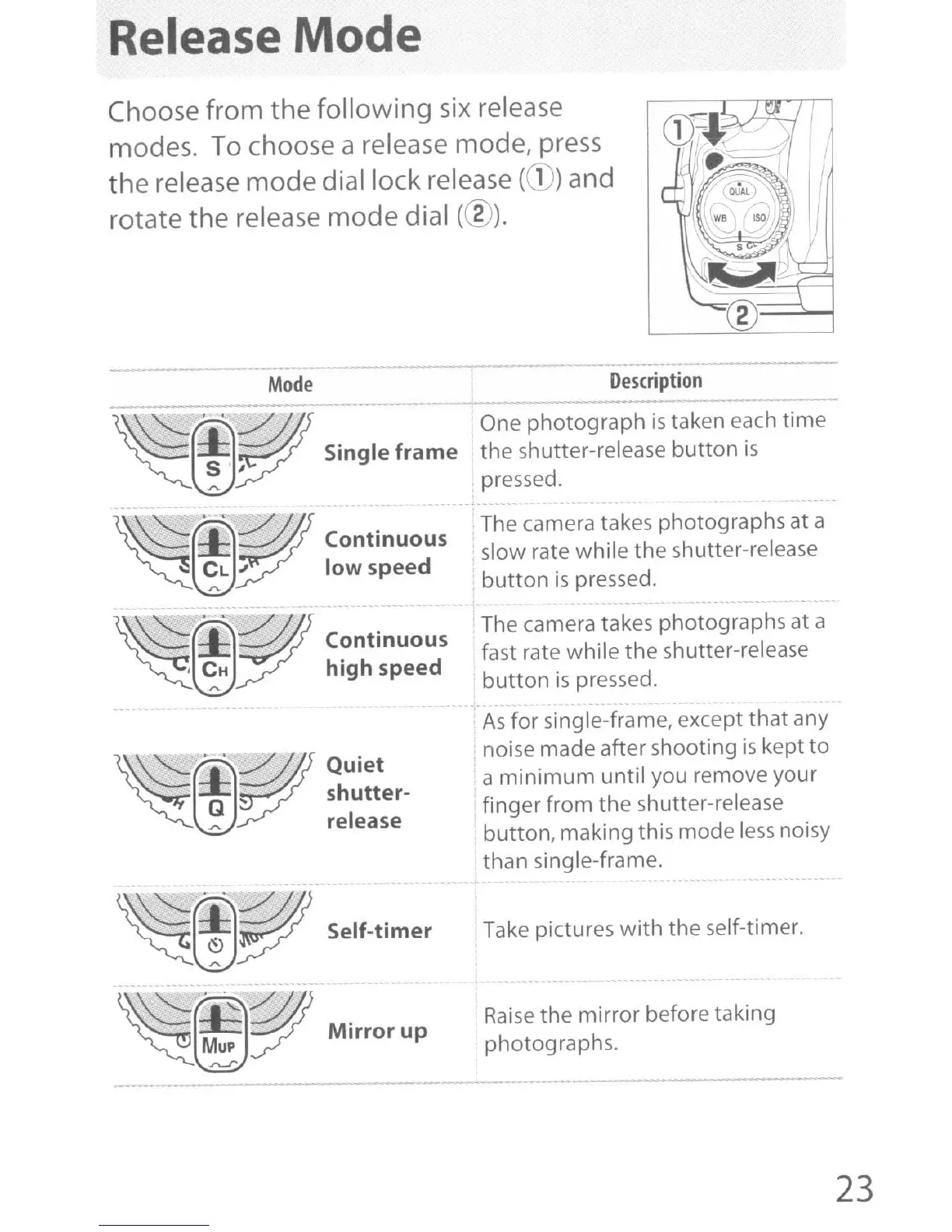
Choose from
the
following
six
release
modes. To choose a release mode, press
the
release
mode
dial lock release
(CD)
and
rotate
the
release
mode
dial (@).
Mode
- --
---
Description
~
··
r;ffI
One photograph
is
taken each time
ffi,
Single
frame
the shutter-release button
is
..
pressed.
~
.
~@'
'~@
Continuous
CL J low speed
.r..
- - -
~
~@'
'-
~@
C~ntinuous
j
CH
high speed
.r..
~
~ffi~
.
r;ffI~
Quiet
~
Q
~
shutter-
~
release
~
~~.'
I-::::Y/)
~~~
Self-timer
~~~
Mirror
up
The camera takes photographs at a
slow rate while
the
shutter-release
button
is
pressed.
The camera takes photographs at a
fast rate while
the
shutter-release
button
is
pressed.
-
As
for single-frame, except
that
any
noise made after shooting
is
kept
to
a
minimum
until you remove
your
finger from the shutter-release
button, making this mode
less
noisy
than single-frame.
Take pictures
with
the
self-timer.
Raise
the
mirror
before taking
photographs.
23



 To Next Page