EasyManua.ls Logo

Nikon D300S - Format the Memory Card

Nikon D300S
501 pages
Print Icon
To Next Page IconTo Next Page
To Previous Page IconTo Previous Page
Loading...
Format the Memory Card
Memory
cards must be formatted before first
use
or
after being
used
or
formatted in
other
devices.
~
Formatting
Memory
Cards
Formatting
memory
cards permanentlydeletes any
data
they
may
contain.
Be
sure
to
copy any
photographs
and
other
data you wish
to
keep
to
a
computer
before proceeding
(0
224).
Turn
the
camera on.
2 Press
the
Fo§3
buttons.
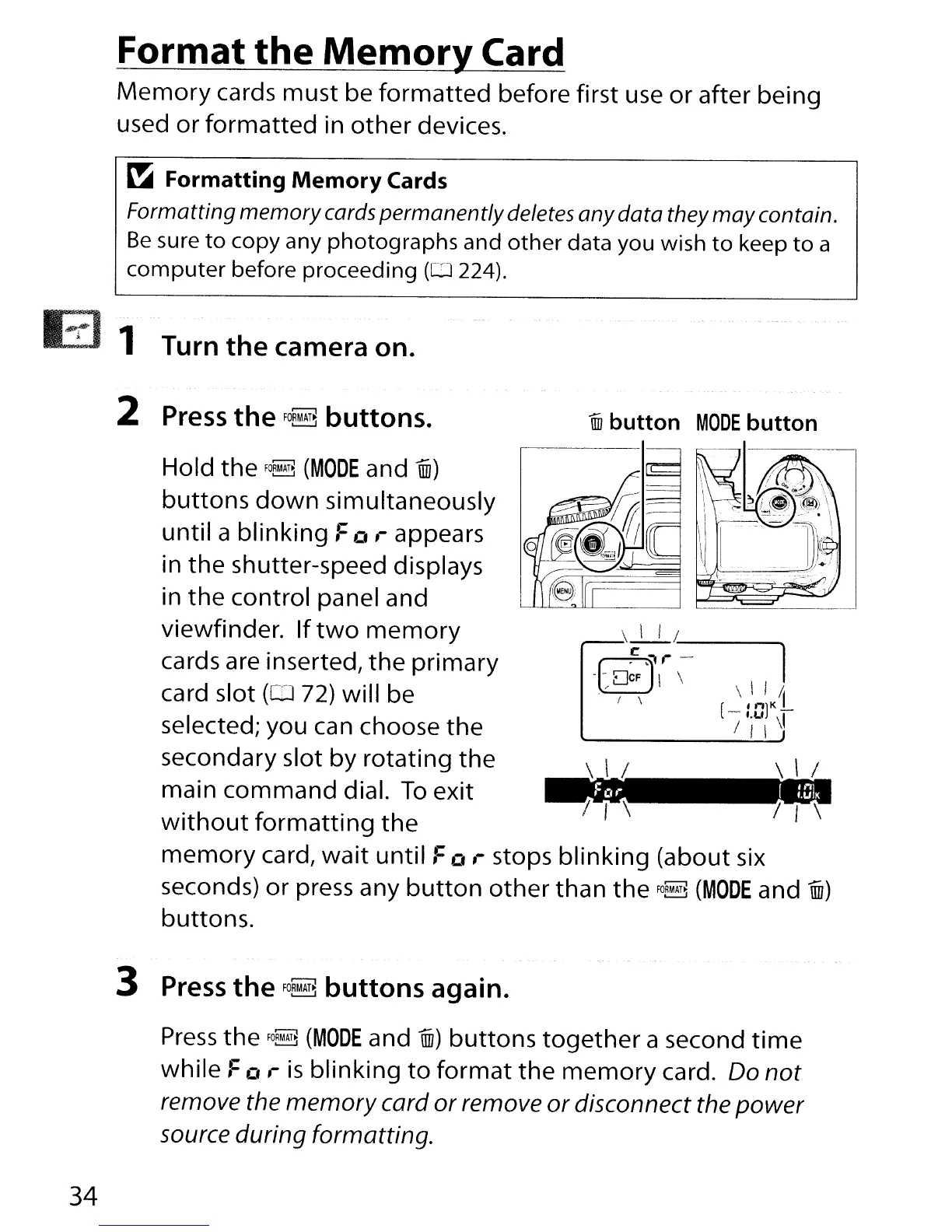
iID
button
MODE
button
\ \ /
I I
'\
\ \ I .
.
\_1
--..
d
r
-
1
.~\
\
\\I/i
. I \ I
[
"'lK-
-1.U
\1
/ I \
~
\ l
I I
'\
Hold
the
FO~
(MODE
and
mi)
buttons
down
simultaneously
until a blinking
Fa
,-
appears
in the shutter-speed displays
in
the
control panel and
viewfinder.
If
two
memory
cards are inserted,
the
primary
card slot
(OJ
72)
will be
selected; you can choose
the
secondary slot by rotating the
main command dial.
To
exit
without
formatting
the
memory
card,
wait
until
Fa
,-
stops
blinking
(about six
seconds)
or
press any
button
other
than the
FO~
(MODE
and
mi)
buttons.
3 Press
the
FO~
buttons
again.
Press
the
FOR~
(MODE
and
mi)
buttons
together
a second
time
while
Fa
,-
is
blinking
to
format
the
memory
card. Do
not
remove the
memory
card
or
remove
or
disconnect the
power
source during formatting.
34

Table of Contents

Other manuals for Nikon D300S

Related product manuals