EasyManua.ls Logo

Nikon D300S - Resize

Nikon D300S
501 pages
Print Icon
To Next Page IconTo Next Page
To Previous Page IconTo Previous Page
Loading...
Resize
Create small copies
of
selected photographs. Resize can be used
during
full-frame playback
as
described on page 316.
If
you select
Resize in
the
retouch menu, you can resize
multiple
photographs
as
described below.
Choose
destination
OS/)
~
I_~~~i~!________________
.
_.'
._
if~~
Choose
destination
~t
~
it
OCF
CF
card
slot
-~
I
R,_;,'--___
------
---
IJA
Select
image
..
~
Choose
size
2.5M
:7"i'.-'4
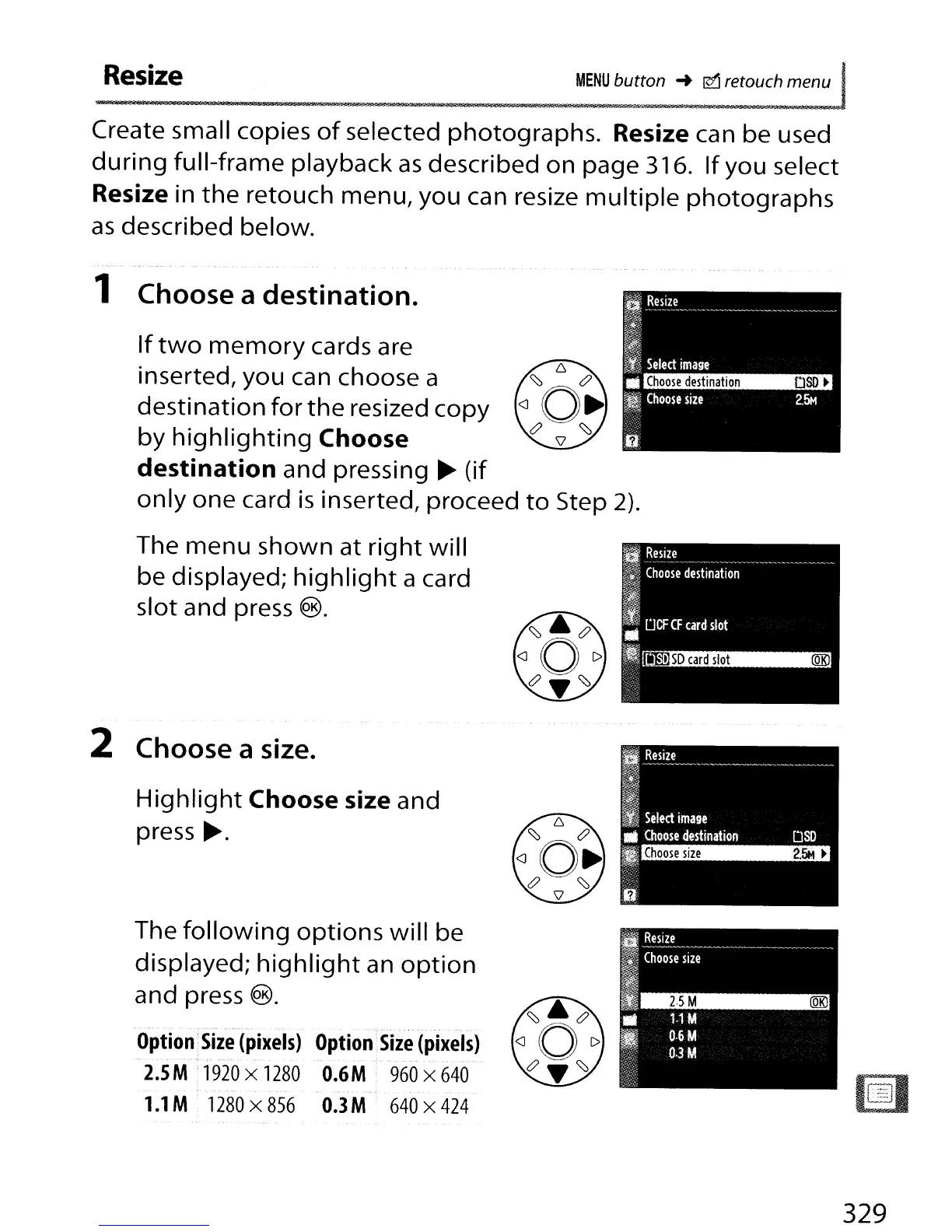
If
two
memory
cards are
inserted, you can choose a
destination for
the
resized copy
by
highlighting
Choose
destination
and pressing
~
(if
only
one card
is
inserted, proceed
to
Step 2).
The
menu
shown at
right
will
be displayed;
highlight
a card
slot and press
®.
1 Choose a destination.
2 Choose a size.
Highlight
Choose
size and
press
~.
~--'.
- ,
Option
Size
(pixels)
Option
Size
(pixels)
2.5
M:
1920
x
1280
O.6M
960
x
640
-.
-
_.
- - .-
1.1
M
1280
x
856
O.3M
640
x
424
The
following
options
will be
displayed;
highlight
an
option
and press
®.
329

Table of Contents

Other manuals for Nikon D300S

Related product manuals