EasyManua.ls Logo

Nikon D300S - Insert a Memory Card

Nikon D300S
501 pages
Print Icon
To Next Page IconTo Next Page
To Previous Page IconTo Previous Page
Loading...
Insert a
Memory
Card
The camera
has
two
memory
card slots, one for Type I
CompactFlash
memory
cards (Type
\I
cards and microdrives can
not
be used) and
another
for
Secure Digital
(SO)
memory
cards
(memory
cards are available separately; 0 393). The
following
section describes
how
to
insert and
format
a
memory
card.
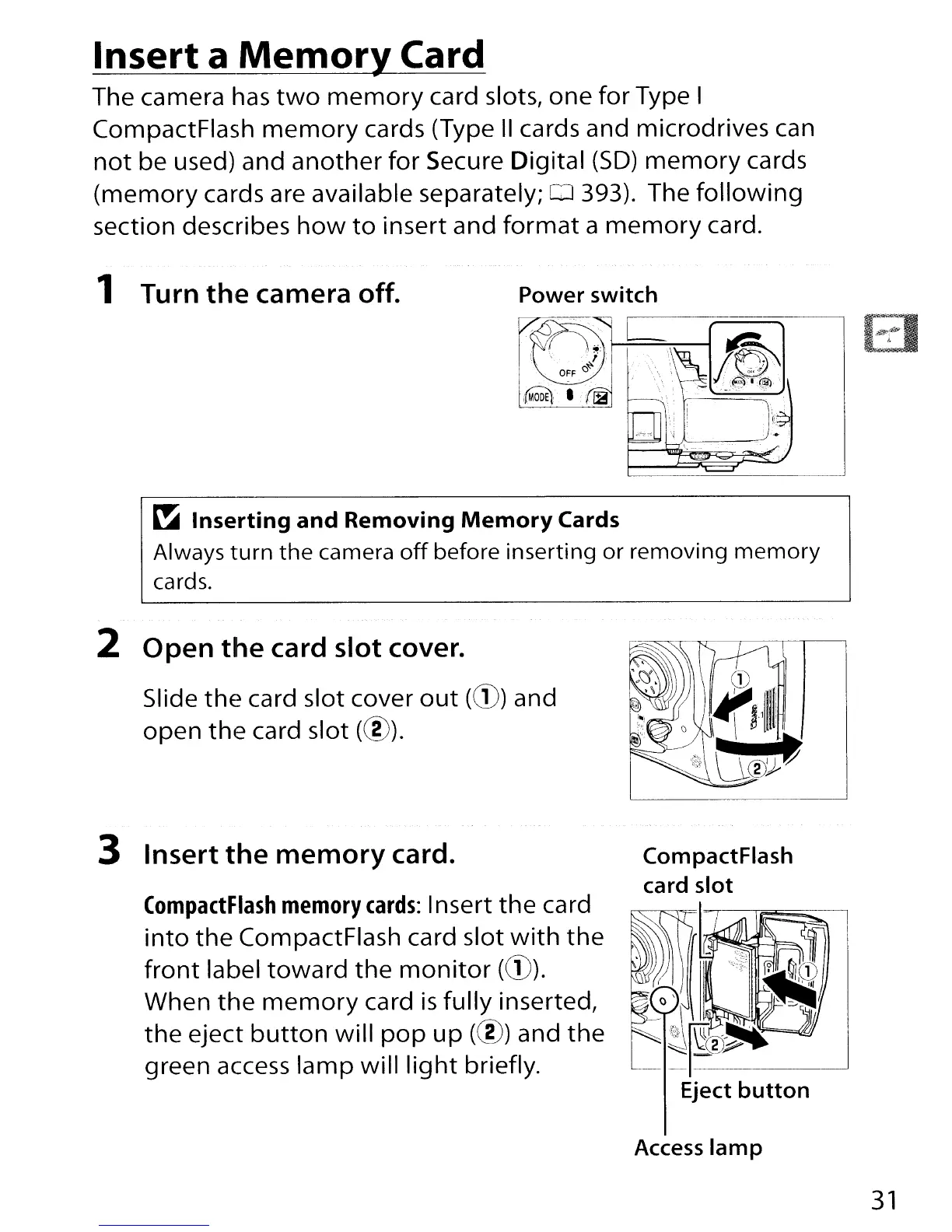
1 Turn
the
camera off. Power switch
~
""""'L
-
"~.'"
",
G,'~.",,"'"
!"OFFO~,',',"
,""
\,~,
!·,~
..
--,T,"'\.f.'.~:.".\
-
\~J.::~'@
.~,
,12
"
'.".
->-~
i
\.---
~
Inserting
and
Removing
Memory
Cards
Always
turn
the
camera
off
before inserting or removing
memory
cards.
2
Open
the
card
slot
cover.
Slide
the
card slot cover
out
(CD)
and
open
the
card slot (@).
3
Insert
the
memory
card.
(ompactFlash
memory
cards:
Insert
the
card
into
the
CompactFlash card slot
with
the
front
label
toward
the
monitor
(CD).
When
the
memory
card
is
fully
inserted,
the
eject
button
will
pop
up
(@) and
the
green access
lamp
will
light
briefly.
CompactFlash
card
slot
Access
lamp
31

Table of Contents

Other manuals for Nikon D300S

Related product manuals