EasyManua.ls Logo

Nikon D300S - NEF (RAW) Processing

Nikon D300S
501 pages
Print Icon
To Next Page IconTo Next Page
To Previous Page IconTo Previous Page
Loading...
;O
R_~TQ~~!L'!~~JL
_
':'
Trim
~
<#
Monochrome
C.
•.
~
Filter
effects
G
..
Color
balance
@"'",~
...
Image
overlay
l2J
,m
~I
II
Resize
[,'il
g
Edit
movie
Jolt
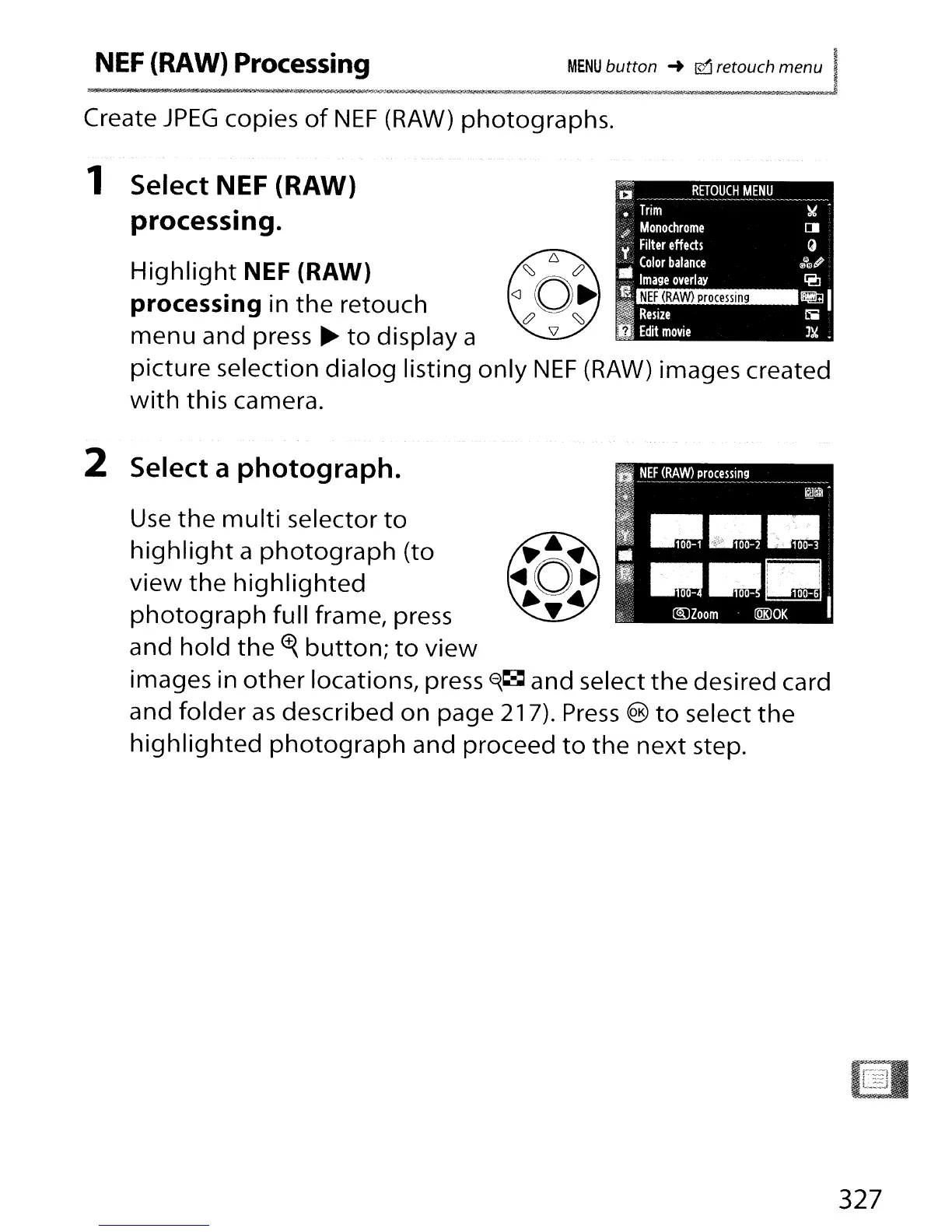
Create
JPEG
copies
of
NEF
(RAW)
photographs.
1 Select NEF (RAW)
processing.
Highlight
NEF (RAW)
processing in
the
retouch
menu
and press
~
to
display a
picture selection dialog listing
only
NEF
(RAW)
images created
with
this camera.
2 Select a photograph.
Use
the
multi
selector
to
highlight
a
photograph
(to
view
the
highlighted
photograph
full frame, press
and hold
the
ct{
button;
to
view
images in
other
locations, press
~~
and select
the
desired card
and
folder
as
described on page 217).
Press
®
to
select
the
highlighted
photograph
and proceed
to
the
next step.
327

Table of Contents

Other manuals for Nikon D300S

Related product manuals