EasyManua.ls Logo

Nikon D300S - Viewing Movies

Nikon D300S
501 pages
Print Icon
To Next Page IconTo Next Page
To Previous Page IconTo Previous Page
Loading...
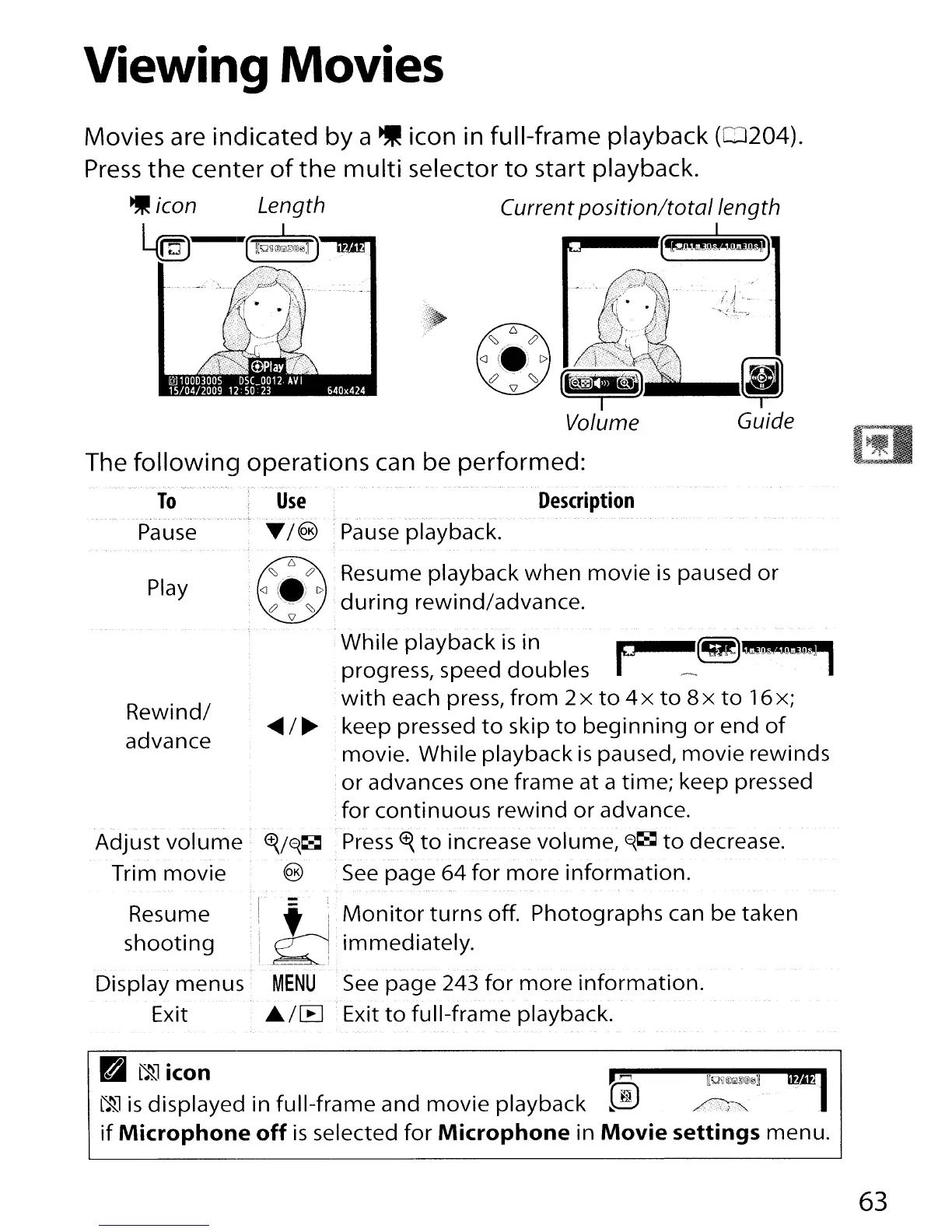
Viewing Movies
Movies are indicated by a icon in full-frame playback
(0204).
Press
the
center
of
the
multi
selector
to
start playback.
icon Length Current
position/totollength
l.«nJ
@!~)
---[jJ)
Guide
The
following
operations can be performed:
To
. . '
..
~.
....
_.'."-.
- .-.
-~.
Pause
Play
Description
Adjust
volume
<f{/~~
T
ri
m
movie
(§)
Rewind/
advance
Resume
shooting
Display menus
Exit
:r=
,
i' i
I.~
MENU
..
/IB
While playback
is
in F
~
~a.:t&Q'
.progress, speed doubles
with
each press,
from
2x
to
4 x
to
8x
to
16x;
keep pressed
to
skip
to
beginning
or
end
of
movie. While playback
is
paused,
movie
rewinds
or
advances
one
frame at a time; keep pressed
for
continuous
rewind
or
advance.
Press
<f{
to
increase volume,
~~
to
decrease.
See
page 64
for
more
information.
Monitor
turns
off. Photographs can be taken
immediately.
-
.-.,
See
page 243
for
more
information.
Exit
to
full-frame
playback.
K."I].
:i~'~iIS;~yed
in
full-frame and movie playback ®
~:'l
1M)
if
Microphone
off
is
selected
for
Microphone
in
Movie
settings menu.
63

Table of Contents

Other manuals for Nikon D300S

Related product manuals