II
Movie
Settings
Adjust movie settings before recording.
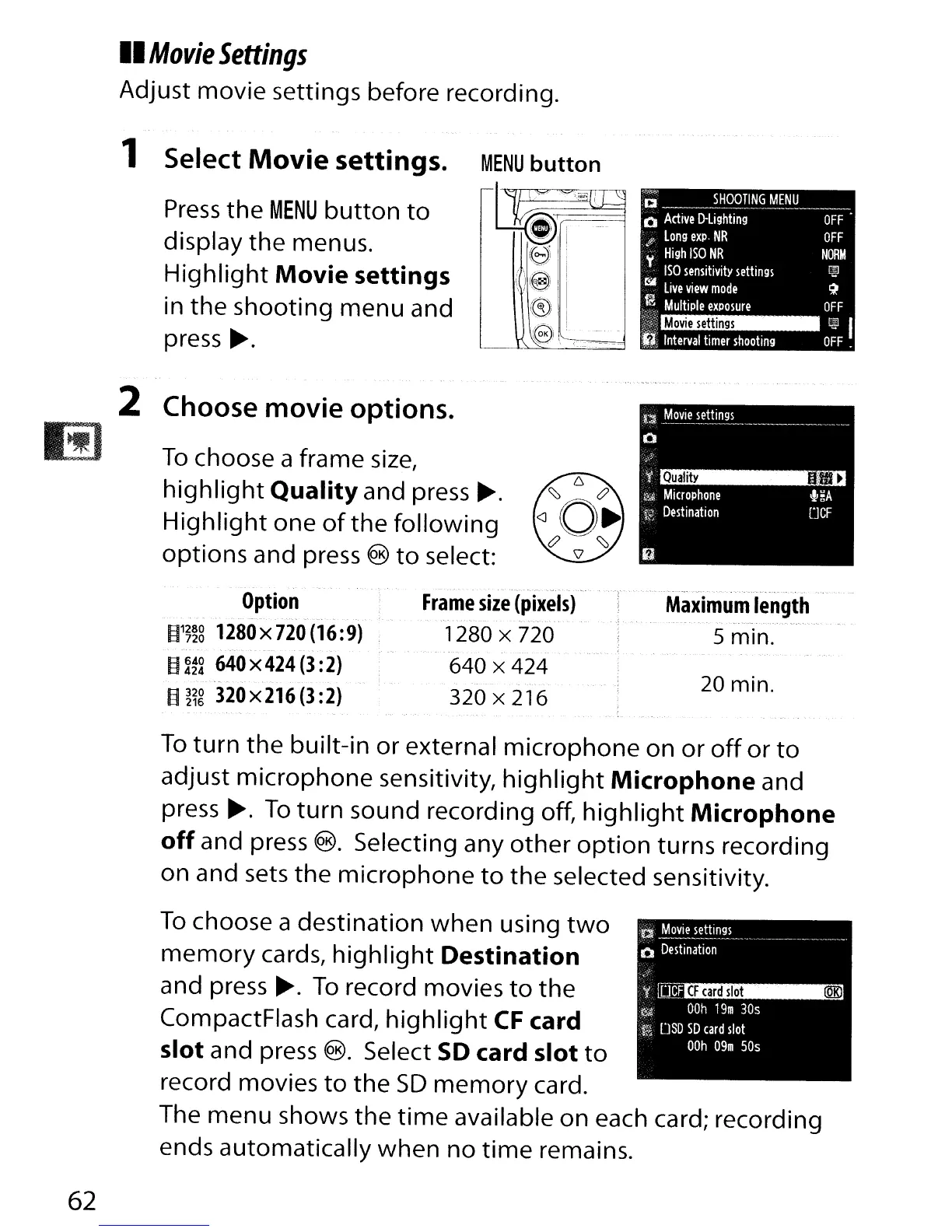
1 Select
Movie
settings.
Press
the
MENU
button
to
display the menus.
Highlight
Movie
settings
in the shooting menu and
press
~.
2 Choose
movie
options.
To
choose a frame
size,
highlight
Quality
and
press~.
Highlight
one
of
the
following
options and press ®
to
select:
Option
- .
--
....
~.
--
~1~~8
1280x720(16:9)
~
~~~
640
x
424
(3
:2)
~
~~g
320
x
216
(3
:2)
Maximum
length
5 min.
20 min.
CF
card
slot
(QKl
~
Mo~~_ettings
_
o
Destination
'f
rc:k1
~
OOh
19m
30s
tti
DSD
SO
card
slot
OOh
09m
50s
To
turn
the
built-in or external microphone on
or
off
or
to
adjust microphone sensitivity,
highlight
Microphone
and
press
~.
To
turn
sound recording off,
highlight
Microphone
off
and press
®.
Selecting any
other
option
turns recording
on and sets the microphone
to
the selected sensitivity.
To
choose a destination
when
using
two
memory
cards,
highlight
Destination
and press
~.
To
record movies
to
the
CompactFlash card,
highlight
CF
card
slot
and press
®.
Select
SO
card
slot
to
record movies
to
the
SD
memory
card.
The menu shows the
time
available on each card; recording
ends automatically when
no
time
remains.
62



 To Next Page