EasyManua.ls Logo

Nikon D300S - Choosing a Color Temperature

Nikon D300S
501 pages
Print Icon
To Next Page IconTo Next Page
To Previous Page IconTo Previous Page
Loading...
Choosing a ColorTemperature
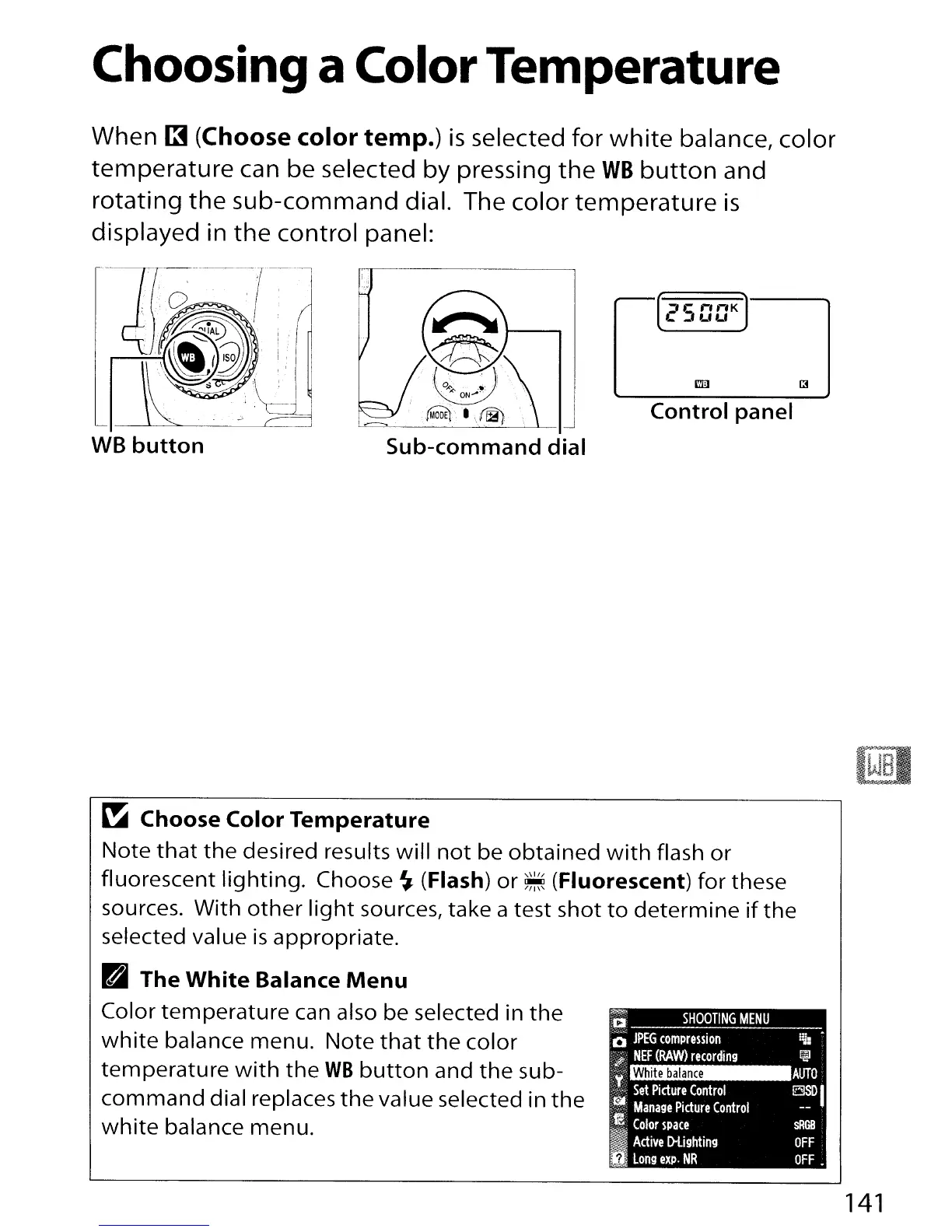
When
13
(Choose
color
temp.)
is
selected
for
white
balance, color
temperature can be selected by pressing
the
WB
button
and
rotating
the
sub-command
dial. The color temperature
is
displayed in the control panel:
WB
button
Sub-command
dial
Control
panel
~
AUTO
~DI
sRGB
OFF
OFF.
White
balance
~
SHOOTING
MENU
o
JPEG
compression
.;,..
NEF
(RAW>
recording
't
,--,
Set
Picture
Control
i~
Manage
Picture
Control
~m
'I·
..
·'"
Color
space
..
Active
D-Lighting
long
expo
NR
~
Choose
Color
Temperature
Note
that
the
desired results will
not
be
obtained
with
flash
or
fluorescent
lighting.
Choose
~
(Flash)
or
~
(Fluorescent) for these
sources. With
other
light
sources, take a test shot
to
determine
if
the
selected value
is
appropriate.
B
The
White
Balance
Menu
Color
temperature
can also be selected in
the
white
balance menu. Note
that
the
color
temperature
with
the
WB
button
and
the
sub-
command
dial replaces
the
value selected in
the
white
balance menu.
141

Table of Contents

Other manuals for Nikon D300S

Related product manuals