EasyManua.ls Logo

Nikon D300S - Mirror up Mode

Nikon D300S
501 pages
Print Icon
To Next Page IconTo Next Page
To Previous Page IconTo Previous Page
Loading...
Mirrorup Mode
Choose this
mode
to
minimize
blurring
caused
by
camera
movement
when
the
mirror
is
raised.
Use
of
a
tripod
is
recommended.
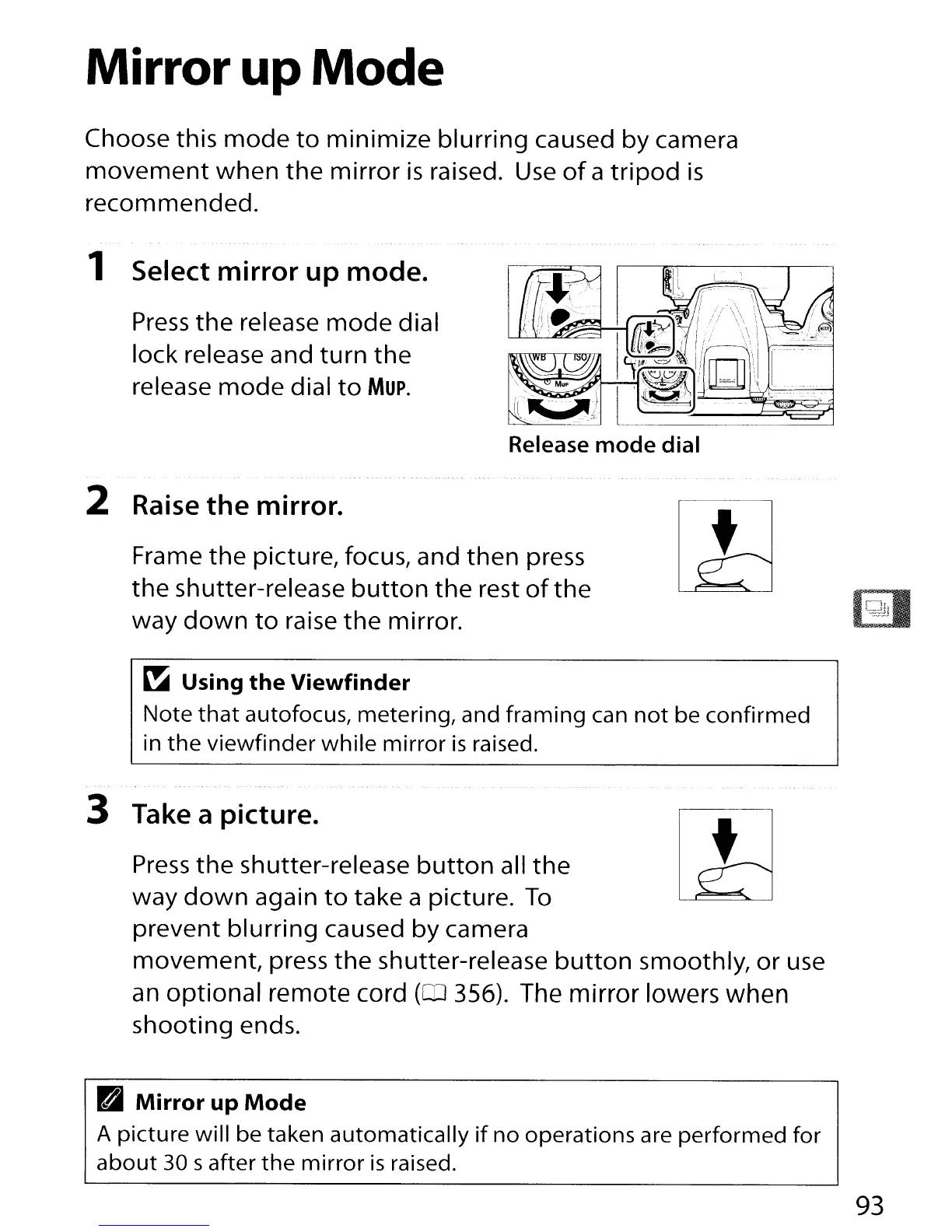
1 Select mirror up mode.
Press
the
release
mode
dial
lock release and
turn
the
release
mode
dial
to
Mup.
Release
mode
dial
2 Raise
the
mirror.
Frame
the
picture, focus, and
then
press
the
shutter-release
button
the
rest
of
the
way
down
to
raise
the
mirror.
~
Using
the
Viewfinder
Note
that
autofocus, metering, and
framing
can
not
be
confirmed
in
the
viewfinder
while
mirror
is
raised.
3 Take a picture.
Press
the
shutter-release
button
all
the
way
down
again
to
take a picture.
To
prevent
blurring
caused by camera
movement,
press
the
shutter-release
button
smoothly,
or
use
an
optional remote cord
(QJ
356). The mirror lowers when
shooting
ends.
B
Mirror
up
Mode
A
picture
will
be taken
automatically
if
no
operations are
performed
for
about
30 s after
the
mirror
is
raised.
93

Table of Contents

Other manuals for Nikon D300S

Related product manuals