EasyManua.ls Logo

Nikon D300S - Viewing Multiple Images: Thumbnail Playback

Nikon D300S
501 pages
Print Icon
To Next Page IconTo Next Page
To Previous Page IconTo Previous Page
Loading...
Viewing
Multiple
Images:
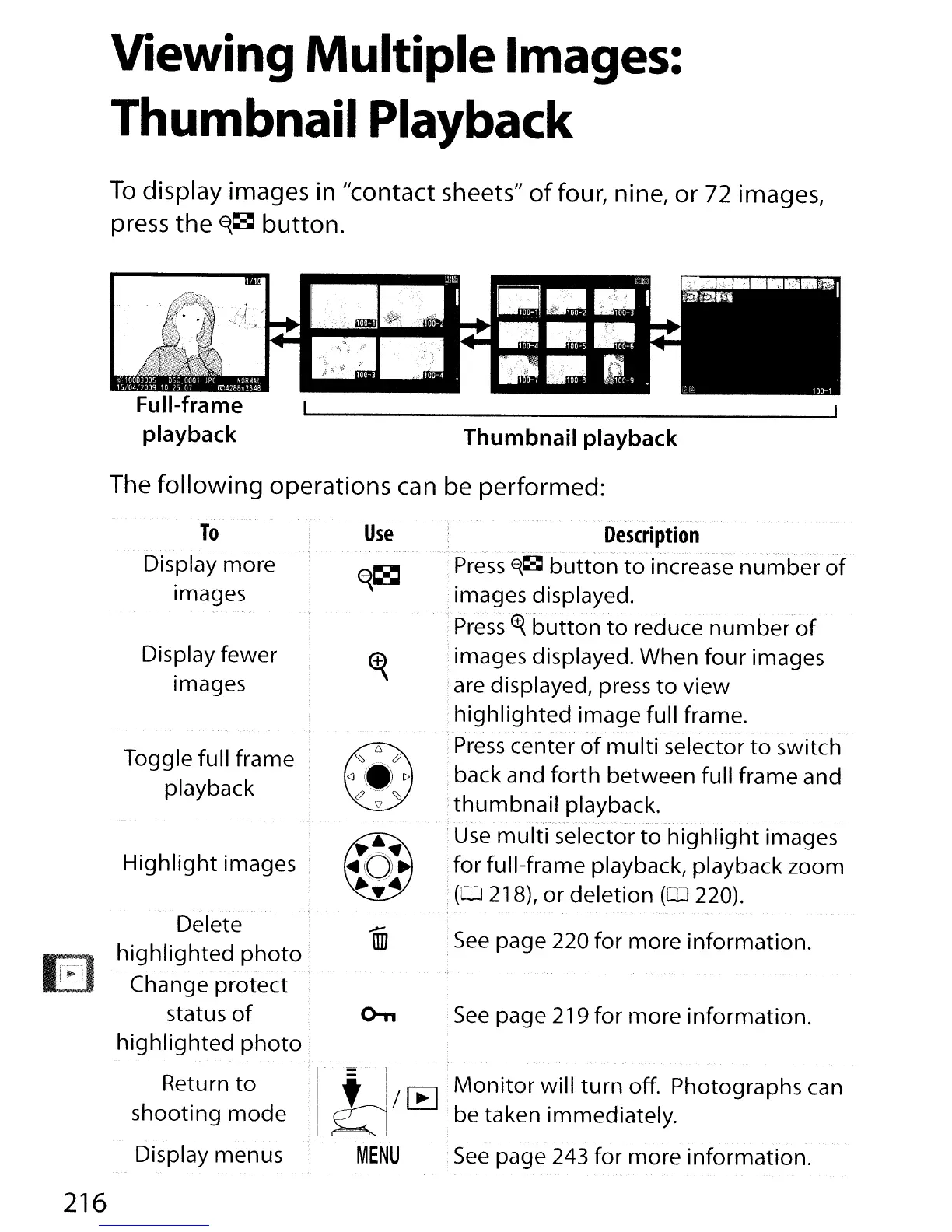
Thumbnail Playback
To
display
images in
"contact
sheets
ll
of
four, nine,
or
72 images,
press
the
f{~
button.
Full-frame
playback
Thumbnail
playback
The
following
operations
can be
performed:
To
Display more
Images
Display fewer
images
Toggle full frame
playback
Highlight
images '
Delete
highlighted
photo
Change protect '
status
of
highlighted
photo
Use
Description
.
~
..
. . . .
Press
E{~
button
to
increase
number
of
images displayed.
Press
~.
button
to
reduce number-of
images displayed. When
four
images
are displayed, press
to
view
highlighted image full frame.
- -
Press
center
of
multi
selector
to
switch
back and
forth
between full frame and
thumbnail
playback.
:
Use
mult{selector
to
Tlighlight images
for full-frame playback, playback zoom
(CD
218),
or
deletion (lIl 220).
:
See
page 220 for more information.
See
page 219 for more information.
216
Return
to
shooting
mode
Display menus
1-
:'
It!
/
~
.
Monitor
will
turn
off. Photographs can
'I
Q be taken immediately.
MENU
See
page 243 for more information.

Table of Contents

Other manuals for Nikon D300S

Related product manuals