EasyManua.ls Logo

Nikon D300S - Adjust Viewfinder Focus

Nikon D300S
501 pages
Print Icon
To Next Page IconTo Next Page
To Previous Page IconTo Previous Page
Loading...
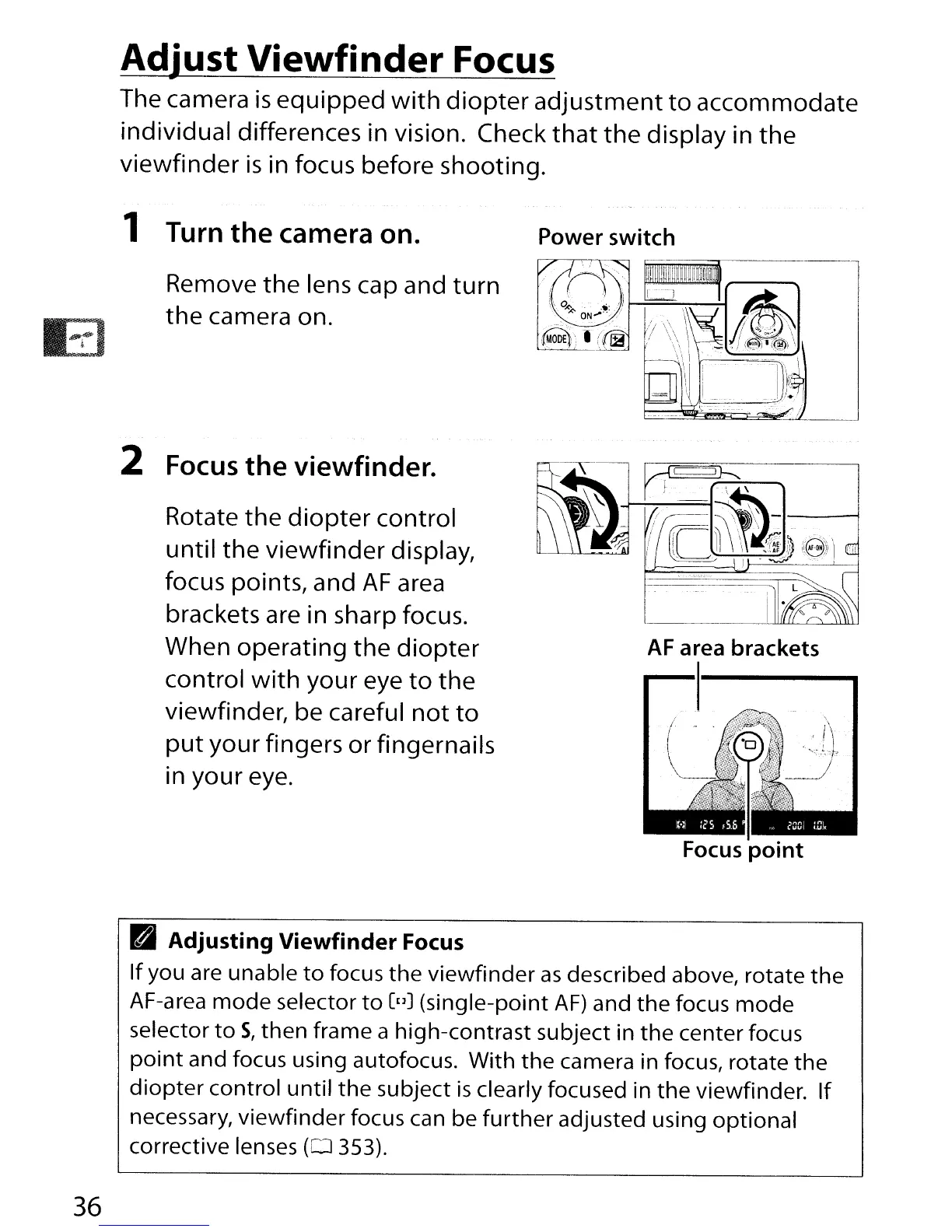
Adjust Viewfinder Focus
The camera
is
equipped
with
diopter
adjustment
to
accommodate
individual differences in vision. Check
that
the
display in the
viewfinder
is
in focus before shooting.
1 Turn
the
camera on.
Remove the lens cap and
turn
the
camera on.
2 Focus
the
viewfinder.
Rotate the
diopter
control
until
the
viewfinder display,
focus points, and
AF
area
brackets are in sharp focus.
When operating
the
diopter
control
with
your eye
to
the
viewfinder, be careful
not
to
put
your fingers or fingernails
In
your eye.
Power switch
AF
area
brackets
Focus
point
36
B
Adjusting
Viewfinder
Focus
If
you are unable
to
focus
the
viewfinder
as
described above, rotate
the
AF-area
mode
selector
to
[uJ (single-point
AF)
and
the
focus
mode
selector
to
S,
then frame a high-contrast subject in
the
center focus
point
and focus using autofocus. With
the
camera in focus, rotate
the
diopter
control
until
the
subject
is
clearly focused in
the
viewfinder.
If
necessary,
viewfinder
focus can be
further
adjusted using optional
corrective lenses
(0
353).

Table of Contents