c1: Shutter-Release Button AE-L
MENU
button
-+
@ Custom Settings
menu
I
~~~~.
_.".
-",
•.
,
."',
.-_.~
·'~~~~:'-':-H.~I
__
~~~!IiIii_H·'-P'i!;:,rj"'j:-.-71i!!1§l1,~M
n~
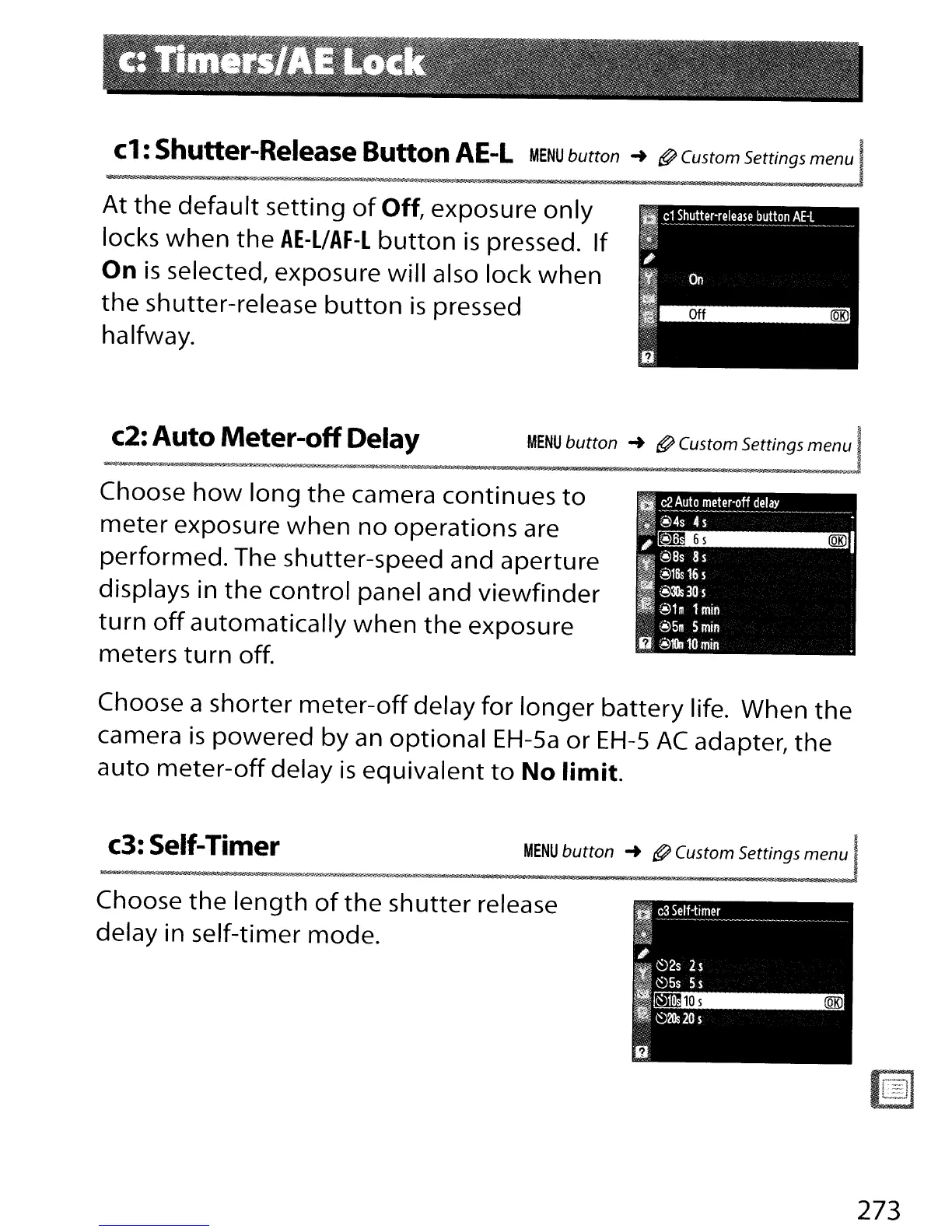
At
the
default
setting
of
Off,
exposure
only
locks
when
the
AE-L/AF-l
button
is
pressed.
If
On
is
selected, exposure will also lock
when
the
shutter-release
button
is
pressed
halfway.
c2:
Auto
Meter-off
Delay
i
MENU
button
-+
@ Custom Settings
menu
I
i
-nr'»
1
17_
: £
_J:ikQA~
Choose
how
long
the
camera continues
to
meter
exposure
when
no
operations are
performed. The shutter-speed and aperture
displays in
the
control panel and
viewfinder
turn
off
automatically
when
the
exposure
meters
turn
off.
Choose a shorter
meter-off
delay
for
longer
battery
Iife. When
the
camera
is
powered
by an
optional
EH-Sa
or
EH-S
AC
adapter,
the
auto
meter-off
delay
is
equivalent
to
No
limit.
c3: Self-Timer
MENU
button
-+
@ Custom Settings
menu
I
--ji'$!'il'¥,f
r-g-j'---.'
§~~T!4;
I:
iSiiaiU
..
~~_O
_j@l!Otl_::'-.t
__
f-_'':!._:k
__
~f'!tM[''''',_·n_'''''Jl!
.....
·_
......
-;jL_J58Ii
__
-~'lit...IIIiSl@.t:i"--·
-i"._
;s
._-~_-;e'~:ot
iR.-~
-"'~6iiJ
.105
(QKJ
~
c3
Self-timer
~-
--~--~--------------_._-.---_.
r!
"
I~
~2s
2$
~~5s
5$
~
•
~2lls20s
Choose
the
length
of
the
shutter
release
delay in self-timer mode.
273



 To Next Page