EasyManua.ls Logo

Nikon D300S - Slide Show

Nikon D300S
501 pages
Print Icon
To Next Page IconTo Next Page
To Previous Page IconTo Previous Page
Loading...
Slide
Show
MENU
button
...
IE
playback menu
Create a slide show
of
the pictures in the current playback folder
(ITJ
245). Hidden images
(ITJ
245) are
not
displayed.
Option
Start
Frame
interval
Description
Start slide show.
Choose
how
long each picture will be displayed.
To
start the slide show,
highlight
Start and press
®.
The following
operations
can
be performed while the slide show
is
in progress:
MENU
End
slide show and return
to
playback menu.
End slide show and exit
to
full-frame
(OJ
204)
or
thumbnail
playback
(0
216).
Press
shutter-release
button
halfway
to
return
to
shooting mode.
To
Skip back/skip
ahead
View additional
photo
info
Pause/resume
Exit
to
playback
menu
Exit
to
playback
mode
Exit
to
shooting
mode
Description
Press
....
to
return
to
previous frame,
~
to
skip
to
next frame.
Change
photo
info displayed
(OJ
207).
Pause
or
resume slide show.
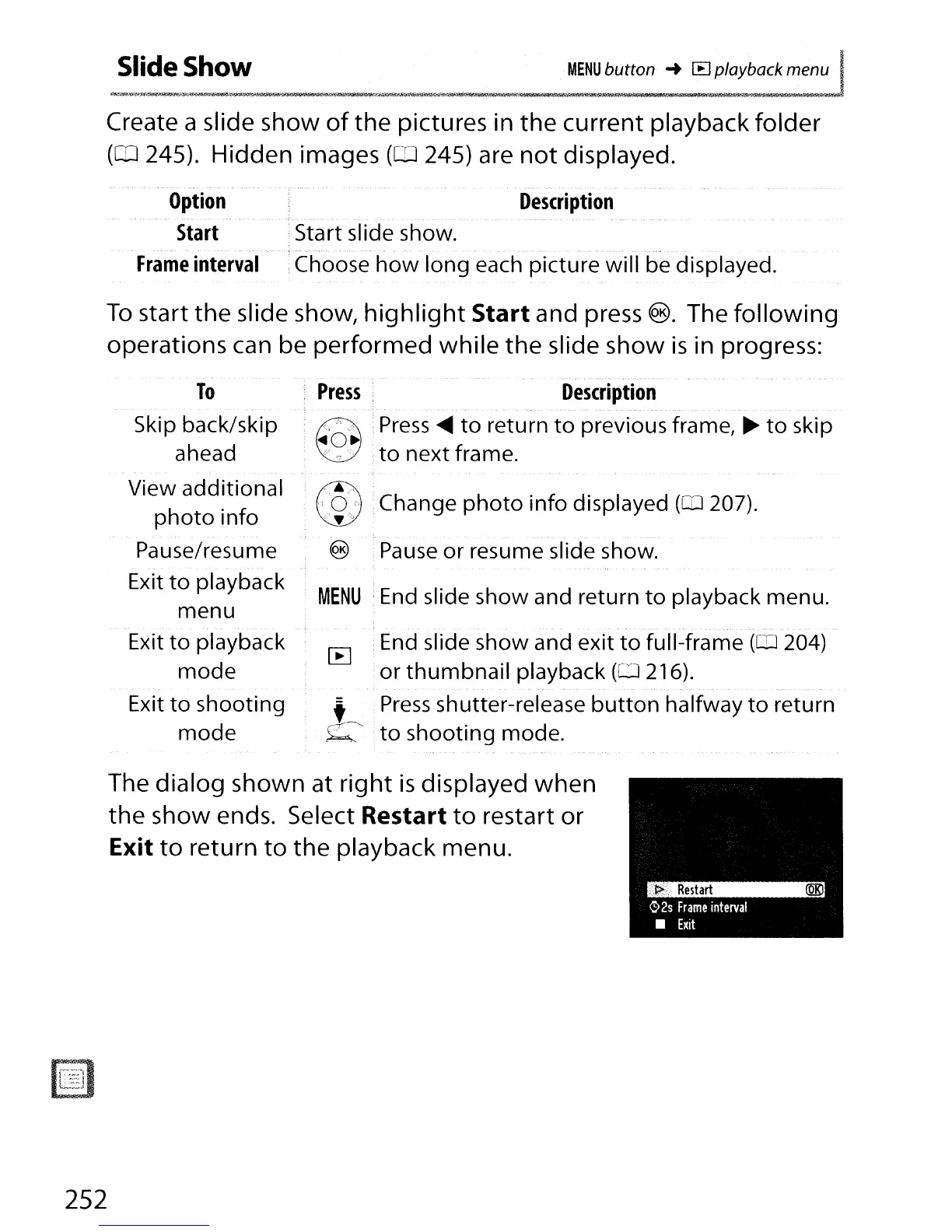
The dialog shown at right
is
displayed when
the show ends. Select
Restart
to
restart or
Exit
to
return
to
the playback menu.
252

Table of Contents

Other manuals for Nikon D300S

Related product manuals