EasyManua.ls Logo

Nikon D300S - Using Camera Menus

Nikon D300S
501 pages
Print Icon
To Next Page IconTo Next Page
To Previous Page IconTo Previous Page
Loading...
(~
?
S'
,o-n'l
@)
l\
{~)!
J
~,
N
@)
button
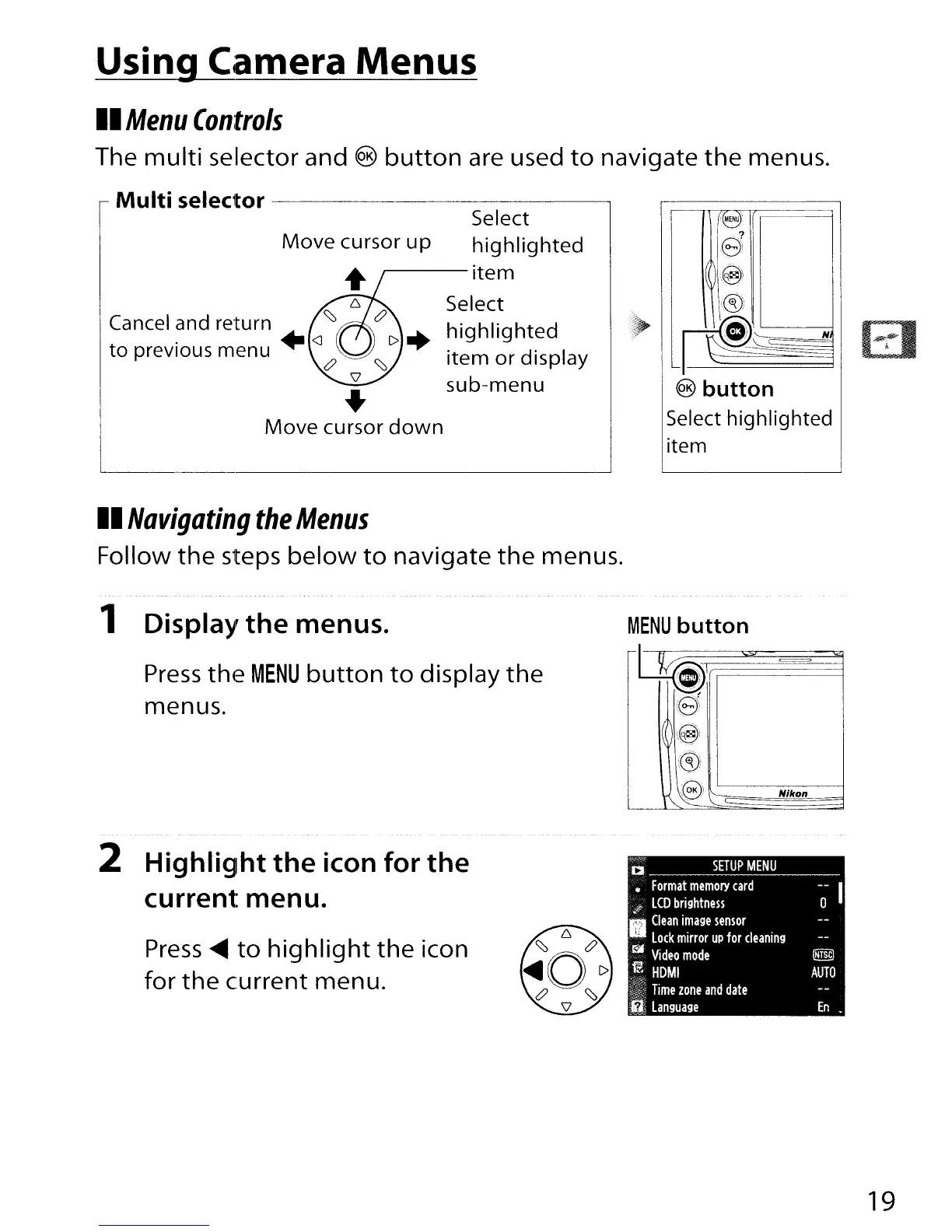
Select highlighted
item
Select
highlighted
~--item
Select
highlighted
item
or
display
sub-menu
Move
cursor
up
..
Move
cursor
down
Cancel and return
~
to previous menu +
<J
<:?
Using Camera Menus
II
Menu
Controls
The
multi
selector and
button
are used
to
navigate
the
menus.
Multi
selector
--------------,
II
Navigating
the
Menus
Follow
the
steps
below
to
navigate
the
menus.
1 Display
the
menus.
Press
the
MENU
button
to
display
the
menus.
MENU
button
t~~1
~~
!r2J
1\.
I@i
((§))
,,,Ke>
Nfkon
2
Highlight
the
icon
for
the
current
menu.
Press
~
to
highlight
the
icon
for
the
current menu.
19

Table of Contents

Other manuals for Nikon D300S

Related product manuals