EasyManua.ls Logo

Nikon D300S - L21 the Retouch Menu

Nikon D300S
501 pages
Print Icon
To Next Page IconTo Next Page
To Previous Page IconTo Previous Page
Loading...
l21
The Retouch Menu:
Creating
Retouched
Copies
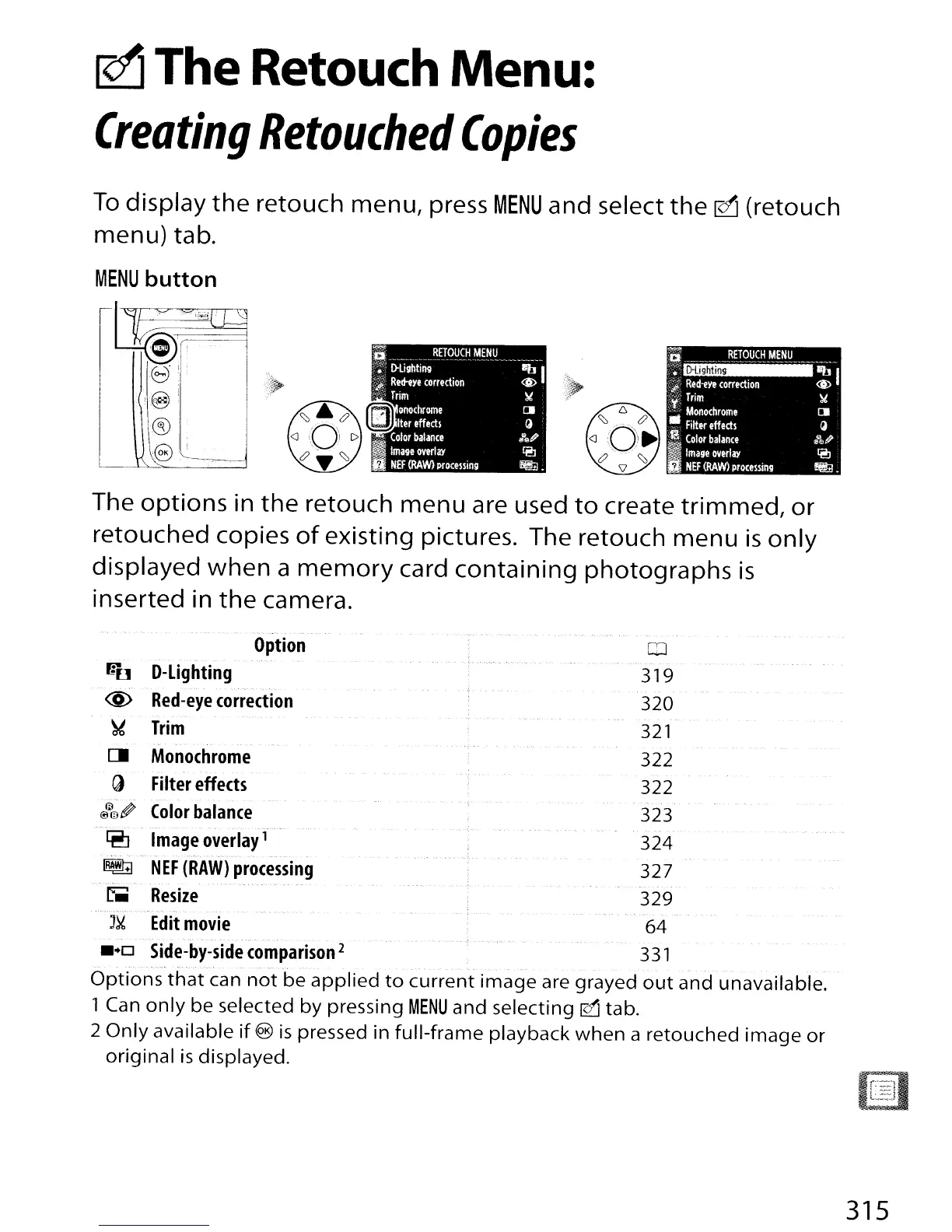
To
display
the
retouch menu, press
MENU
and select
the
~
(retouch
menu) tab.
MENU
button
,0
i
..
tt?J
®'
The
options
in
the
retouch
menu
are used
to
create
trimmed,
or
retouched copies
of
existing pictures. The retouch
menu
is
only
displayed
when
a
memory
card
containing
photographs
is
inserted in
the
camera.
_.
- '
Option
0
fr'(]
D-Lighting
31
9
@
Red-eye
correction
320
~
Trim
321
C.
Monochrome
322
Q Filter
effects
322
(~IJJ01P
Color
balance
323
~
-
Image
overlay
f-
324
~
NEF
(RAW)
processing
327
-'- - .
51
Resize
329
_..•.
-._.----.
'.-._----~
J~
Edit
movie
64
••
0
Side-by-side
comparison
2
331
Options
that
can
not
be
applied
to
current
image
are grayed
out
and unavailable.
1 Can
only
be selected
by
pressing
MENU
and selecting 0 tab.
2
Only
available
if
@)
is
pressed in
full-frame
playback
when
a retouched
image
or
original
is
displayed.
315

Table of Contents

Other manuals for Nikon D300S

Related product manuals