EasyManua.ls Logo

Nikon D300S - Hide Image; Playback Folder

Nikon D300S
501 pages
Print Icon
To Next Page IconTo Next Page
To Previous Page IconTo Previous Page
Loading...
PlaybackFolder
Choose a folder
for
playback.
MENU
button
..
[B
playback menu .
Hide Image
Option
Description
03005
Pict.ures in all folders created
with
the
03005
will be visible
dunng
playback.
All
i Pictures in all folders will be visible
during
playback.
.
--
-.
-'~
..
--'
-
.;
.....
,_.
~ --
'.'~---
....
-
..
~._--
-
..
,
..
_--.
'-',----
,,,.-.,,.,
._-
--_...
".
------~.--
...
--
.-
(
:Only pictures in
the
current folder will be visible
during
urrent
I b k
pay
ac
.
MENU
button
..
[B
playback menu I
___
nli_H_·
.....
-g
""".,§"_
.•
_.
_tl!
....
_
....
~_·(;·_gst_.
__
.£._~M
,·_S'
....
·~--_;
_1..-_Kt''''''''''il<!:!Z'_C:Q-
__
~:i-3iiH=-Jo;:&
. n .
fi
UliM:l@:tit!U-'HS7]
"'U$'~-'
Hide
or
reveal selected pictures
as
described below. Hidden
pictures are visible
only
in
the
Hide
image
menu
and can
only
be
deleted
by
formatting
the
memory
card.
~
Protected
and
Hidden
Images
Revealing a protected image will also remove protection
from
the
Image.
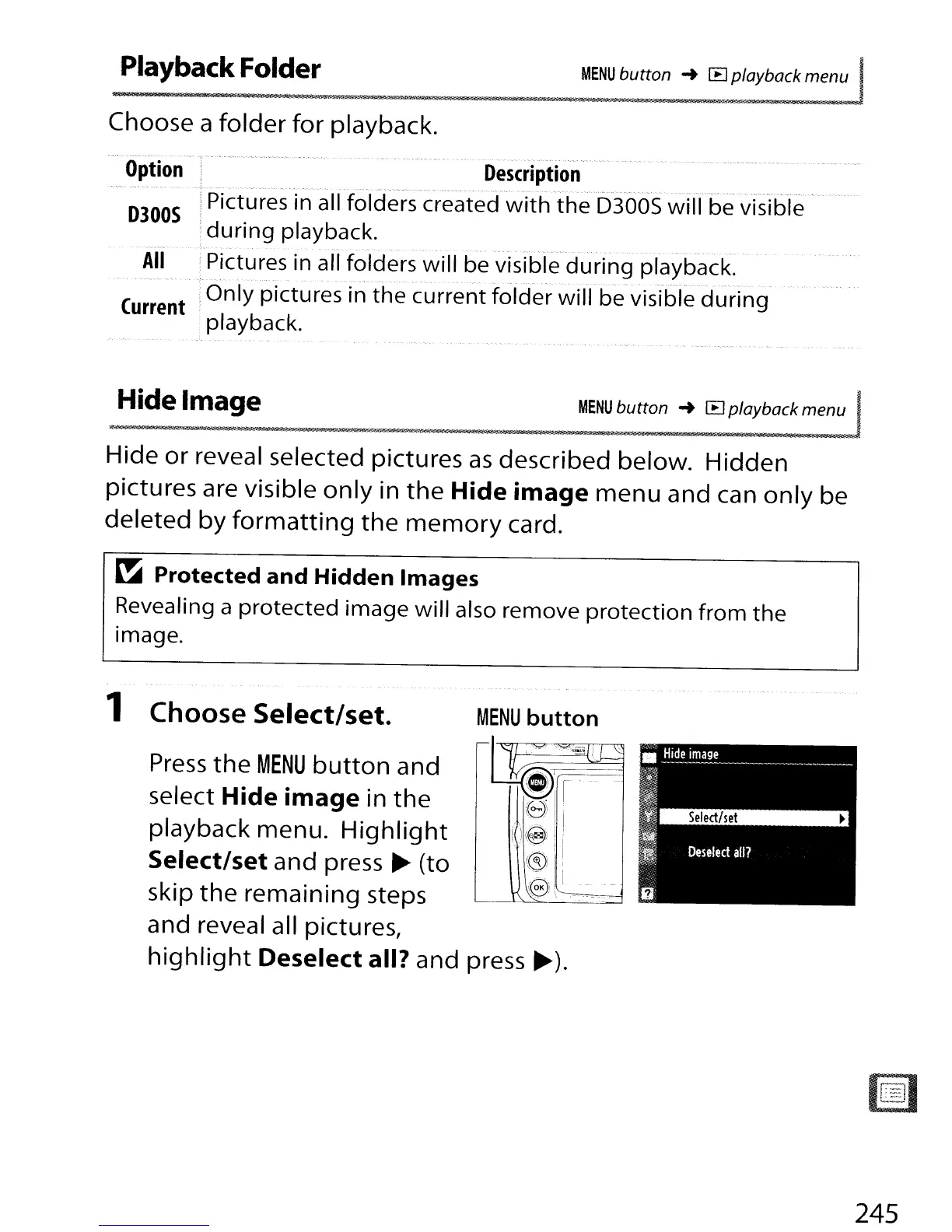
1 Choose
Select/set.
MENU
button
Press
the
MENU
button
and
~I
~J-c
select Hide
image
in
the
.
~)
I'
playback menu.
Highlight
i!(@)
i
Select/set
and press
~
(to
:(§)
,
skip
the
remaining steps
~)\
l
and reveal all pictures,
highlight
Deselect
all? and press
~).
245

Table of Contents

Other manuals for Nikon D300S

Related product manuals