EasyManua.ls Logo

Nikon D300S - Page 131

Nikon D300S
501 pages
Print Icon
To Next Page IconTo Next Page
To Previous Page IconTo Previous Page
Loading...
\;.
'
\'
!
,
Ir---~--"
,
\
,
;/
\\
" \ \ i
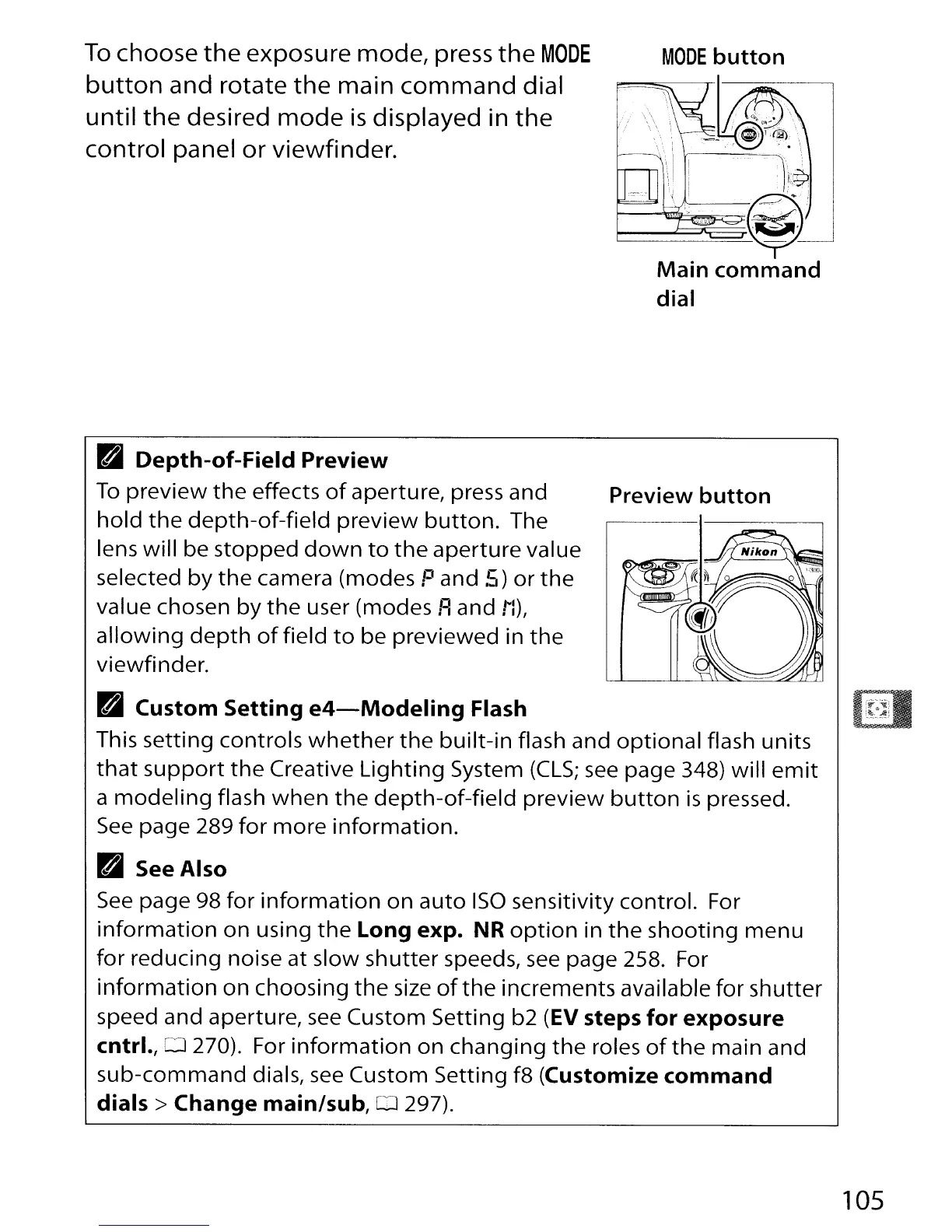
To
choose
the
exposure mode, press
the
MODE
button
and rotate
the
main
command
dial
until
the
desired
mode
is
displayed in
the
control panel
or
viewfinder.
B
Depth-of-Field
Preview
To
preview
the
effects
of
aperture, press and
Preview
button
hold
the
depth-of-field
preview
button.
The
lens will be
stopped
down
to
the
aperture value
selected
by
the
camera (modes Pand 5)
or
the
value chosen
by
the
user (modes
Fl
and iI),
allowing
depth
of
field
to
be previewed in
the
viewfinder.
B
Custom
Setting
e4-Modeling
Flash
(~~:~I
This setting controls
whether
the
built-in
flash and
optional
flash units
that
support
the
Creative
Lighting
System
(CLS;
see
page 348) will
emit
a
modeling
flash
when
the
depth-of-field
preview
button
is
pressed.
See
page 289
for
more
information.
B See
Also
See
page 98
for
information
on
auto
ISO
sensitivity control. For
information
on
using
the
Long
expo
NR
option
in
the
shooting
menu
for reducing noise at slow
shutter
speeds,
see
page 258. For
information
on
choosing
the
size
of
the
increments available for shutter
speed and aperture,
see
Custom Setting b2
(EV
steps
for
exposure
cntrl.,D270).
For
information
on changing
the
roles
of
the
main and
sub-command
dials,
see
Custom Setting f8
(Customize
command
dials>
Change
main/sub,
0 297).
105

Table of Contents

Other manuals for Nikon D300S

Related product manuals