EasyManua.ls Logo

Nikon D300S - Page 147

Nikon D300S
501 pages
Print Icon
To Next Page IconTo Next Page
To Previous Page IconTo Previous Page
Loading...
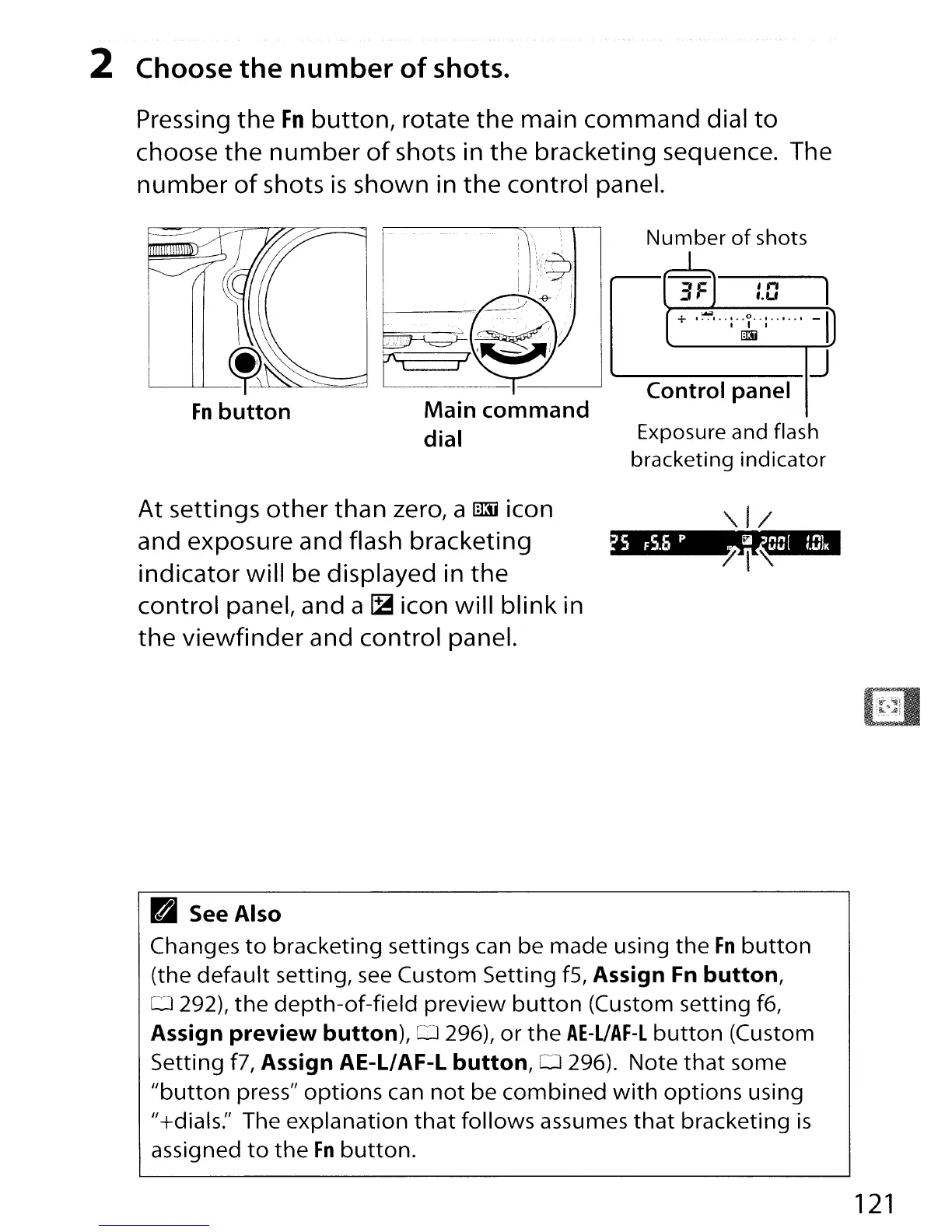
2 Choose
the
number
of
shots.
Pressing
the
Fn
button,
rotate
the
main
command
dial
to
choose
the
number
of
shots in
the
bracketing sequence. The
number
of
shots
is
shown in
the
control panel.
Main
command
dial
At
settings
other
than zero, a
!illii
icon
and exposure and flash bracketing
indicator
will be displayed in
the
control panel, and a
~
icon will
blink
in
the
viewfinder
and control panel.
Number
of
shots
1
3FJ
:.0
1
+
.~,
.. :.
~.
:
.....
,
-I)
------IJ
Control
panel
Exposure and flash
bracketing indicator
~
See
Also
Changes
to
bracketing
settings can be
made
using
the
Fn
button
(the
default
setting,
see
Custom Setting
fS,
Assign Fn
button,
o 292),
the
depth-of-field
preview
button
(Custom
setting
f6,
Assign
preview
button),
0 296),
or
the
AE-L/AF-L
button
(Custom
Setting f7,
Assign
AE-L/AF-L
button,
0 296).
Note
that
some
"button
press"
options
can
not
be
combined
with
options
using
"+dials:' The
explanation
that
follows
assumes
that
bracketing
is
assigned
to
the
Fn
button.
121

Table of Contents

Other manuals for Nikon D300S

Related product manuals