EasyManua.ls Logo

Nikon D300S - Page 161

Nikon D300S
501 pages
Print Icon
To Next Page IconTo Next Page
To Previous Page IconTo Previous Page
Loading...
Auto
white
balance
is
recommended
with
most
light
sources.
If
the
desired results can
not
be achieved
with
auto
white
balance,
choose an
option
from
the
list above
or
use preset
white
balance.
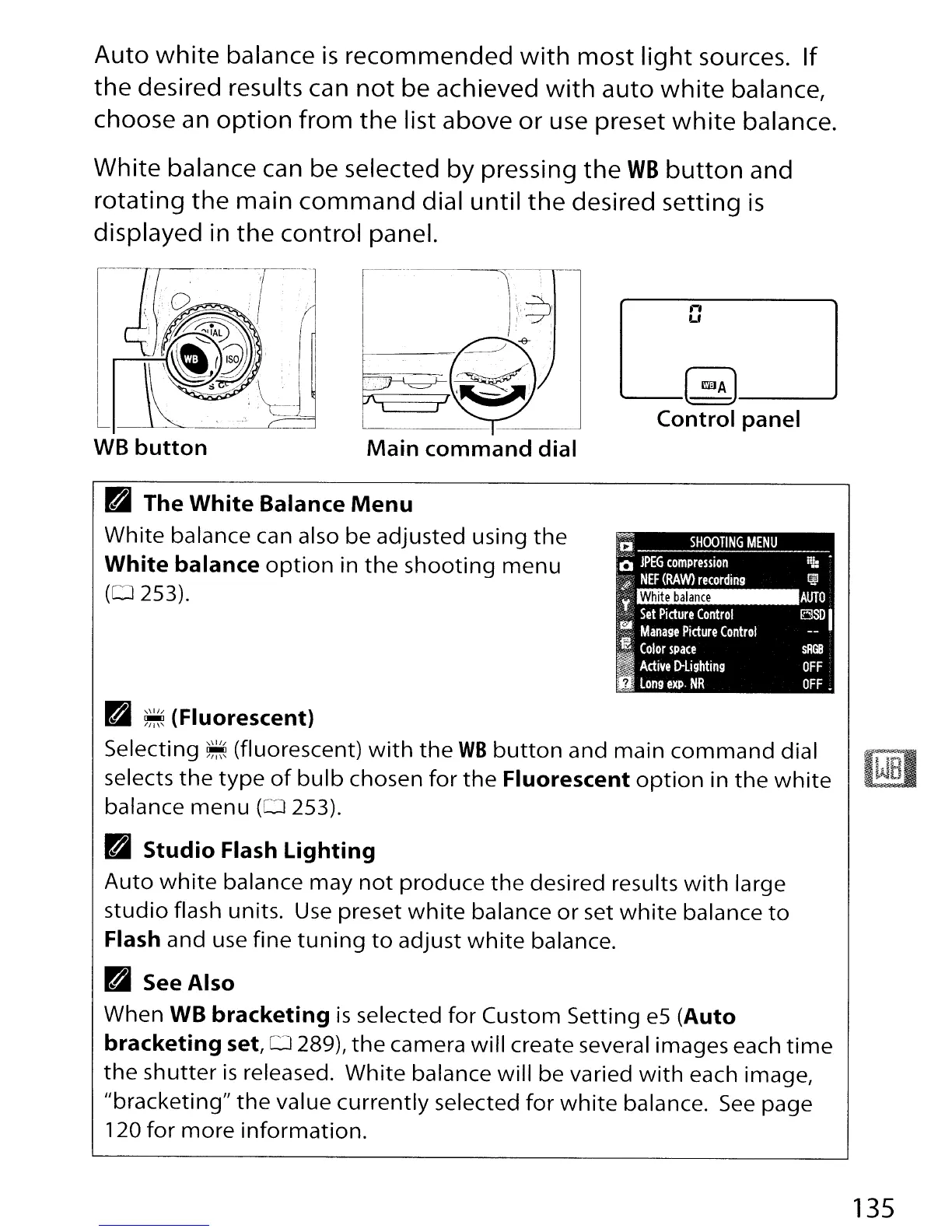
White balance can be selected
by
pressing
the
WB
button
and
rotating
the
main
command
dial
until
the
desired setting
is
displayed in
the
control panel.
WB
button
Main
command
dial
n
Lf
'--_(
mA
J--_..J
Control
panel
White
balance
ra
The
White
Balance
Menu
White
balance can also be adjusted using
the
White
balance
option
in
the
shooting
menu
(0253).
~
:'1;1
SHOOTING
MENU
:0
JPEG
compression
:Vii
NEF
(RAW)
recording
't;
:c-:-
Set
Picture
Control
t~
Manage
Picture
Control
"
Color
space
ig
Active
D-lighting
D
long
expo
NR
RJ:
~
AUTO
~I
sRGS
OFF
OFF.
ra
~
(Fluorescent)
Selecting
~
(fluorescent)
with
the
WB
button
and main
command
dial
selects
the
type
of
bulb
chosen
for
the
Fluorescent
option
in
the
white
balance
menu
(0
253).
ra
Studio
Flash
Lighting
Auto
white
balance
may
not
produce
the
desired results
with
large
studio
flash units.
Use
preset
white
balance
or
set
white
balance
to
Flash and use
fine
tuning
to
adjust
white
balance.
ra
See
Also
When WB
bracketing
is
selected
for
Custom Setting
e5
(Auto
bracketing
set, 0 289),
the
camera
will
create several images each
time
the
shutter
is
released.
White
balance
will
be varied
with
each image,
"bracketing"
the
value
currently
selected
for
white
balance.
See
page
120
for
more
information.
135

Table of Contents

Other manuals for Nikon D300S

Related product manuals