EasyManua.ls Logo

Nikon D300S - Page 175

Nikon D300S
501 pages
Print Icon
To Next Page IconTo Next Page
To Previous Page IconTo Previous Page
Loading...
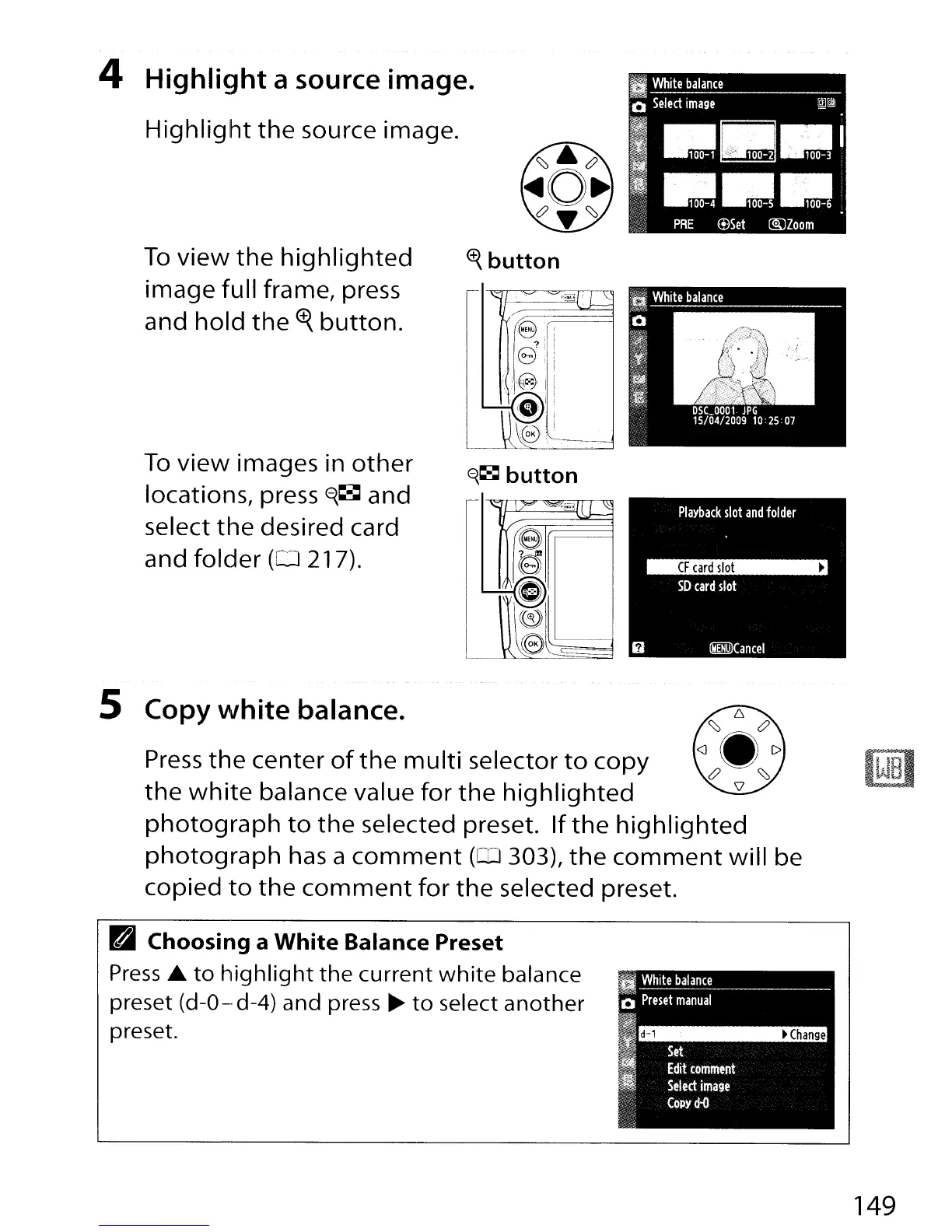
4
Highlight
a source image.
Highlight
the
source image.
To
view
the
highlighted
image full frame, press
and
hold
the
<±<.
button.
To
view
images in
other
locations, press
E<.~
and
select
the
desired card
and folder
(0
217).
~
button
f<.~
button
"
r
,=,,~.l
L
~
/'
e
~
~
.....
G
~
((3))
\e
5 Copy
white
balance.
Press
the
center
of
the
multi
selector
to
copy
the
white
balance value
for
the
highlighted
photograph
to
the
selected preset.
If
the
highlighted
photograph
has
a
comment
(OJ
303),
the
comment
will be
copied
to
the
comment
for
the
selected preset.
Pal
Choosing
a
White
Balance Preset
Press
.&
to
highlight
the
current
white
balance
preset (d-O--d-4) and press
~
to
select
another
preset.
149

Table of Contents

Other manuals for Nikon D300S

Related product manuals