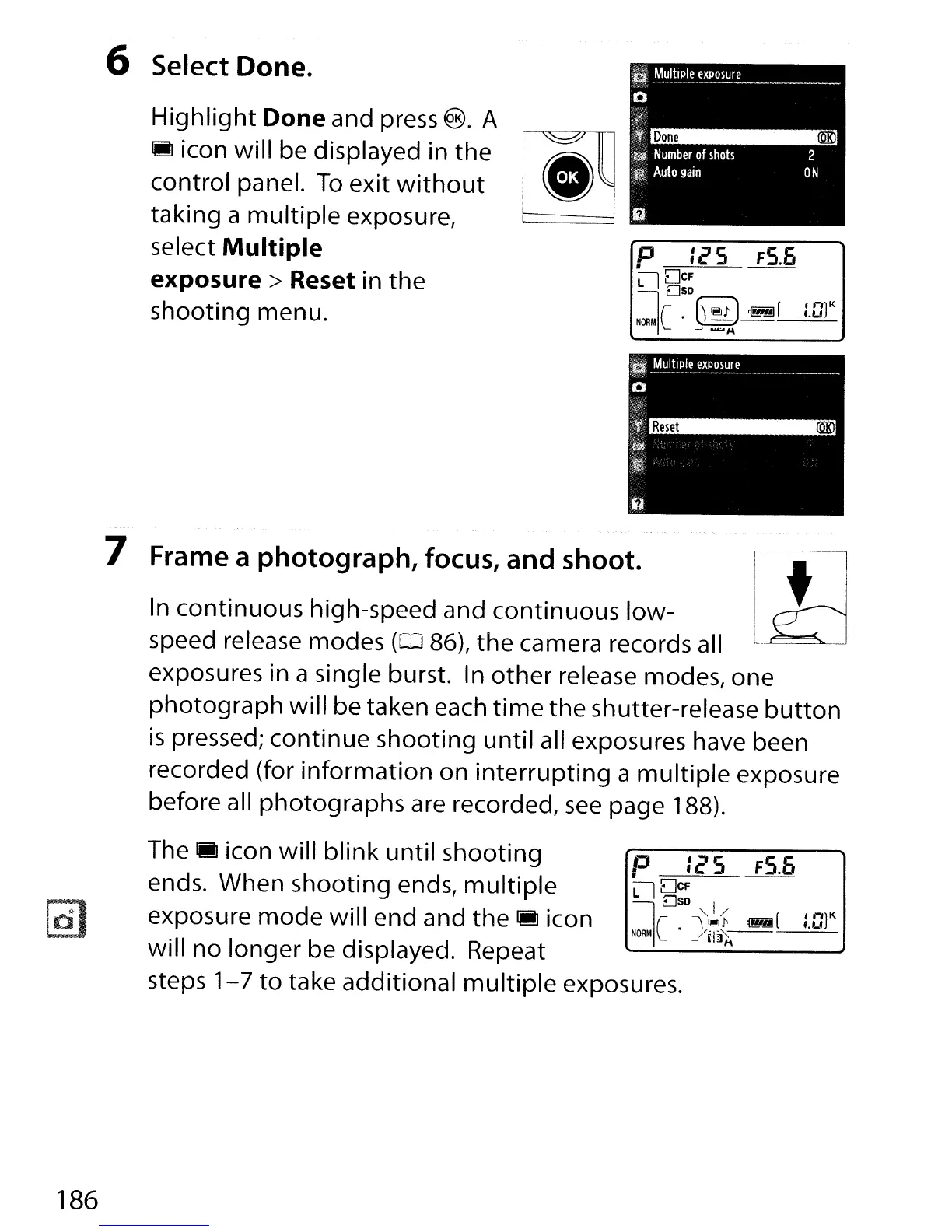
6 Select Done.
Highlight
Done
and press ®. A
iii
icon will be displayed in the
control panel.
To
exit
without
taking a
multiple
exposure,
select
Multiple
exposure>
Reset in
the
shooting menu.
P Ie'S
FS.6
Ll
DCF
DSD
I
h::J
[lnt
NORMIC
.
~~
I.U
7 Frame a
photograph,
focus,
and
shoot.
In continuous high-speed and continuous low-
speed release modes
(CJ 86),
the
camera records all
exposures in a single burst. In
other
release modes, one
photograph
will be taken each
time
the shutter-release
button
is
pressed; continue shooting
until
all exposures have been
recorded (for information on
interrupting
a
multiple
exposure
before all photographs are recorded,
see
page 188).
The.
icon will blink until shooting p :e'S
FS.6
ends. When shooting ends,
multiple
9
g~~
I
exposure
mode
will end and the
iii
icon
NORMIC
.
)~i
~[
tat
will
no
longer be displayed. Repeat
'----------'
steps
1-7
to
take additional
multiple
exposures.
186



 To Next Page