EasyManua.ls Logo

Nikon D300S - Page 261

Nikon D300S
501 pages
Print Icon
To Next Page IconTo Next Page
To Previous Page IconTo Previous Page
Loading...
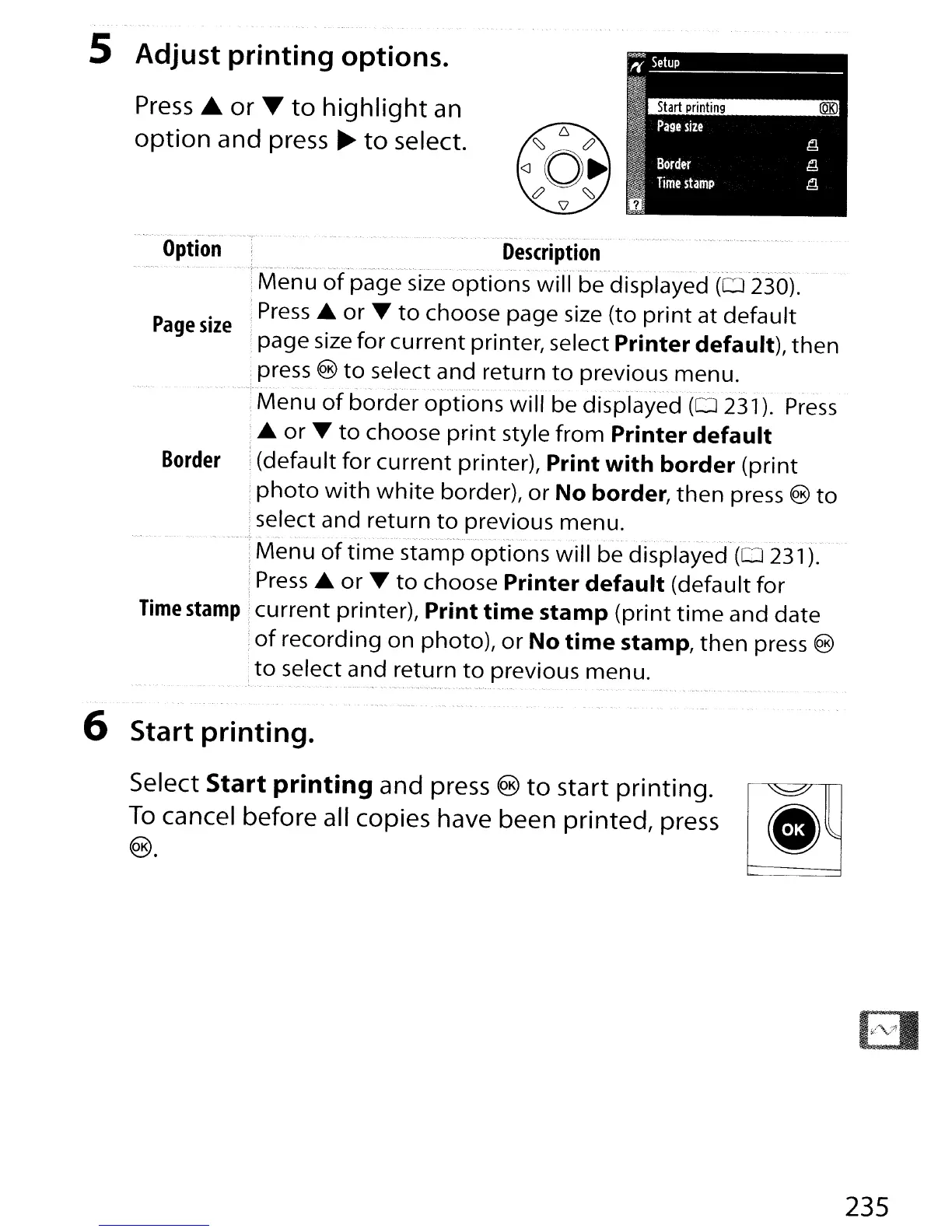
5 Adjust printing options.
Press
...
or
T
to
highlight
an
option
and press
~
to
select.
'
....
,,,
.
".'.
-.-
"'
~
-.
-
-.
-,,,,".
,,".
Option
Description
....
--.
".-.-
~-.-.-----
'-'---'-"~~'--"-------'"
.-
--',
..
~
.-.
--.-'
•.
".----
..
-.-.-
~-----~
".
~'
..
-.-.
i
Menu
of
page size
options
will
be displayed
(0
230).
P
.
i
Press
...
or
....
to
choose page size (to
print
at
default
age
size
; . f . I
p.
d f
I)
h
:page size
or
current printer,
se
ect
nnter
e au t
,t
en
.press
®
to
select and return
to
previous
menu
.
.
~.,-~.-
. .
;
Menu
of
border
options
will
be displayed
(0
231).
Press
....
or
....
to
choose
print
style
from
Printer
default
Border
i(default
for
current printer), Print
with
border
(print
:
photo
with
white
border),
or
No border,
then
press ®
to
select and return
to
previous menu.
Menu
of
time
stamp
options
will
be displayed
(0
231).
;
Press
...
or
....
to
choose Printer
default
(default
for
Time
stamp
1
current
printer), Print
time
stamp
(print
time
and date
:
of
recording on photo),
or
No
time
stamp,
then
press ®
:
to
select and return
to
previous menu.
6 Start printing.
Select Start printing and press ®
to
start printing.
~
To
cancel before all copies have been printed, press
,.
.
®. W
235

Table of Contents

Other manuals for Nikon D300S

Related product manuals