EasyManua.ls Logo

Nikon D300S - Page 321

Nikon D300S
501 pages
Print Icon
To Next Page IconTo Next Page
To Previous Page IconTo Previous Page
Loading...
II
Fn
button
+
dials
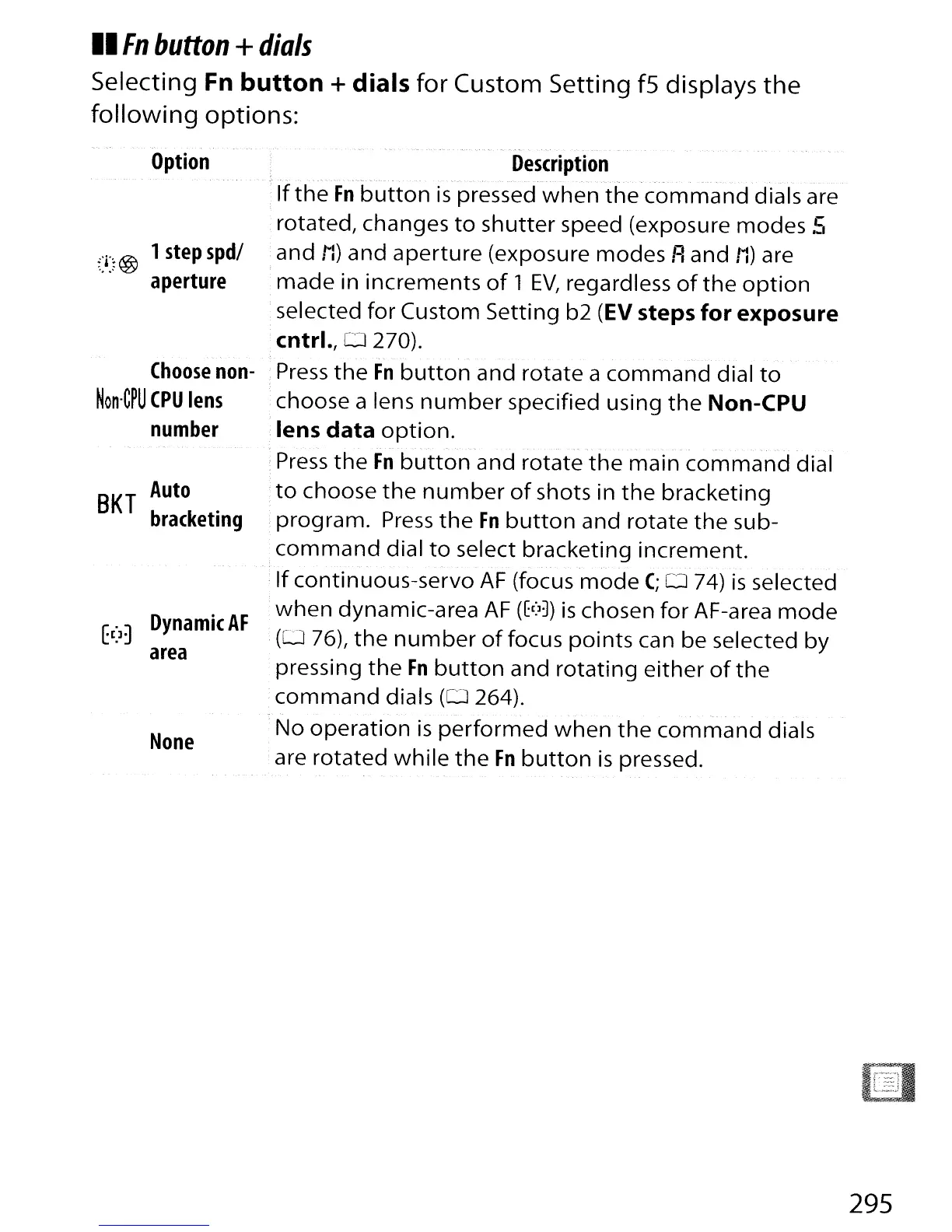
Selecting Fn
button
+
dials
for Custom Setting f5 displays
the
following
options:
Option
/~
@ 1
step
spd/
aperture
Choose
non-
Non·C~U
CPU
lens
number
SKT
Auto
bracketing
t(]~
Dynamic
AF
area
None
Description
-
_.
~
..
,_.
-.
. - - - .,-._---
If
the
Fn
button
is
pressed
when
the
command
dials are
rotated, changes
to
shutter
speed (exposure modes
.s
and
to
and
aperture
(exposure modes Rand
to
are
made in increments
of
1
EV,
regardless
of
the
option
selected for Custom Setting b2
(EV
steps
for
exposure
cntrl.,D
270).
,
Press
the
Fn
button
and rotate a
command
dial
to
choose a lens
number
specified using
the
Non-CPU
lens
data
option.
-
--
-
Press
the
Fn
button
and rotate
the
main
command
dial
to
choose
the
number
of
shots in
the
bracketing
program.
Press
the
Fn
button
and rotate
the
sub-
command
dial
to
select bracketing increment.
- - -
If
continuous-servo
AF
(focus
mode
C;
0 74)
is
selected
when
dynamic-area
AF
(fC:
l
])
is
chosen
for
AF-area
mode
(0
76),
the
number
of
focus
points
can be selected
by
pressing
the
Fn
button
and
rotating
either
of
the
command
dials
(0264).
'No
operation
is
performed
when
the
command
dials
are rotated
while
the
Fn
button
is
pressed.
295

Table of Contents

Other manuals for Nikon D300S

Related product manuals