EasyManua.ls Logo

Nikon D300S - Page 363

Nikon D300S
501 pages
Print Icon
To Next Page IconTo Next Page
To Previous Page IconTo Previous Page
Loading...
Displaying Recent
Settin~
To
display
the
twenty
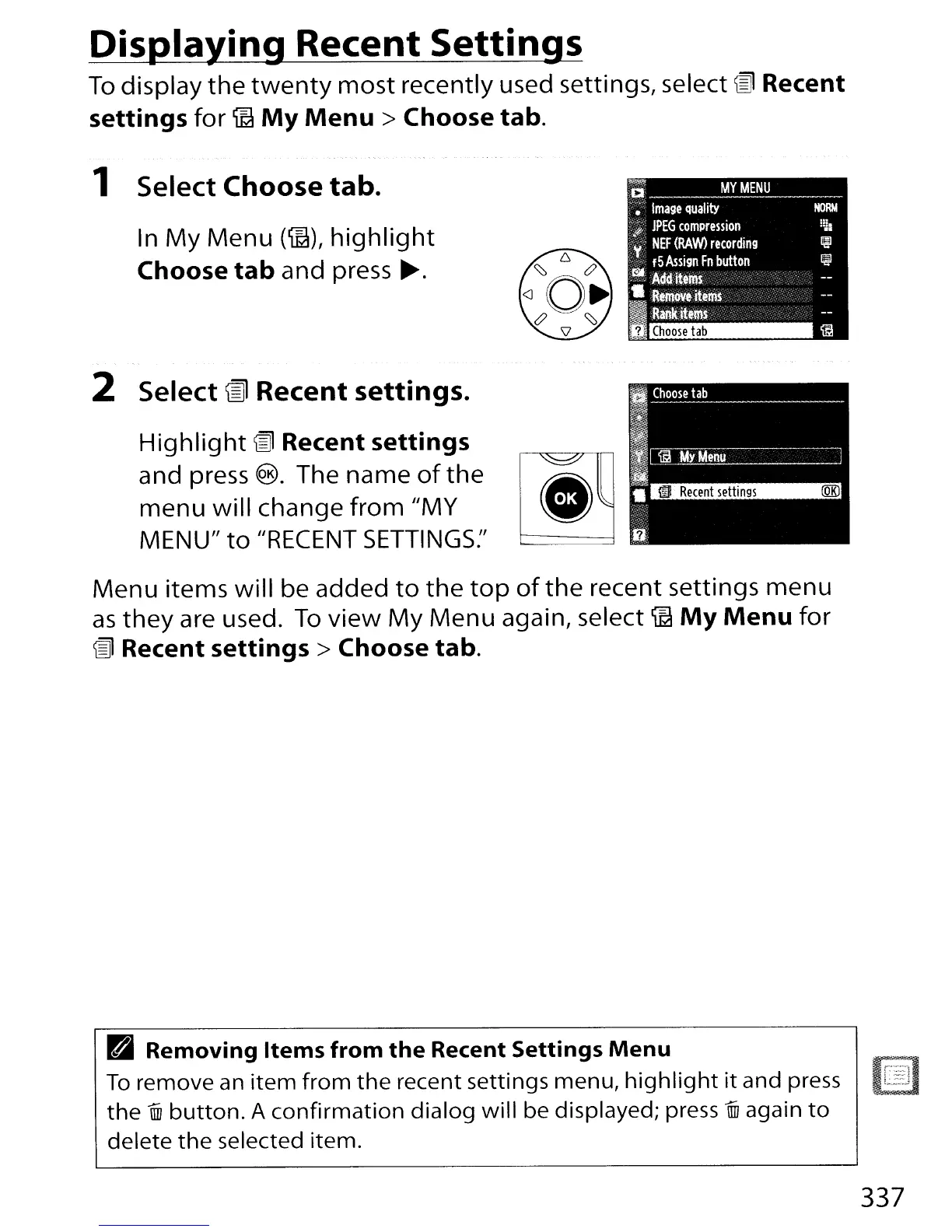
most recently used settings, select @ Recent
settings
for
ffi
My
Menu>
Choose tab.
1 Select Choose tab.
In
My
Menu
(ffi),
highlight
Choose
tab
and press
~.
2 Select
lID
Recent settings.
Highlight
@ Recent settings
and
press
®.
The
name
of
the
[~.
~
menu
will change
from
"MY
MENU"
to
"RECENT
SETTINGS:'
Menu items will be added
to
the
top
of
the
recent settings menu
as
they
are used.
To
view
My
Menu again, select
ffi
My
Menu
for
@ Recent
settings>
Choose tab.
~
Removing
Items
from
the
Recent Settings
Menu
To
remove
an
item
from
the
recent settings menu,
highlight
it
and press
the
iID
button.
A
confirmation
dialog
will
be displayed; press
iID
again
to
delete
the
selected item.
~
....
.
r=
_
L=J
337

Table of Contents

Other manuals for Nikon D300S

Related product manuals