Live View
Follow the steps below
to
frame pictures in the
monitor
using live view.
1
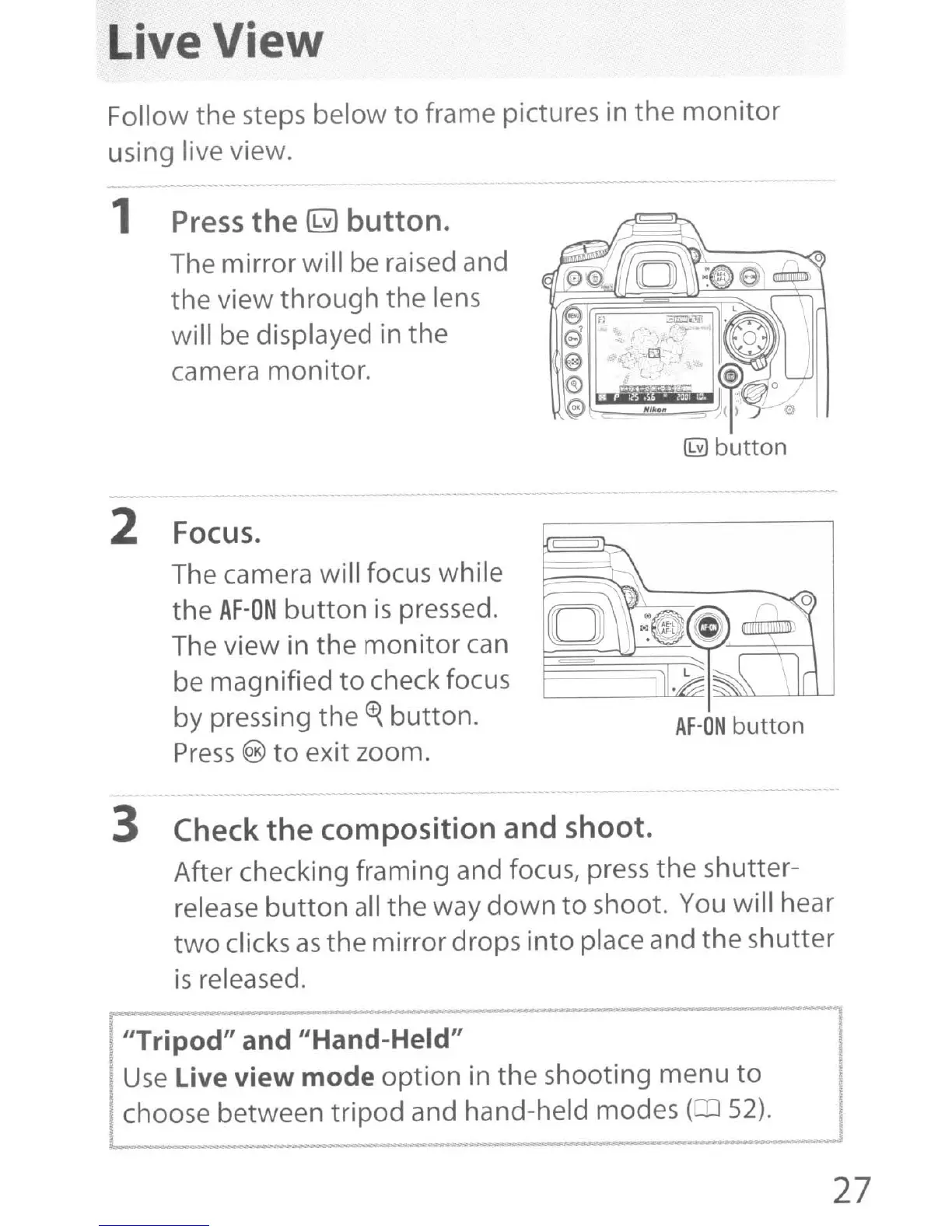
Press
the
~
button.
The mirror will be raised and
the view
through
the lens
will be displayed in the
camera monitor.
2
Focus.
The camera will focus while
the
AF-ON
button
is
pressed.
The view in the
monitor
can
be magnified
to
check focus
by pressing the
<t{
button.
Press
®
to
exit zoom.
AF-ON
button
3
Check
the composition and shoot.
After checking framing and focus, press the shutter-
release
button
all the way
down
to shoot.
You
will hear
two
clicks
as
the mirror drops into place and the shutter
is
released.
"Tripod" and "Hand-Held"
Use
Live view mode option in the shooting menu
to
choose between tripod and hand-held modes
(OJ
52).
27



 To Next Page