3 Check
the
number
of
exposures remaining.
tIP
:Jrm!
I"')
,
LlI.
'sc
I;Ul.f
U
P Ie'S
FS.6
LlDcF
'C
DSO
]
j\
~r~
[
:.rwl
NORM
I .
I'IJl.J
A
~
Uc.=:::::::::::::;
I
\ \ I
//\
\ \ I
-01-
IT\
~_~_\_I
1.
--...
p-
Futt-
__
LIDcF I 1 \
-1
Dso
~C
\
~
j\
~[
NORM
I . J
=1'IJl.J~A
--'-=
2\
\
I-
/ / \
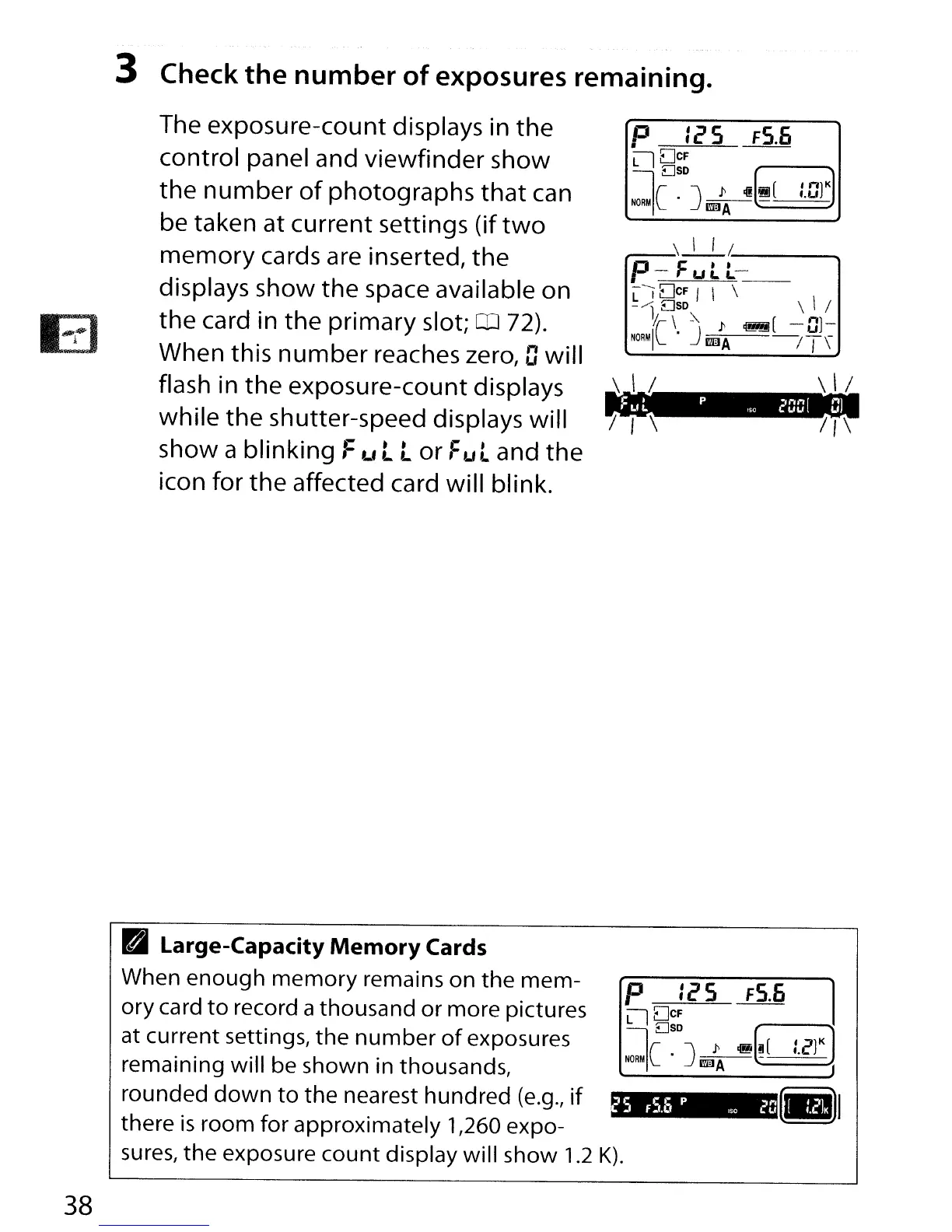
The exposure-count displays in
the
control panel and viewfinder show
the
number
of
photographs
that
can
be taken at current settings (if
two
memory
cards are inserted,
the
displays show
the
space available on
the
card in
the
primary slot; m 72).
When this
number
reaches zero, Dwill
flash in
the
exposure-count displays
while
the
shutter-speed displays will
show a blinking
Full
or
Fu t and
the
icon for
the
affected card will blink.
~S
fS.O
P
"0
2D
B Large-Capacity
Memory
Cards
When enough
memory
remains on the mem-
ory card
to
record a thousand or more pictures
at current settings, the
number
of
exposures
remaining will be shown in thousands,
rounded
down
to
the nearest hundred
(e.g.,
if
there
is
room for approximately 1,260 expo-
sures,
the exposure count display will show 1.2
K).
38



 To Next Page