EasyManua.ls Logo

Nikon D300S - Page 70

Nikon D300S
501 pages
Print Icon
To Next Page IconTo Next Page
To Previous Page IconTo Previous Page
Loading...
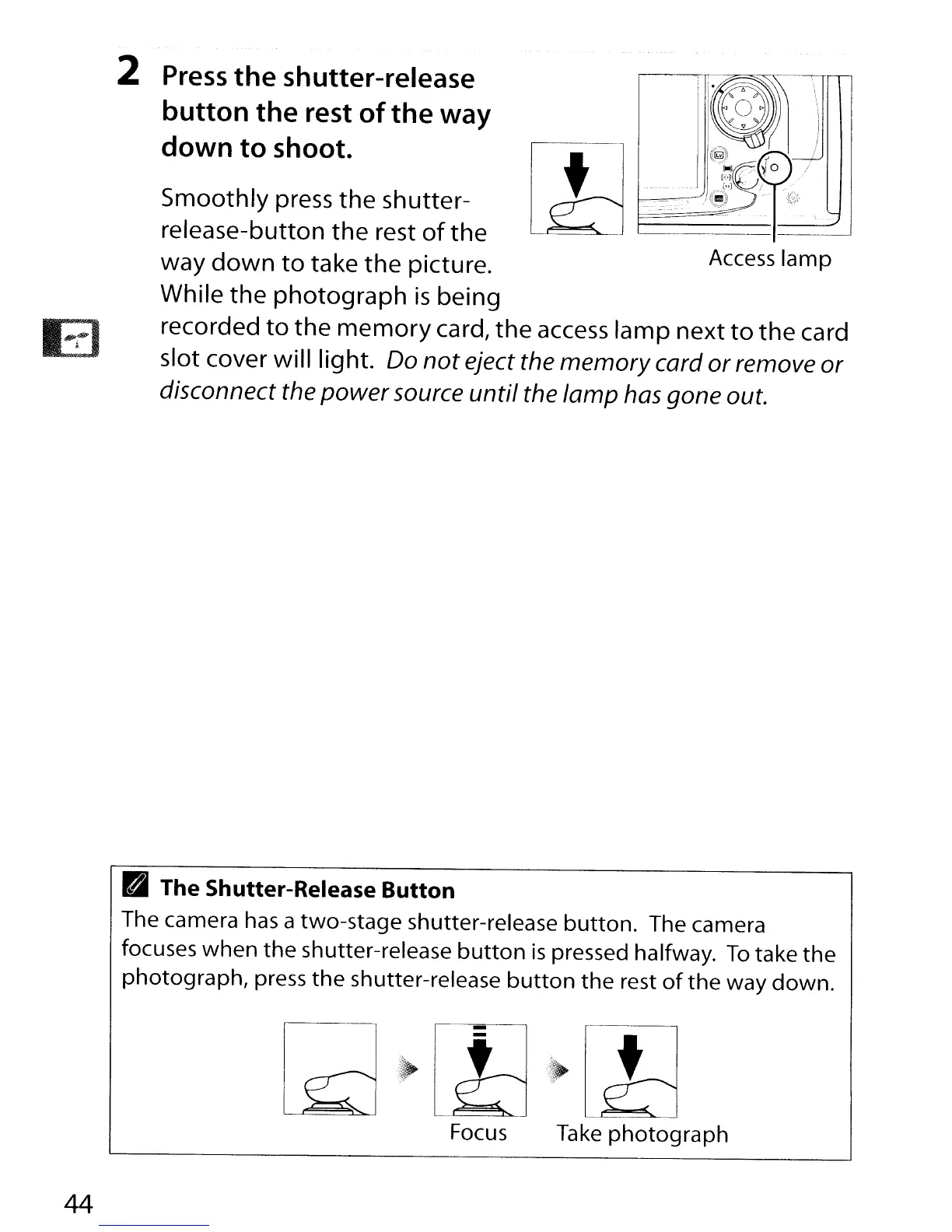
Access
lamp
Smoothly press the shutter-
release-button
the
rest
of
the
way
down
to
take
the
picture.
While the
photograph
is
being
recorded
to
the
memory
card/
the
access
lamp next
to
the
card
slot cover will light.
Do
not eject the memory
card
or
remove
or
disconnect the power
source
until the lamp
has
gone out.
2
Press
the
shutter-release
button the rest
of
the
way
down
to
shoot.
B The Shutter-Release Button
The
camera
has a
two-stage
shutter-release
button.
The
camera
focuses
when
the
shutter-release
button
is
pressed halfway.
To
take
the
photograph,
press
the
shutter-release
button
the
rest
of
the
way down.
Focus Take
photograph
44

Table of Contents

Other manuals for Nikon D300S

Related product manuals