EasyManua.ls Logo

Nikon D300S - Page 78

Nikon D300S
501 pages
Print Icon
To Next Page IconTo Next Page
To Previous Page IconTo Previous Page
Loading...
MENU
button
tli
'
,..
"'<§
\
../-.~
r
~
. } :
".~
I :
\(8:
[I
. . I
i :t:.;;;\ I I
\~!I
i
(~)
t
~.
!
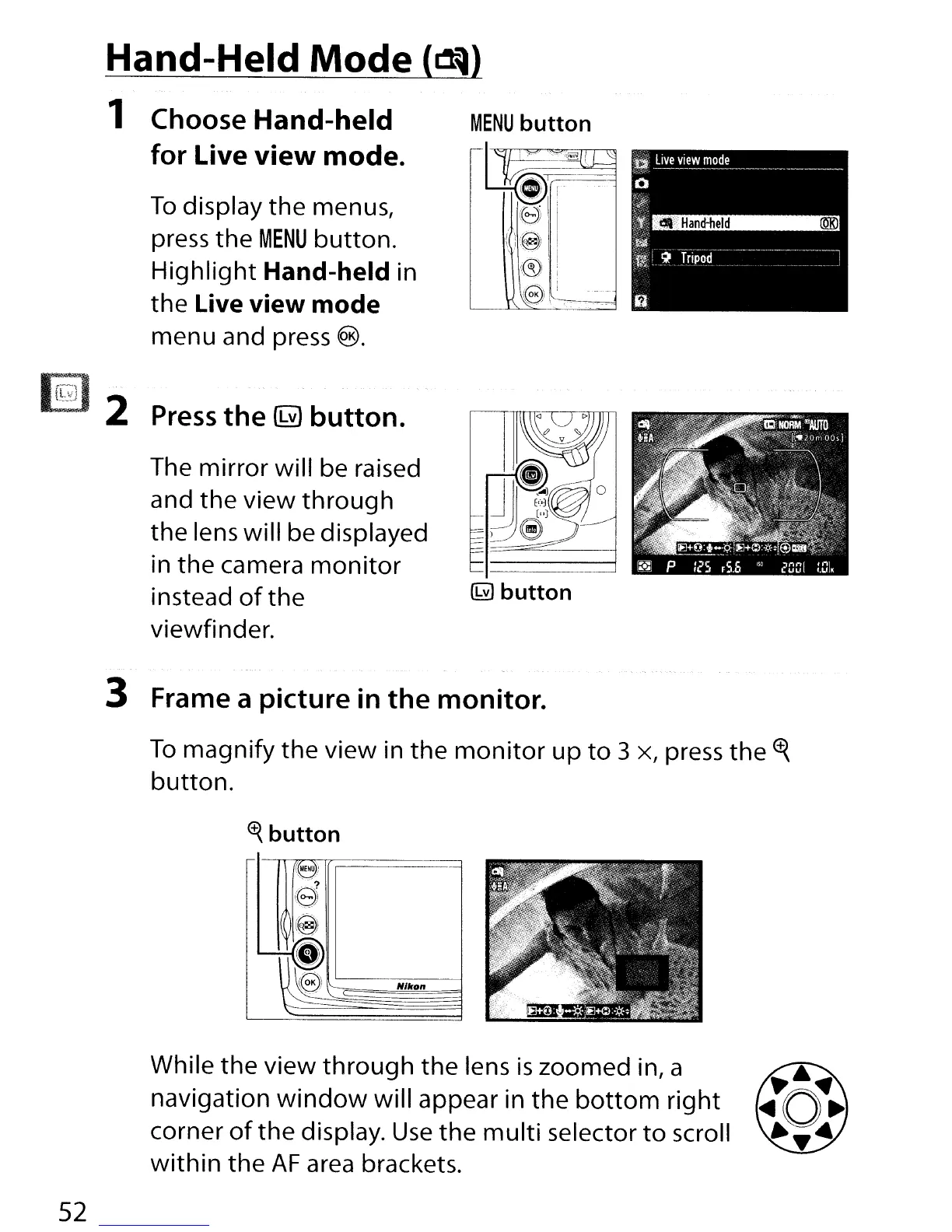
To
display
the
menus,
press the
MENU
button.
Highlight
Hand-held in
the
Live view mode
menu and press
€B).
Hand-Held Mode
~
1 Choose Hand-held
for Live
view
mode.
Press
the
~
button.
The mirror will be raised
and
the
view
through
the
lens will be displayed
in
the
camera
monitor
instead
of
the
~ button
viewfinder.
3 Frame a picture
in
the monitor.
To
magnify
the
view in
the
monitor
up
to
3 x, press
the
<f{
button.
~
button
While the view
through
the
lens
is
zoomed in, a
navigation
window
will appear in
the
bottom
right
corner
of
the
display.
Use
the
multi
selector
to
scroll
within
the
AF
area brackets.
52

Table of Contents

Other manuals for Nikon D300S

Related product manuals