3-111
3
MENU/4: Data
4-6-2) Edit List
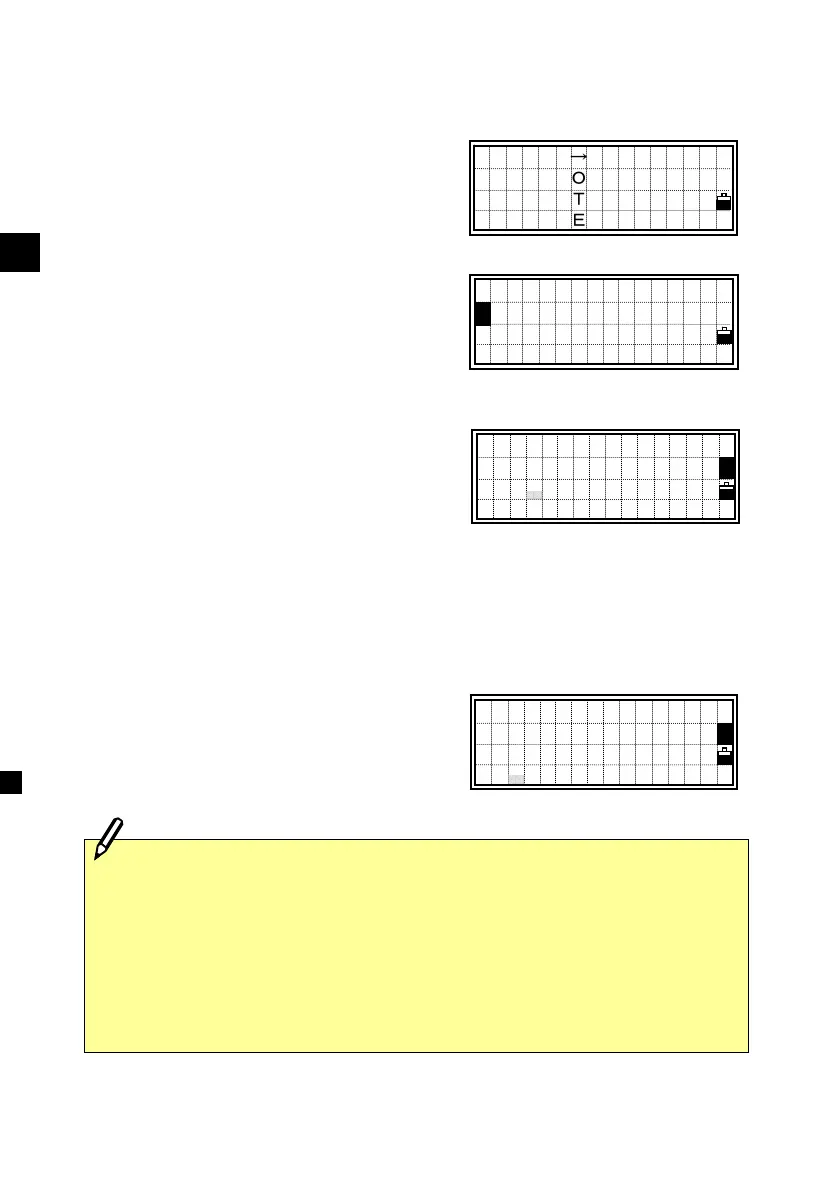
Move the cursor using the Up/Down
arrow keys to the code or layer name you
want to edit, then press [MENU].
The sub-function menu for Code List is
displayed. Press the [2] key for “Edit
Code/Layer”.
For feature codes there are two input
fields. The first CD: field is the
word that will be displayed in the List
and the optional second field is the
code that will be recorded when the List
item is selected. This can be used
for numeric coding systems, e.g. "TOP"
can be selected from a List and "102"
can be recorded. (See p.7-3)
Press [ENT] to go to the “record” code
field.
Edit Code
CD:PALM TREE
(1158 )
Edit Code
CD:ELM TREE
(1158 )
1:DEL
2:Edit
3:Add Code
4:Add Layer
2
CEDAR→
DOGWOOD
>PALM TREE
SPRUCE ↓
・The word shown in parenthesis at the bottom of the screen is the one
that will actually be recorded to the Job. Make sure that you edit both
fields when you intend to change feature codes.
・If the second field is blank the code in the first input field will be
recorded.






 To Next Page