Configuration Guide ─ V3.5
WGS5000
NoniusSoft, Software e Consultoria para
Telecomunicações, S.A.
Rua Actor Ferreira da Silva, 100
4200-298 Porto • Portugal
Phone: +351 220301520
Fax: +351 220301521
E-mail: nonius@noniussoftware.com
Website: www.noniussoftware.com
1 2 3 4 5 6 7 8 9 10 11 12 13 14
A B A B A B A B A B A B A B A B
3. Installing the WGS5000
This chapter contains information to install and set up the WGS5000.
Package contents:
WGS5000 unit,
Power cord
AC Power Adapter
Console port Adapter
If any of the above items are damaged or missing, contact your Nonius network supplier
immediately.
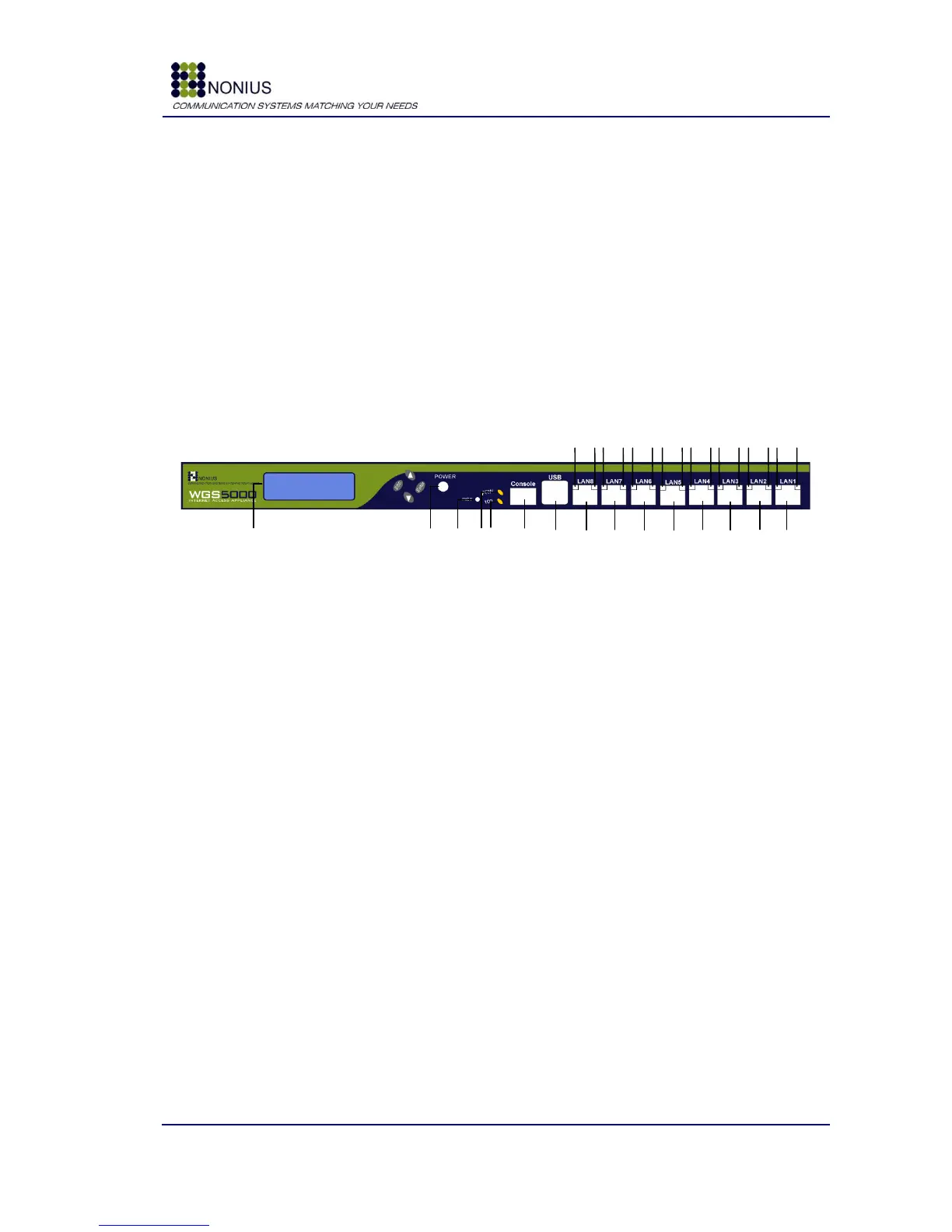
3.1. Front View
Figure 1: WGS5000 – Front View
A green LED is lighted when WGS5000 is on.
A yellow light blinks when WGS5000 is accessing to the Hard Drive
Console Port used to console connection
Two USB ports are available
Gigabit Secondary WAN Interface (default configuration)
Gigabit Corporate LAN Interface (default configuration)



 To Next Page