NoniusSoft, Software e Consultoria para
Telecomunicações, S.A.
Rua Actor Ferreira da Silva, 100
4200-298 Porto • Portugal
4.8.6. Online Register Submenu
This submenu (available only in WGPublic solution), is for configuring the online registration
feature.
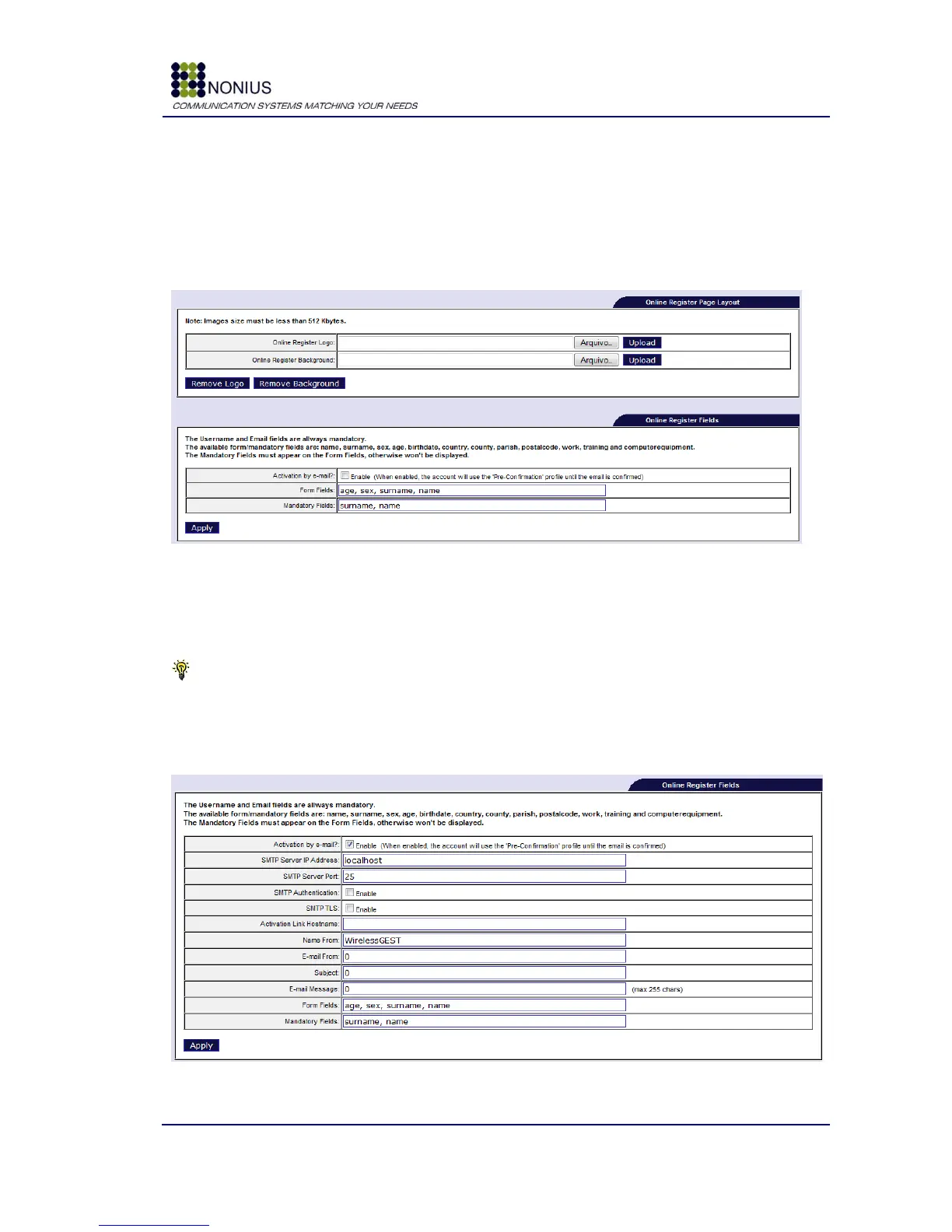
The following picture shows the configuration form.
Figure 54: Online Register configuration options
Through the Online Register Page Layout form it is possible to change the logo and the background
of the online register window.
Tip: The uploaded images must be in “JPG” format. The image size must be less than 512Kbytes.
The Online Register Fields form is shown in Figure 55. This form enables the activation and
confirmation by email. When the user finishes the registration, a confirmation email is sent to the
provided email address.
Figure 55: Online Register Fields configuration



 To Next Page