NoniusSoft, Software e Consultoria para
Telecomunicações, S.A.
Rua Actor Ferreira da Silva, 100
4200-298 Porto • Portugal
Dynamic Range To: insert the last IP address to be assigned to clients.
Configuration Name: provide a name to this DHCP server’s configuration.
Configurations: list of all DHCP servers configured.
Reserved IP Configurations
This form is used to reserve a given IP address to a given MAC address, i.e., a certain client can be
assigned always the same IP address.
Configuration Name: insert the name you provided in the previous form.
Host Name: assign a name to the equipment that will have the reserved IP address.
MAC Address: insert the equipment’s MAC address.
IP Address: insert the IP address to be assigned to the equipment.
Hosts: list of hosts with reserved IP addresses.
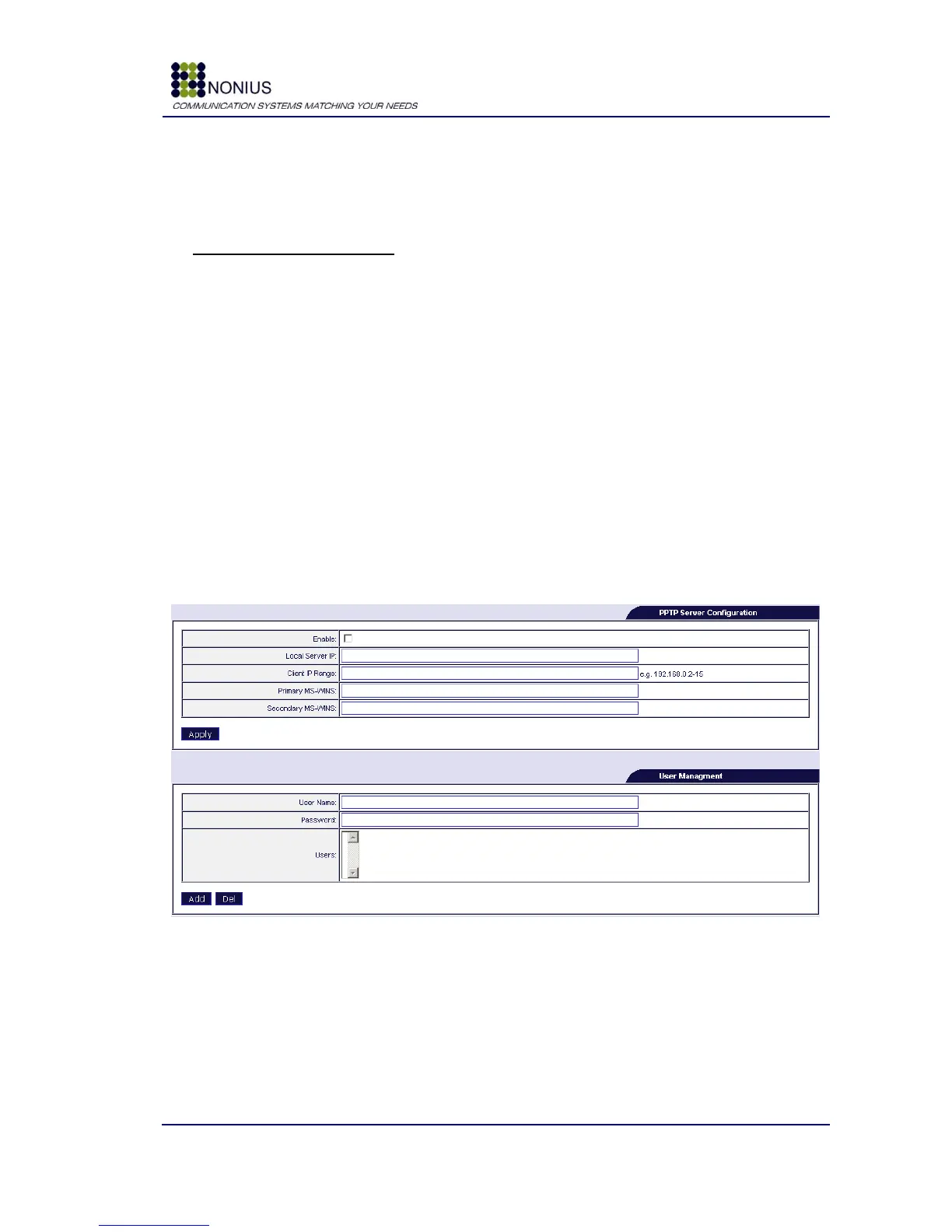
4.7.3. VPN PPTP Submenu
This submenu is only visible if the WGPPTP - VPN PPTP Server Windows (25 users) is enabled.
This license enables the WGS5000 to work as a VPN PPTP server, allowing users to connect to, for
example, the corporate network from remote places.
Figure 38: Services Menu – VPN PPTP
Enable: Enables/disables the PPTP server configuration.
Local Server IP: WGS5000‟s VPN IP address, i.e., the IP address of the WGS5000 in the internal
network. Example: the WGS5000
Client IP Range: Defines the client‟s IP address range. The notation used is 192.168.1.10-20;
Primary MS-WINS: Internal network MS-WINS server.



 To Next Page