NoniusSoft, Software e Consultoria para
Telecomunicações, S.A.
Rua Actor Ferreira da Silva, 100
4200-298 Porto • Portugal
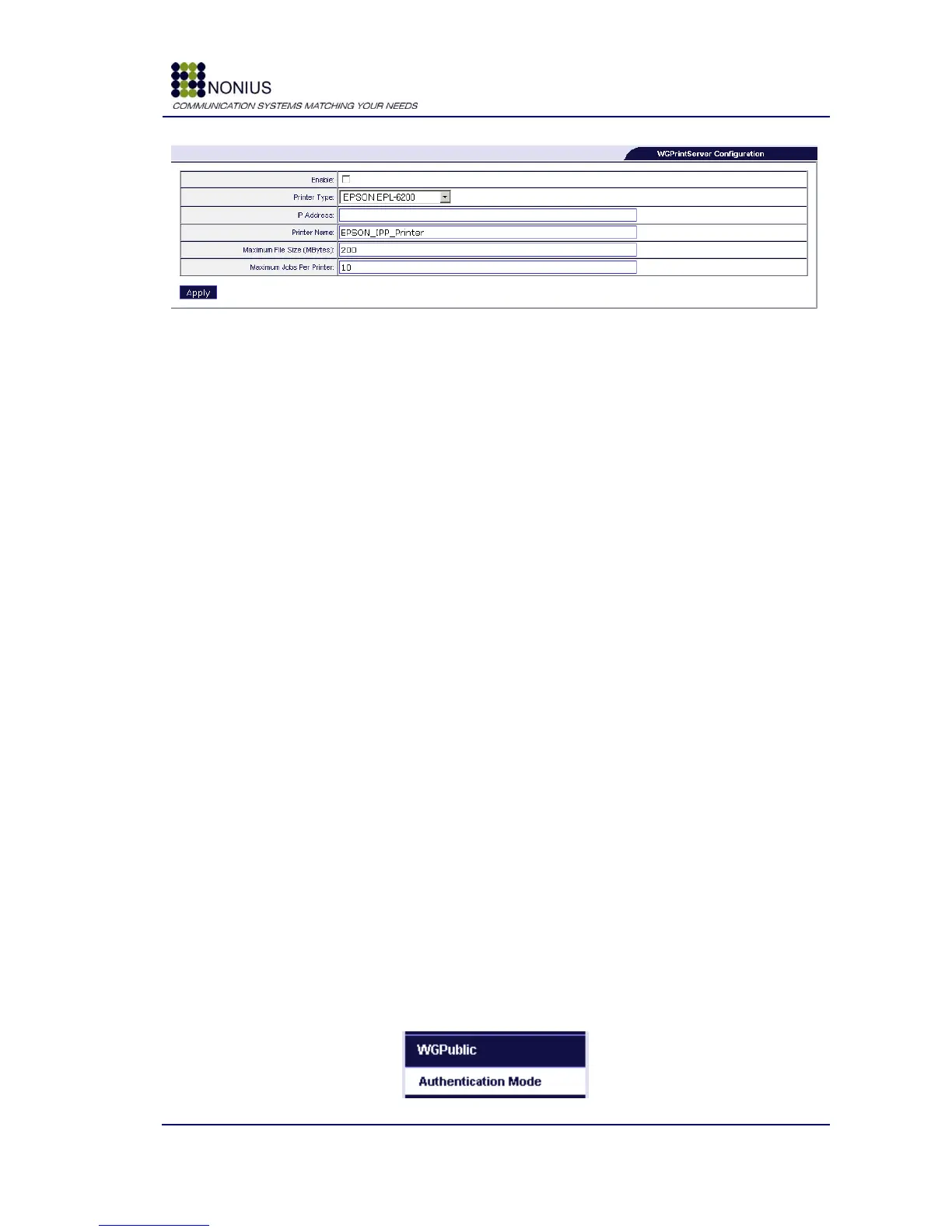
Figure 91: WGS5000 – WGPrintServer configuration
Enable: Enable/disable WGPrintServer.
Printer Type: Select the printer‟s model.
IP Address: Define the printer IP address.
Printer Name: Define the printer‟s name.
Maximum File Size (Mbytes): Maximum file size of documents to be printed.
Maximum Jobs Per printer: Maximum number of jobs that the printer will accept. Use this to
avoid abuse.
Available Printers:
Epson EPL-6200
HP Color LaserJet 3700
HP LaserJet M3027 XMFP
HP LaserJet P2015
Samsung SCX-4725FN
Brother MFC-9420CN
Brother HL-2070N
Dell MFP Laser 3115cn
Xerox Phaser 6130n
Xerox WorkCenter 4150
4.13. WGPublic Menu
This menu will only be available if you have selected WGPublic in System > WGManager >
Business Operation Mode menu.
Figure 92: Menu – WGPublic



 To Next Page