NoniusSoft, Software e Consultoria para
Telecomunicações, S.A.
Rua Actor Ferreira da Silva, 100
4200-298 Porto • Portugal
4.9.2. DB Backup Submenu
For maintenance purposes it is wise to have a backup of the client‟s user database. If something
fails it will be possible to restore the service in almost the same status as it was when the failure
happened. The requirement is to have a remote SSH server where the client‟s WGS5000 will
connect to via an SSH session, copying the database. The backup is done, by default, everyday at
4.00 AM, local time, but it is possible to set the time to another hour.
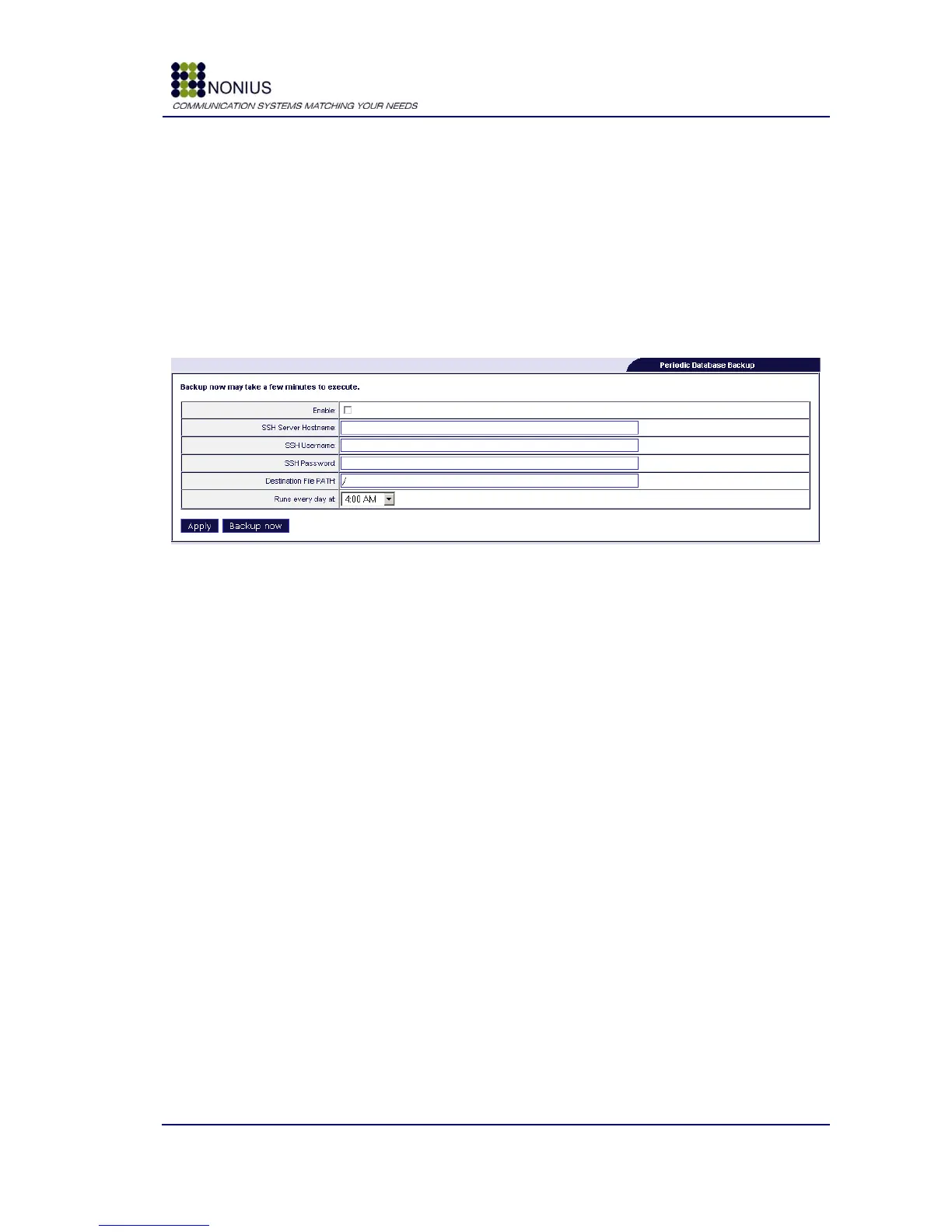
If a backup failed and you detect the failure, it is possible to log in to the client‟s WGConfig
interface and click in the “Backup Now” button, which will manually trigger the database‟s backup.
Figure 59: Maintenance Menu – DB Backup
Enable: Enable/disable periodic database backups.
SSH Server Hostname: Backup server‟s hostname or IP address.
SSH Username: Username used for SSH session, (example: root).
SSH Password: Password used for SSH session, (example: password).
Destination File PATH: Destination file path where the backup will be stored.
Runs every day at: Select the time to run the backup automatically.
Backup now: Command to execute backup now.
4.9.3. VPN Submenu
OpenVPN is a solution that makes it possible to remotely access the WGS5000 without doing port
forwarding in the remote modem/router. Every WGS5000 has an OpenVPN client that connects to a
remote OpenVPN server. You may configure the server‟s information using this menu.



 To Next Page