NoniusSoft, Software e Consultoria para
Telecomunicações, S.A.
Rua Actor Ferreira da Silva, 100
4200-298 Porto • Portugal
9. Problem Solving
The most frequent problems in the installation of WGS5000 are:
a) IP Gateway incorrectly configured.
Ask network administrator, or enable DHCP service on WGS5000. Connect a computer with
a crossover cable to LAN 3, then open your browser in https://192.168.182.1/WGConfig,
after login, go to Network>Wan Interface and see the IP Address of your gateway.
b) Firewall denying traffic to WGS5000.
Check firewall settings or router settings
c) DNS not correctly configured.
Ask your ISP Provider.
9.1. Reset to Factory defaults
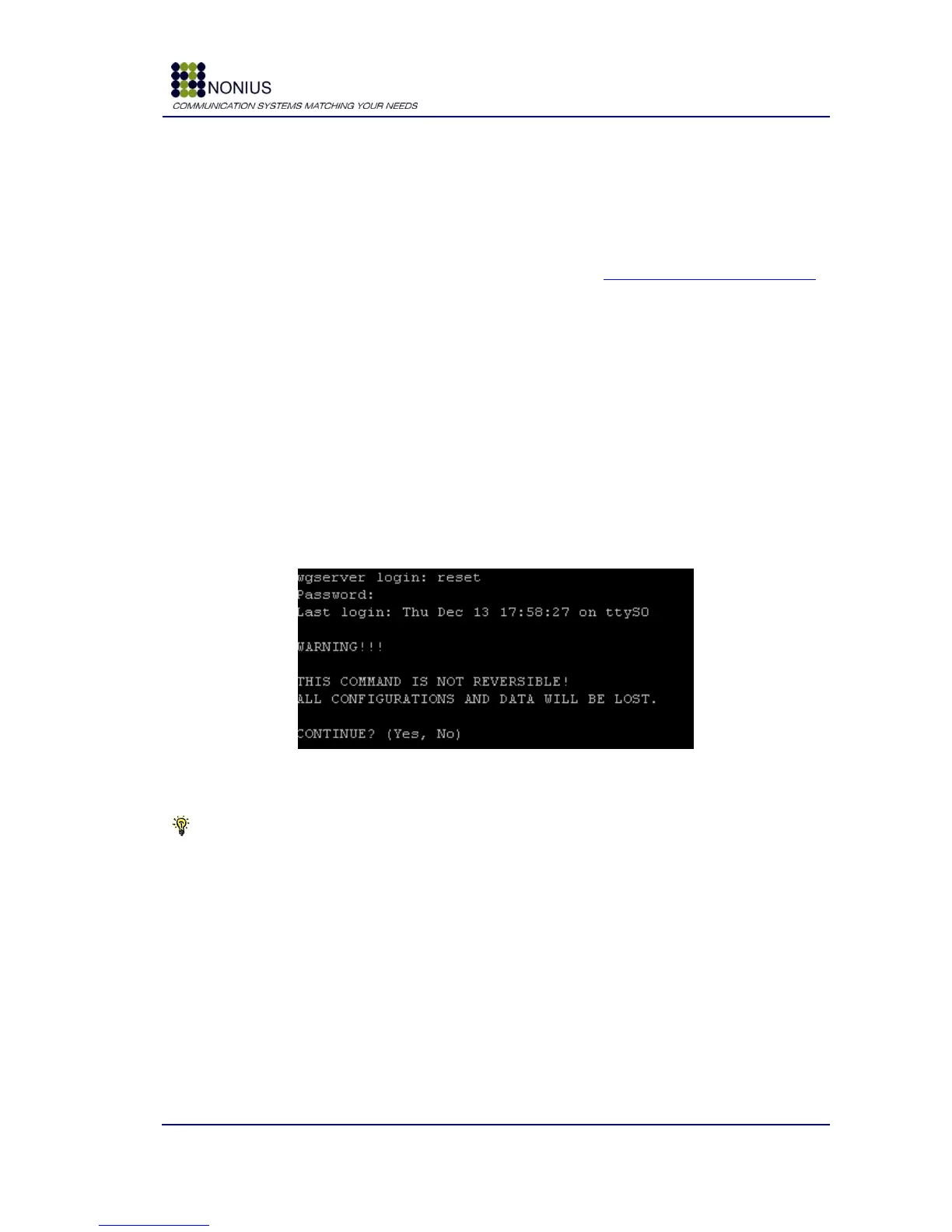
Connect your computer to the WGS5000‟s serial interface, using programs like HyperTerminal or
Putty. The WGS5000 will prompt for a login and password. To make a reset to factory defaults,
login as user reset, and the password “ta12jfcp”. Then Type “Yes”. Be aware that this command is
not reversible and all configuration and data in WGManager‟s database will be erased too!
Figure 102: Reset to Factory defaults
Tip: See section Setting Up for management [4.2], in the page 17.



 To Next Page