4.5.8. QoS - Quality of Service Submenu
This submenu is only visible if the High-availability license is enabled. The QoS parameters - MAX
Upload Data Rate and MAX Download Data Rate, are configured in the following submenu:
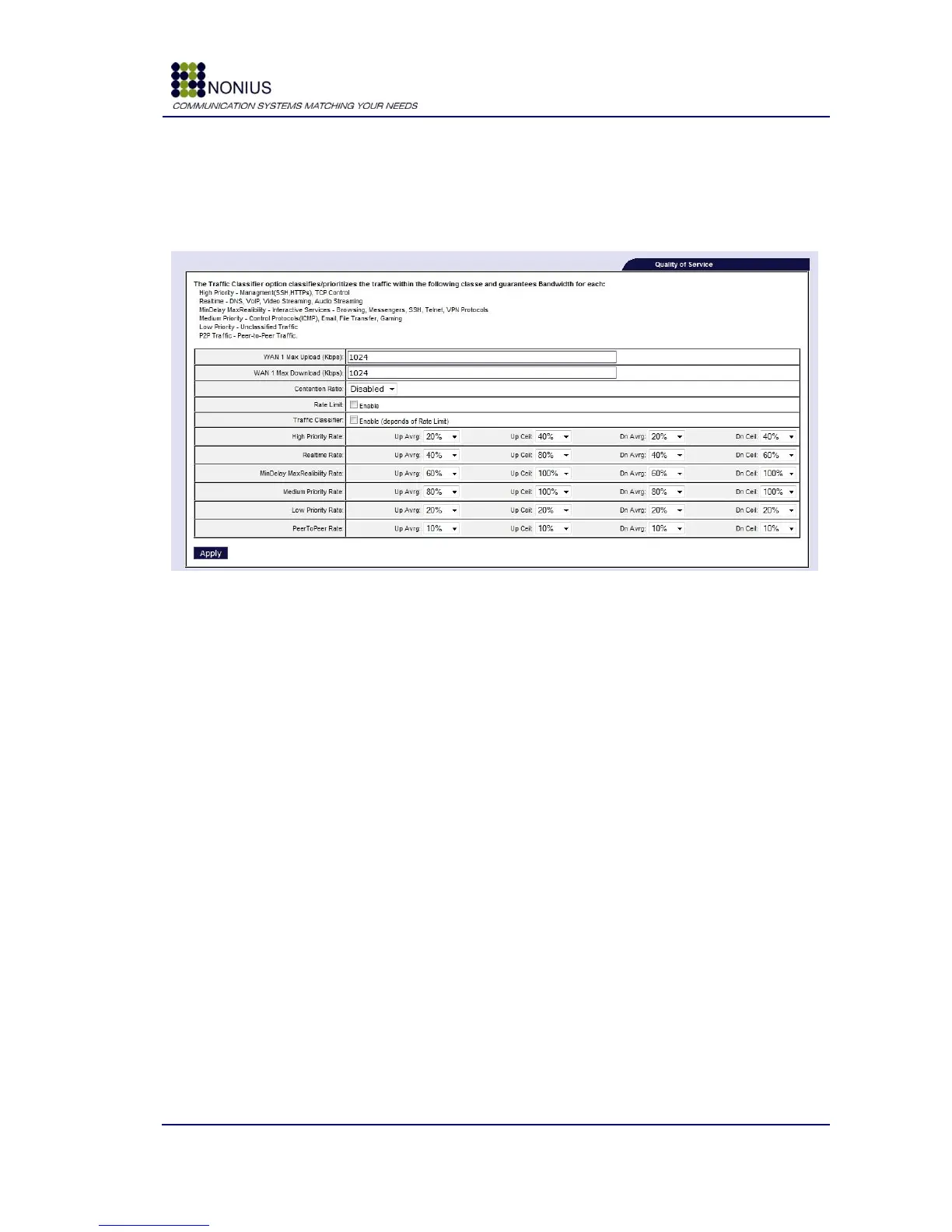
Figure 28: Network Menu – QoS (Quality of Service)
Rate Limit: Enable/disable bandwidth limitation for upload and download.
Max Upload Data Rate: Insert the maximum value, in Kbps, for upload per WAN Interface.
Max Download Data Rate: Insert the maximum value, in Kbps, for download per WAN Interface.
Contention Ratio: Sets the contention ratio that will be performed by WGS5000.
Traffic Classifier: If the checkbox “Traffic Classifier” is enabled, the traffic will be
classified/prioritized, guaranteeing prioritization between different types of service:
High Priority – Management (SSH,HTTPs), TCP Control
Real-time - DNS, VoIP, Video Streaming, Audio Streaming
MinDelay MaxRealibility - Interactive Services – Browsing, Messengers, SSH, Telnet, VPN
Protocols
Medium Priority - Control Protocols(ICMP), Email, File Transfer, Gamming
Low Priority - Unclassified Traffic
P2P Traffic - Peer-to-Peer Traffic.
If the Traffic Classifier is disabled, only bandwidth limitation will be performed and the traffic will
not be prioritized. The Traffic Classifier is a very useful solution for deployments where the users
tend to saturate the ADSL connection with P2P traffic.



 To Next Page