NoniusSoft, Software e Consultoria para
Telecomunicações, S.A.
Rua Actor Ferreira da Silva, 100
4200-298 Porto • Portugal
Figure 15: Network Menu – Virtual Interfaces
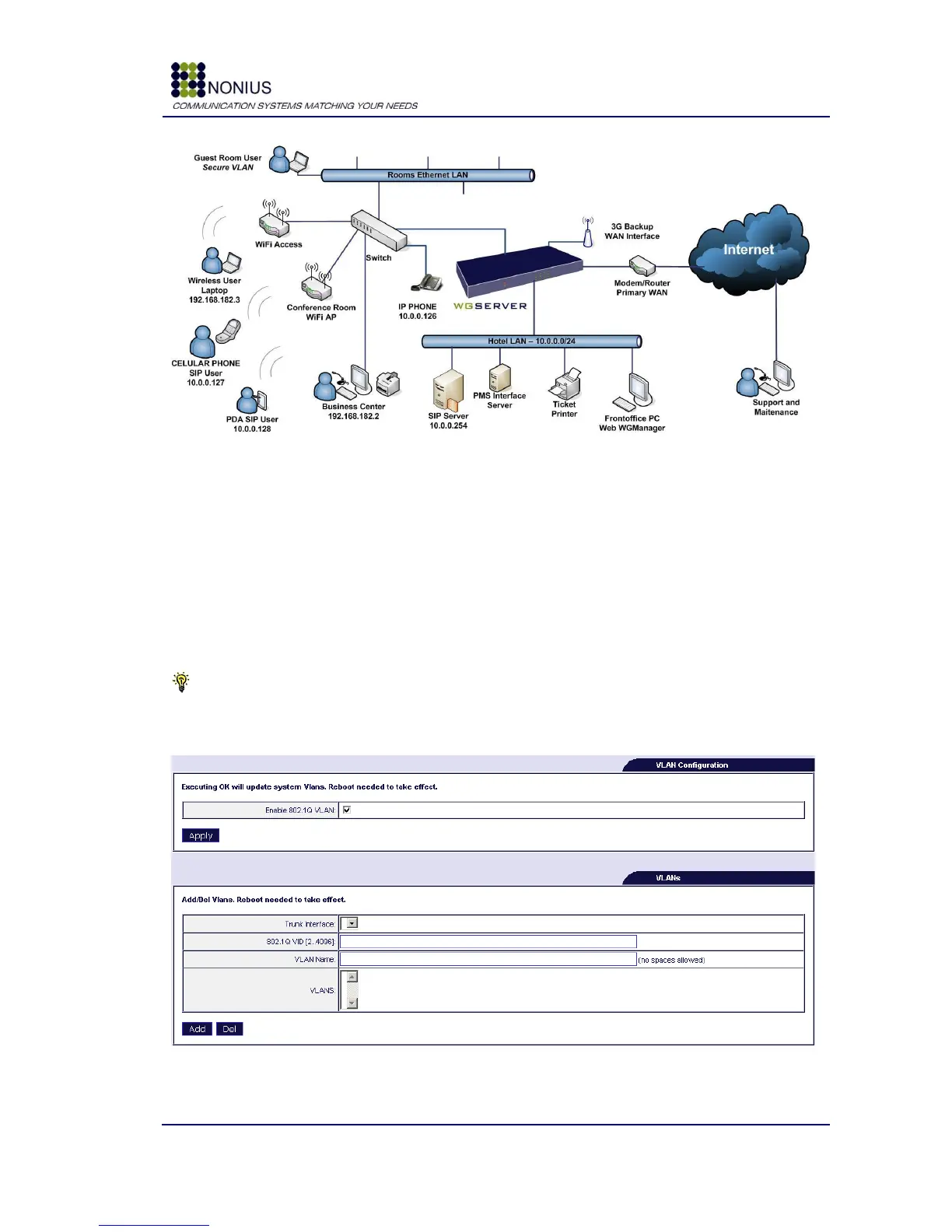
In this example, we create a virtual interface over the hotspot LAN physical interface, with the IP
address 10.0.0.1 and Netmask 255.255.255.0. If we want that SIP users make phone calls to
internet we just have to grant WAN access in SIP server, else SIP will be used just for internal use.
4.5.4. VLAN/Bridge Submenu
VLAN configuration can be enabled and configured automatically through this interface.
Tip: you can only assign VLANs to Trunk ports. Therefore, before configuring any VLAN you
should configure one of the physical Ethernet ports as a Trunk port, in the Physical Interfaces
submenu [4.4.1].
Figure 16: Network Menu – VLAN



 To Next Page