NoniusSoft, Software e Consultoria para
Telecomunicações, S.A.
Rua Actor Ferreira da Silva, 100
4200-298 Porto • Portugal
4.10.1. System Status Submenu
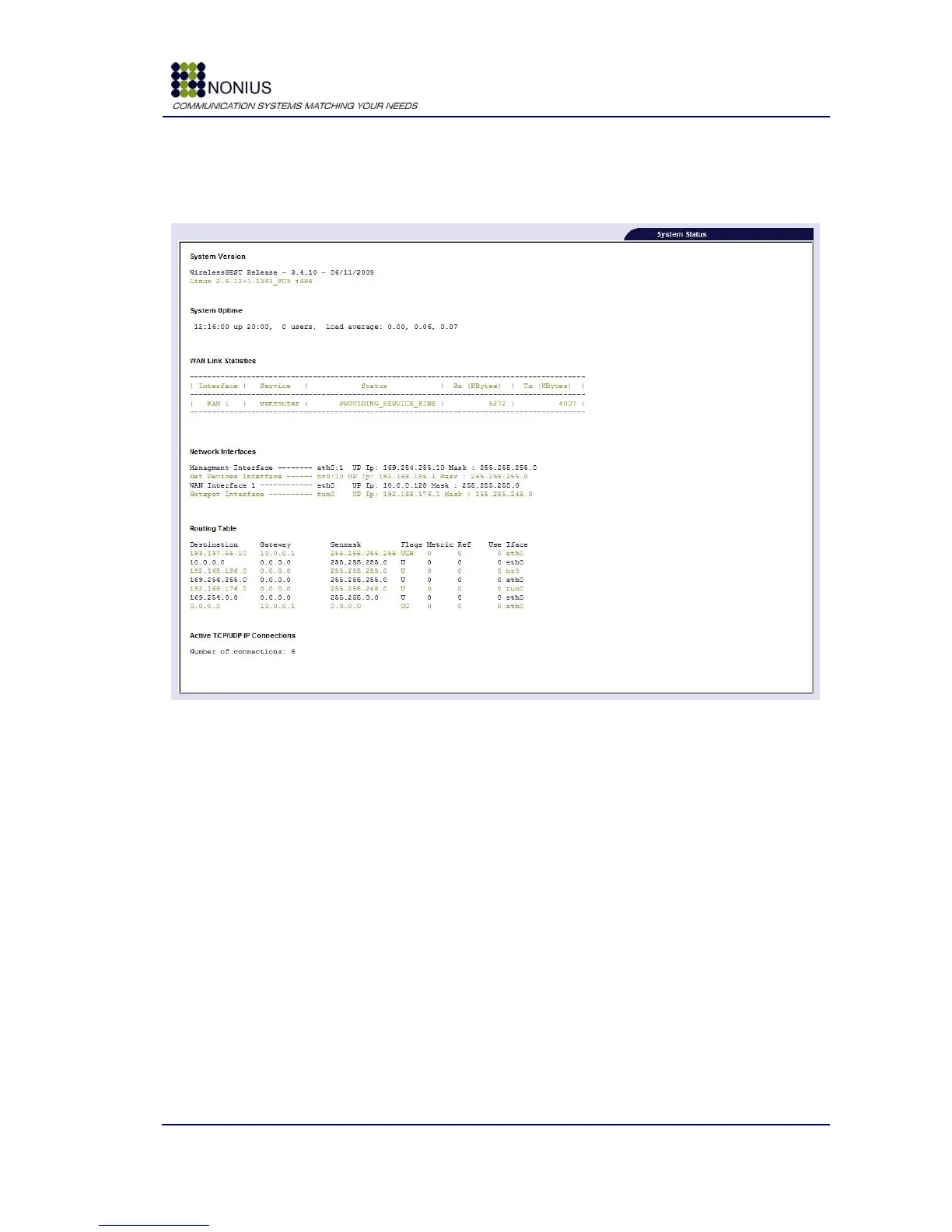
This submenu shows system configurations.
Figure 64 : Status/Logs Menu – System Status
The following parameters can be visualized:
System Version: Shows the WirelessGEST software version and Linux Operating System kernel
version.
System Uptime: Shows the system uptime since last reboot or shutdown.
WAN Interface: Shows WAN (eth0) interface configuration.
Routing Table: Shows the WGS5000‟s routing table.
WGFailover Status: Shows the failover Configuration.
Active TCP/UDP IP Connections: Shows the active TCP/UDP connections.
Packet Classification: Shows package classification status, if it is enabled. The row “Packet
Classification” shows detailed information if in Solution > Active Modules you have selected
WGQoS module and in Network > QoS - Quality of Service you have enabled “Traffic



 To Next Page