NoniusSoft, Software e Consultoria para
Telecomunicações, S.A.
Rua Actor Ferreira da Silva, 100
4200-298 Porto • Portugal
Hotspot Bridge Block Enable: enable this check box to disable routing between VLANs in the
WGS5000.
Hotspot Bridge Filtering MAC: enable this parameter for configuring a list of MAC addresses of
equipments that must not be configured by the WGS5000‟s hotspot DHCP server.
MAC/Mask: insert the MAC address to filter out and a correspondent Mask if you desire to filter
out a range of MAC addresses.
Example: if you wish to filter out all MAC addresses that start with 00:02:02 insert
00:02:02:00:00:00/ff:ff:ff:00:00:00.
4.5.5. Routing submenu
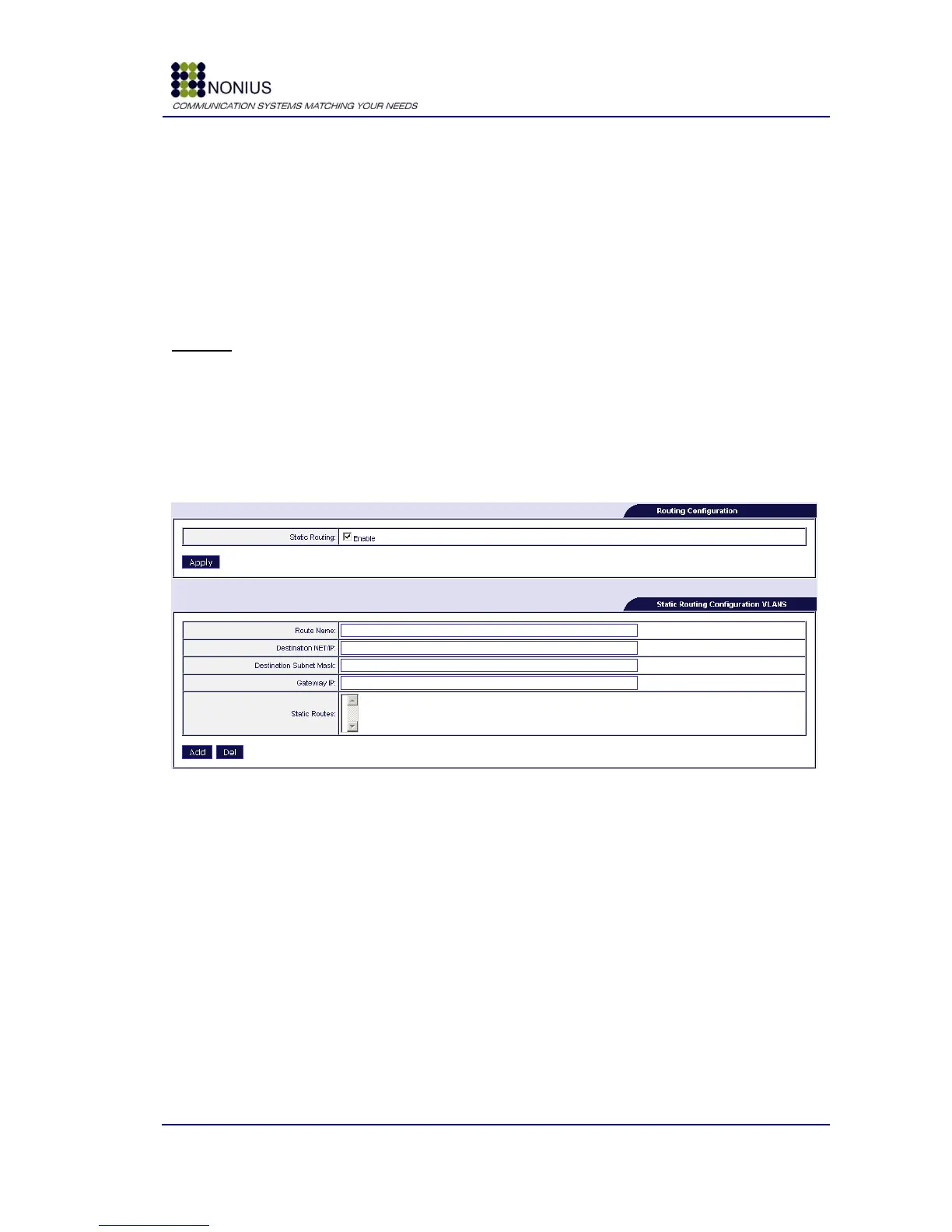
The routing submenu can be used to add static routes to the WGS5000’s routing table.
Figure 18 - Static routing configuration
Static Routing: enable this check box for being able to configure static routes
Route Name: assign a name to the new route;
Destination Net/IP: insert a network address or an IP address, as desired;
Destination Subnet Mask: insert the subnet mask of the destination network or IP address;
Gateway IP: insert the gateway‟s IP address;
Static Routes: this box lists the previously inserted static routes.



 To Next Page