NoniusSoft, Software e Consultoria para
Telecomunicações, S.A.
Rua Actor Ferreira da Silva, 100
4200-298 Porto • Portugal
4.7. Network Services Menu
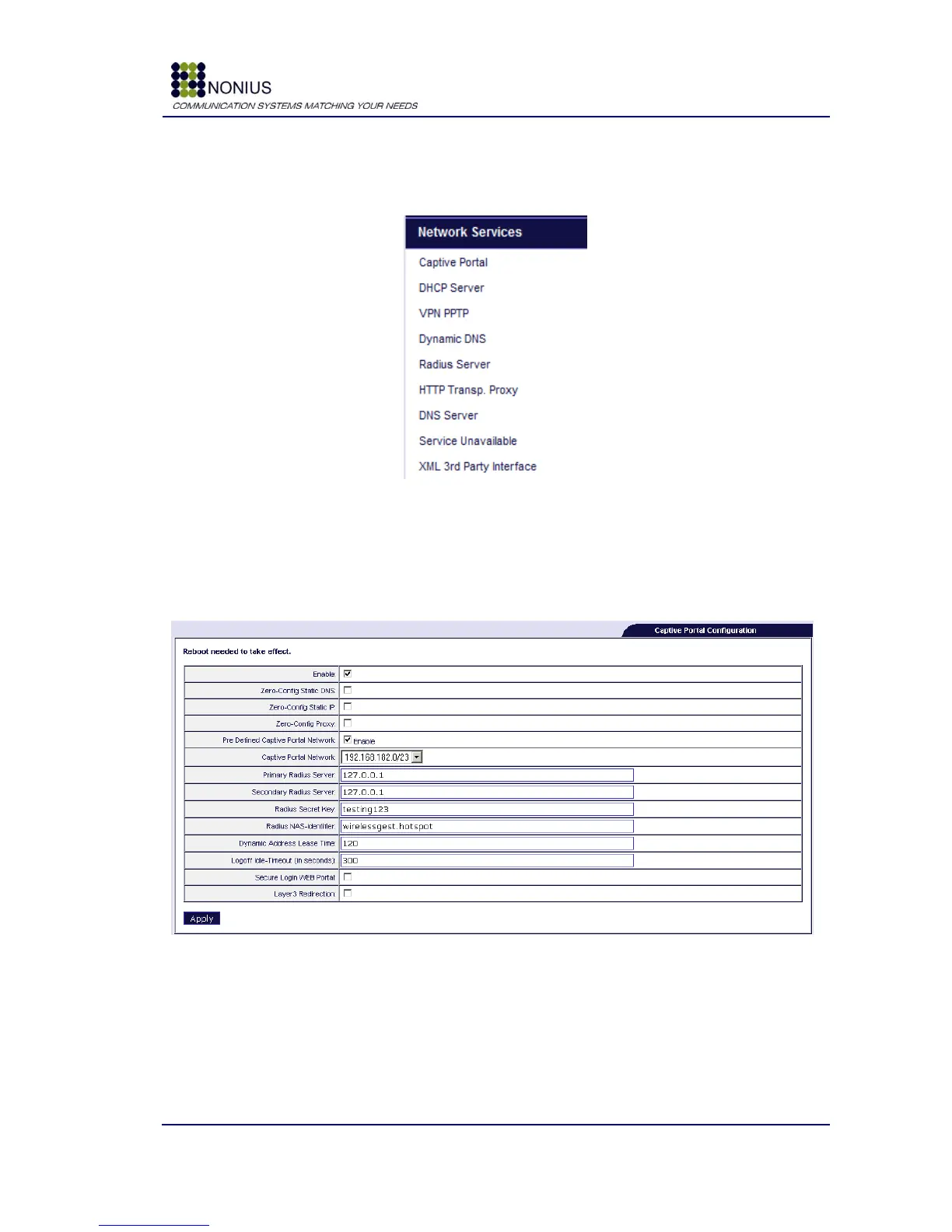
The services shown in figure are available:
Figure 32: Menu – Network Services
4.7.1. Captive Portal Submenu
This submenu is not visible in the WGHotspotManager solution.
Figure 33: Network Services Menu – Captive Portal
Enable: Enables the Captive Portal, which is the tool that performs the redirection to the login
page when the user opens up the browser and that works as DHCP server. At the login page, the
user must insert his/her username and password in order to gain Internet access.



 To Next Page