NoniusSoft, Software e Consultoria para
Telecomunicações, S.A.
Rua Actor Ferreira da Silva, 100
4200-298 Porto • Portugal
To choose a given menu, just click the option you desire, and the edition/visualization area will
change accordingly.
In the following chapters, all the WGConfig menus are described.
4.4. System Menu
This menu is used for configuring generic system parameters, such as the behaviour of the physical
Ethernet, USB and Serial interfaces, the activation or deactivation of NAT and the configuration of
the WGManager interface.
Figure 7 - System Menu
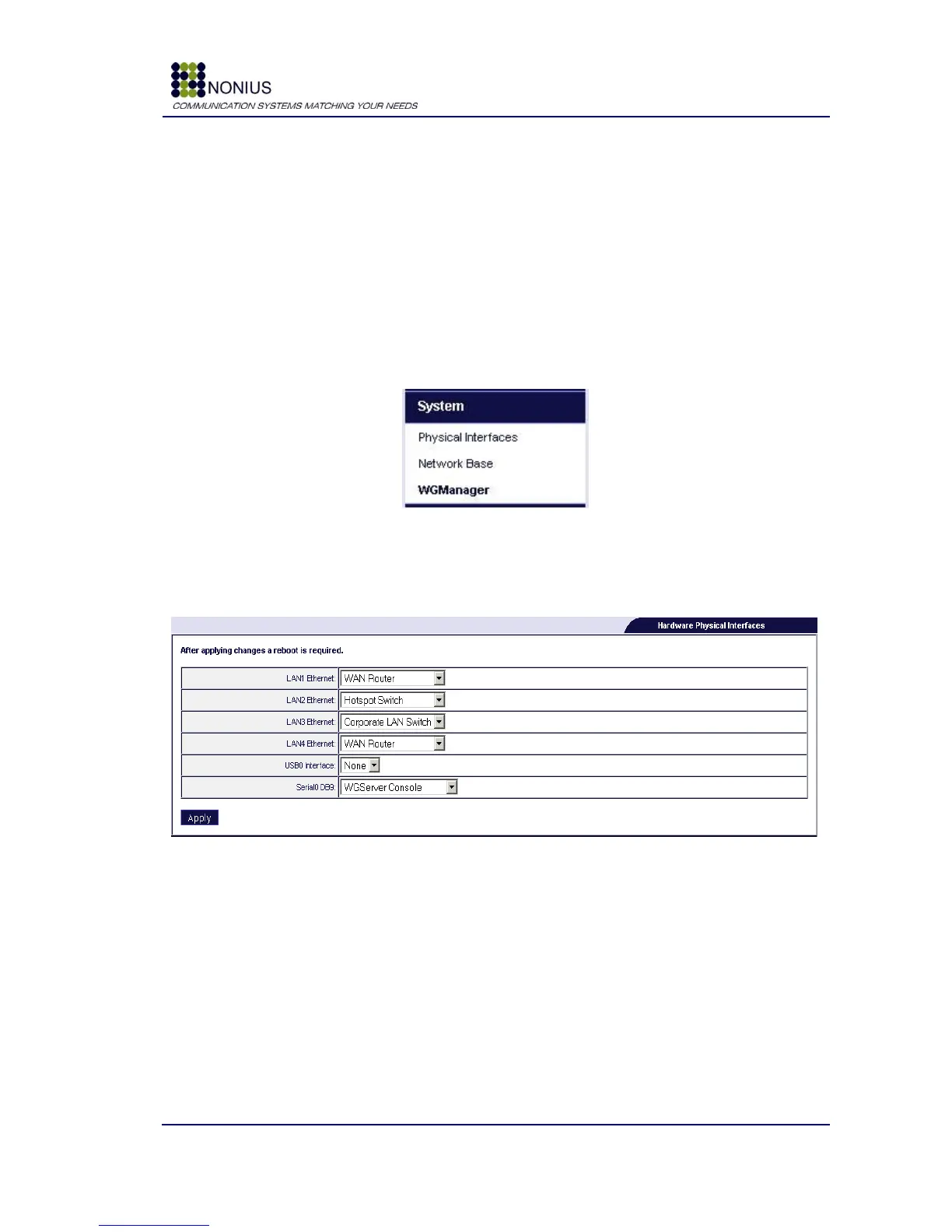
4.4.1. Physical Interfaces submenu
This submenu allows the configuration of the physical interfaces behaviour.
Figure 8 - Physical Interfaces submenu
The options for the Ethernet interfaces are:
WAN router – use this option for connecting this interface to an Internet Access
router/modem;
DHCP LAN Port – use this option for enabling a DHCP server, without Captive Portal, on this
port. Users connected through this port will have free Internet access;
Hotspot switch – use this option for enabling a Captive Portal on this port. Users connected
through this port will be redirected and will only have access to the Internet after logging in
successfully;



 To Next Page