NoniusSoft, Software e Consultoria para
Telecomunicações, S.A.
Rua Actor Ferreira da Silva, 100
4200-298 Porto • Portugal
4.13.1. Authentication Mode Submenu
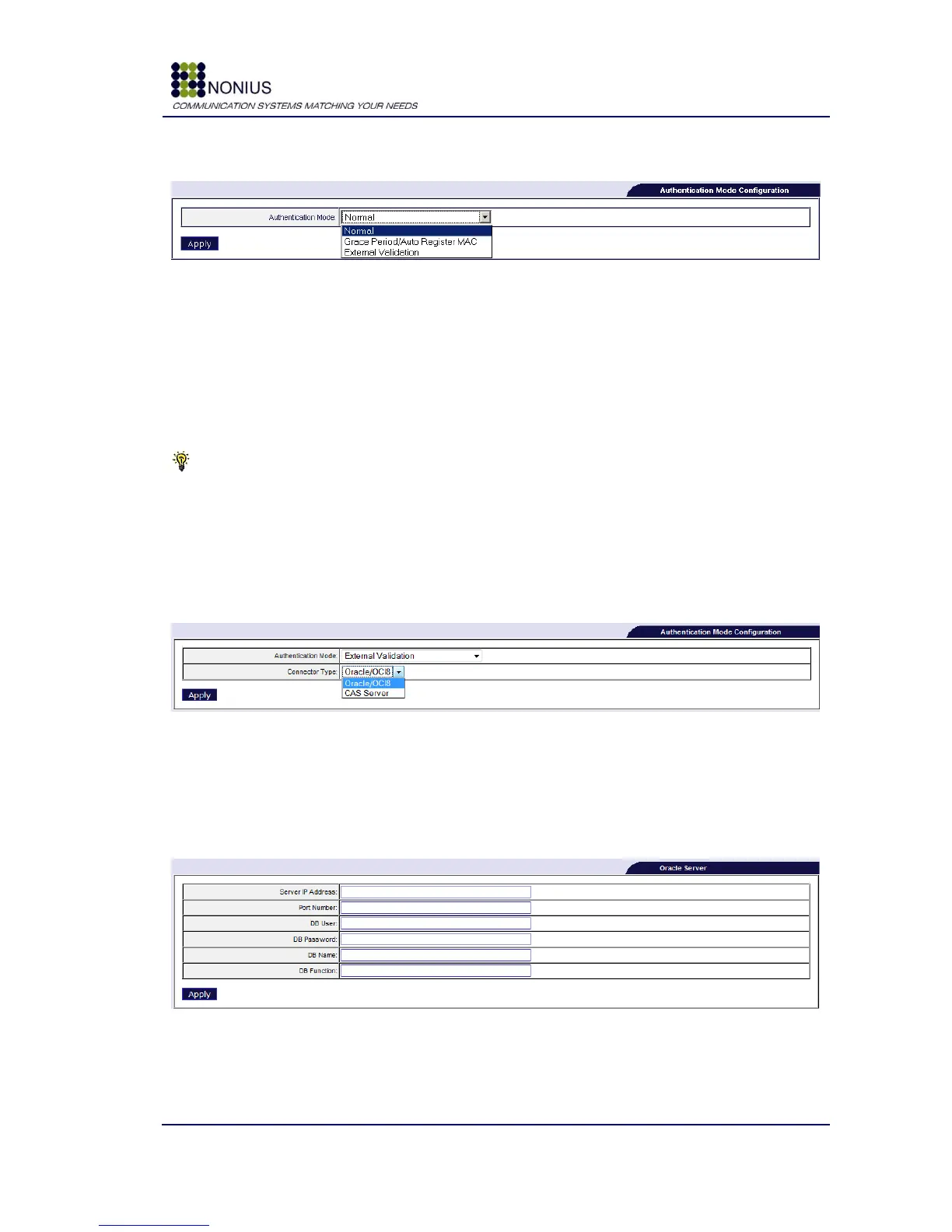
Figure 93: WGPublic Menu – Authentication Mode Configuration
In WGPublic Business Mode there are three user authentication modes:
1. Normal – users register themselves by filling in an online form and have to receive an e-
mail with login data.
2. Grace Period/Auto Register MAC – the equipment‟s MAC address is automatically registered
and users have a configurable free access time to try out the service, after which they lose
Internet Access. The following behaviour depends on service profile‟s configuration.
Tip: these users will be automatically assigned to the service profile defined on menu “Online
registration” at the WGManager Interface. Please check WGManager‟s user guide for a
configuration example.
3. External Validation – “normal” local Radius authentication is replaced by authentication
through an external entity (an Oracle DB, for example). Selecting this mode will prompt the
appearance of the following form:
Figure 94: External Validation Connector Type
Connector Type: choose between Oracle/OCI8 and CAS Server (Client Access Server). With CAS
Server selected, it is necessary to insert the URL of your server in the appearing form. On the other
hand, choosing Oracle Server, requires filling up another form:
Figure 95: External Validation - Oracle Server Configuration
Server IP Address: insert the IP address of the Oracle server;
Port number: insert the TCP/UDP Oracle server‟s port number;



 To Next Page