NoniusSoft, Software e Consultoria para
Telecomunicações, S.A.
Rua Actor Ferreira da Silva, 100
4200-298 Porto • Portugal
4.9.5. Resource Consumption
With this feature enabled you can check in WGManager the performance of your WGS5000. It
allows you to check available memory, CPU load and available swap. With the help of these charts
you can, for example, check if the WGS5000 unit is correctly dimensioned for your network.
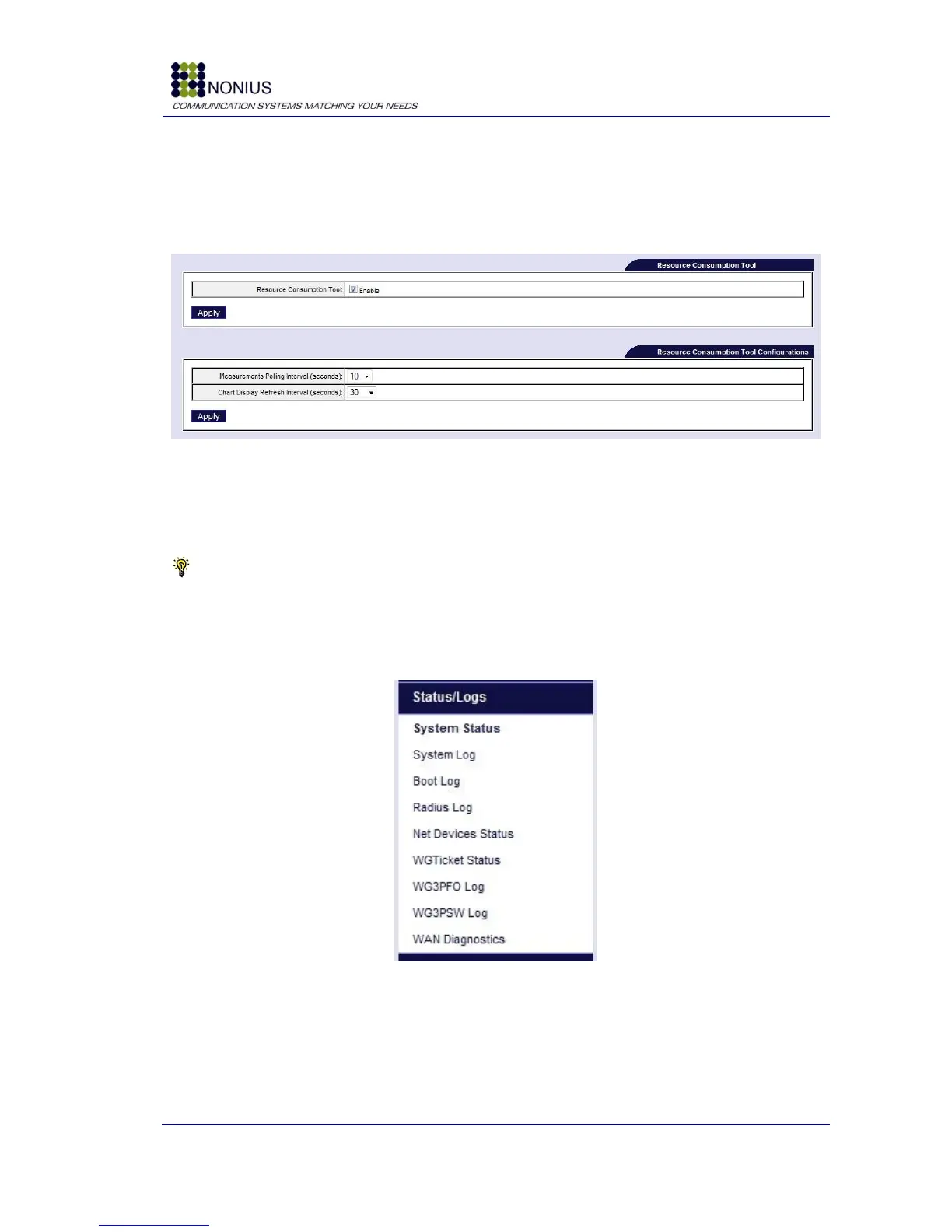
Figure 62- Resource Consumption submenu
Resource Consumption Tool: enable or disable the resource consumption tool.
Measurements Polling Interval: Sets the time intervals between each measure.
Chart Display Refresh Interval: Sets the refresh time interval for the WGManager charts page
Tip: By choosing a low measurement polling interval it will improve the charts precision, but will
require more processing power from your WGS5000 unit. Choose an appropriate setting depending
on the expected number of users.
4.10. Status/Log Menu
Figure 63: Status/Logs Menu



 To Next Page