NoniusSoft, Software e Consultoria para
Telecomunicações, S.A.
Rua Actor Ferreira da Silva, 100
4200-298 Porto • Portugal
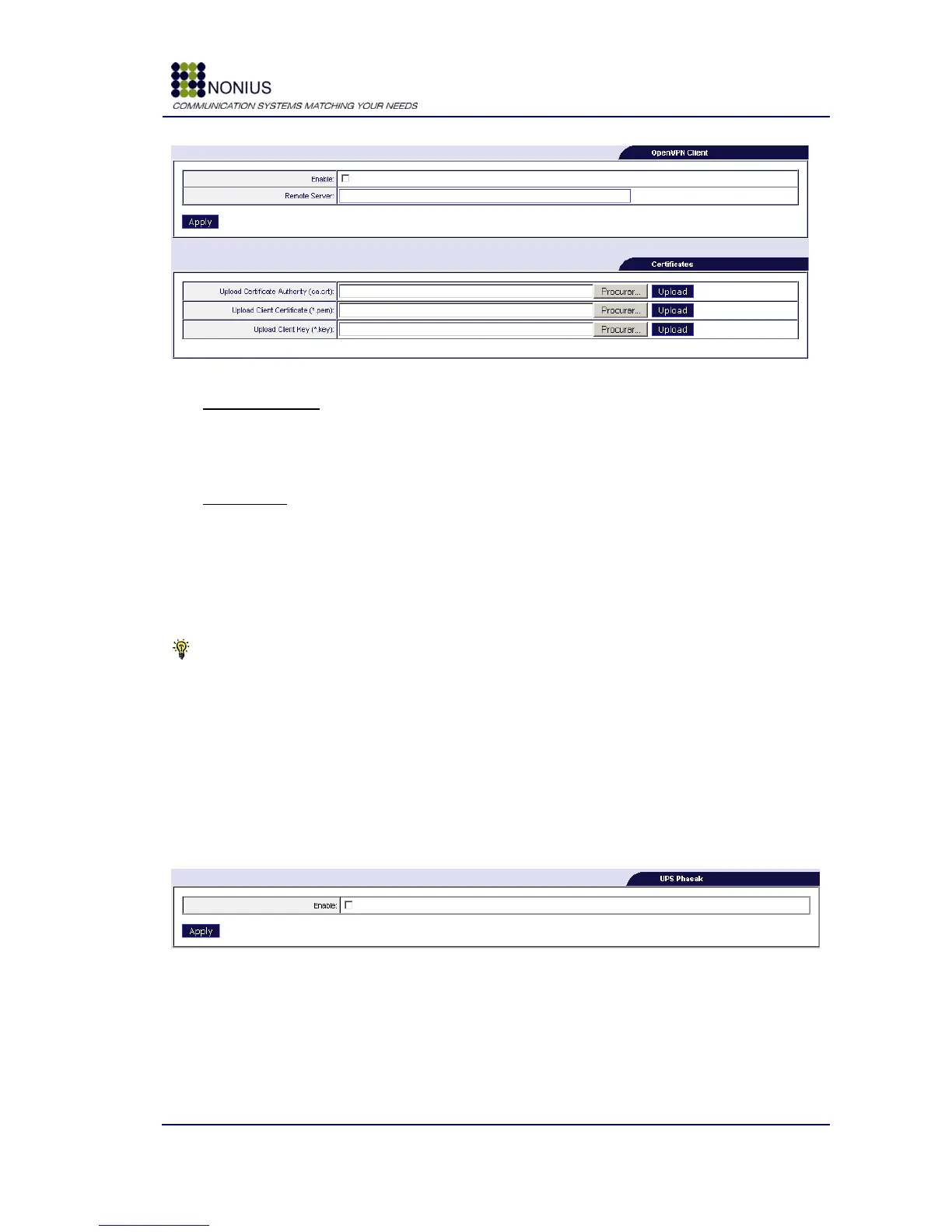
Figure 60: Maintenance Menu – VPN
OpenVPN Client
Enable: Enable/disable the OpenVPN client.
Remote Server: Hostname or IP address of the remote OpenVPN server.
Certificates
Upload Certificate Authority: Upload of the Certificate Authority that emits digital certificates,
certifying that the contained public key in the certificate belongs to a trusted entity.
Upload Client certificate: Upload client certificate so that the authentication becomes possible.
Upload Client key: Upload of client key so that the authentication becomes possible.
Tip: These certificates have to be created in your remote OpenVPN server, and then uploaded
into the WGS5000.
4.9.4. UPS Control
When connected to a Phasak UPS, the WGS5000 can program the UPS to cut the power (and
consequently restart any equipment connected to the UPS) periodically. Every 2/3 minutes the
WGS5000 cancels the restart instruction. If the restart instruction is not cancelled, the UPS will cut
the power. This feature is useful to automatically perform a reboot if, for example, the WGS5000
crashes.
Figure 61: Maintenance Menu: UPS Control
Enable: enable or disable the UPS control.



 To Next Page